Getting Started
EN I
17
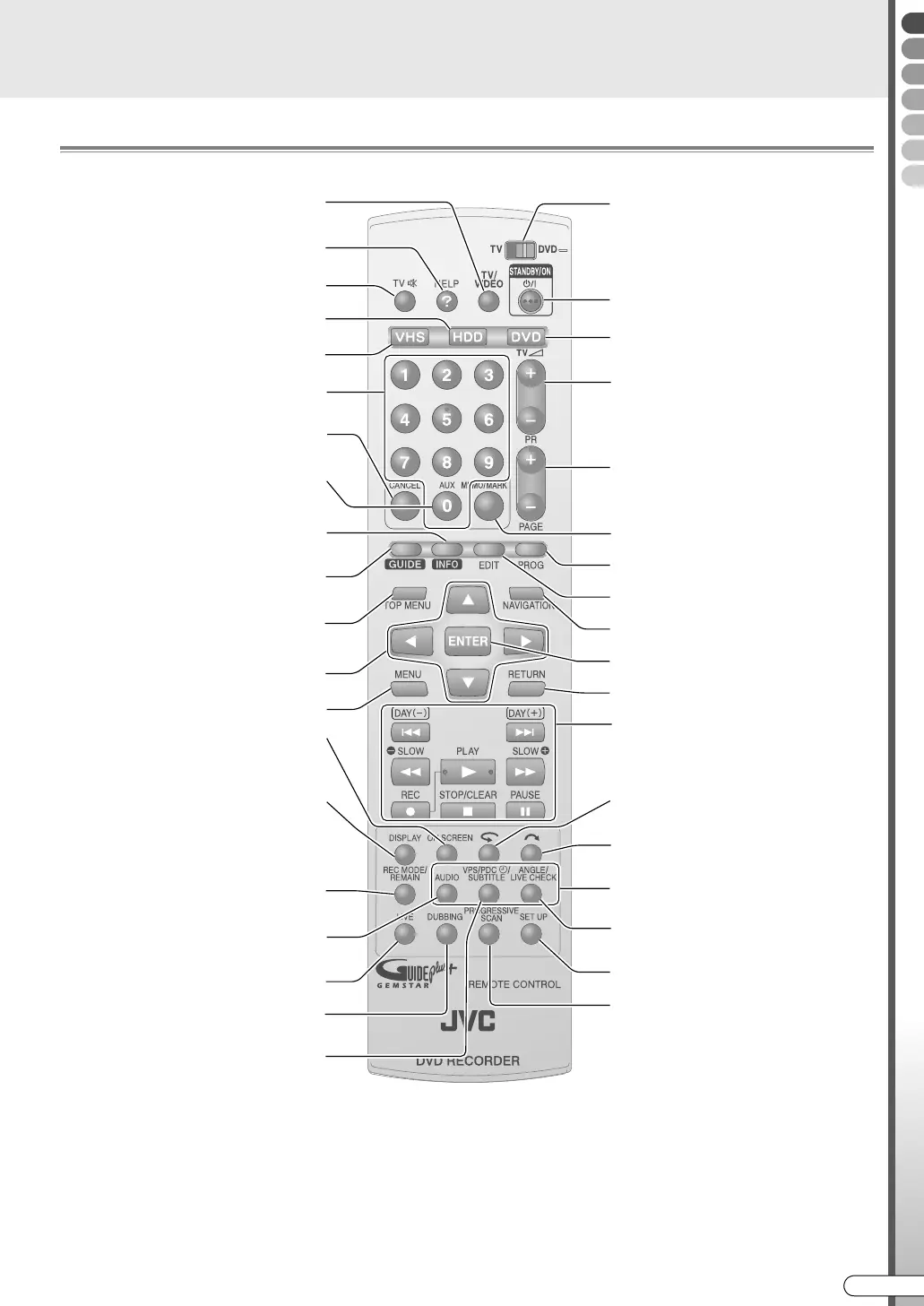
Remote Control
......................................................................................................................
NOTES: (Regarding batteries)
0 If the remote control’s functional distance becomes shorter, the batteries are depleted. At times like this, replace
with new batteries. Insert them correctly in the directions indicated for F and G.
0 If problems occur while using the remote control, remove the batteries, then re-insert them after more than 5
minutes and try again.
TV/DVD remote control selector
Usually set to DVD
Power (On/Off)
Operate DVD
TV volume
Channel Up/Down
Page Up/Down in the GUIDE Plus+
system
Enter into memory/marking [ P43, 73]
Programming the timer [ P52, 54]
Editing [ P80]
View Help [ P91]
Watch recorded programme [ P42]
Select
Return to previous screen
DVD Video playback settings [ P63]
Sound/Subtitles/Camera Angle
Basic recording/playback operations
[ P39, 44, 58, 63]
Next Day/Previous Day in the
GUIDE Plus+ system [ P46]
Shift back a little and replay [ P44]
Yellow button on the programme listing
Skip forward a little [ P44]
Blue button on the programme listing
View recording screen [ P61]
During Live Memory Playback
Perform basic setup [ P109]
Switch image output [ P64]
TV input switch
TV mute
Operate HDD
Enter numbers (Number Keys)
Switch channels
Cancel [ P37, 73]
Reset VHS counter [ P102]
View programme information in the
GUIDE Plus+ system [ P47]
Enter/Exit the GUIDE Plus+ system
[ P46]
Display TOP menu [ P62]
During DVD Video playback
Display the menu [ P62]
Display screen information
[ P105, 106]
Green button on the programme listing
Switch time display [ P44]
Check VPS/PDC signal reception
[ P55]
Red button on the programme listing
Recording with VPS/PDC j [ P55]
Switch bilingual sound
[ P63, 100]
Switch to broadcast screen [ P61]
Dubbing [ P72]
Confirm
Set recording mode [ P92]
Check disc remaining time
Operate VHS
Auxiliary
Switch to external input channel
DR-MX10SE.book Page 17 Wednesday, December 14, 2005 3:37 PM



 To Next Page
 Loading...








