Dubbing
EN I
77
Dubbing from VHS to HDD
or DVD (Entire)
ABCDEFGHILM
9 Programmes recorded on a VHS tape can be
dubbed in entirety to the HDD or DVD disc.
........................................................
NOTES:
0 Select AL/RB, ALB, ARB, or ANORMB for the playback
sound.
0 Starts dubbing after automatically rewinding the tape
to the beginning.
0 The tape will be automatically rewound when
dubbing ends.
0 When the HDD or DVD disc runs out of disc
remaining time, the tape will automatically stop at
that position and dubbing will cease.
0 If there are multiple VISS signals within a tape,
separate titles will be created for each VISS signal.
(Auto title creation dubbing function)
When titles reach 99 on DVD or 500 on HDD, they
will not be created.
0 If there are blanks of more than 2 seconds on the VHS
tape, the HDD/DVD will enter into pause mode.
Dubbing will resume once recorded part is detected.
This prevents useless recordings.
A Load the tape to play.
0 When dubbing to a DVD disc, load a recordable
disc.
B Select “VHS
N
HDD” or “VHS
N
DVD” in step B of “Dubbing between
HDD and DVD Deck”, then select
“ENTIRE”. [ P72]
C Set and confirm the recording.
0 ADubbing from HDD or DVD to VHSB, step C
[ P76].
D Select “EXECUTE”.
When dubbing ends, the broadcast
screen appears automatically after a
message is displayed.
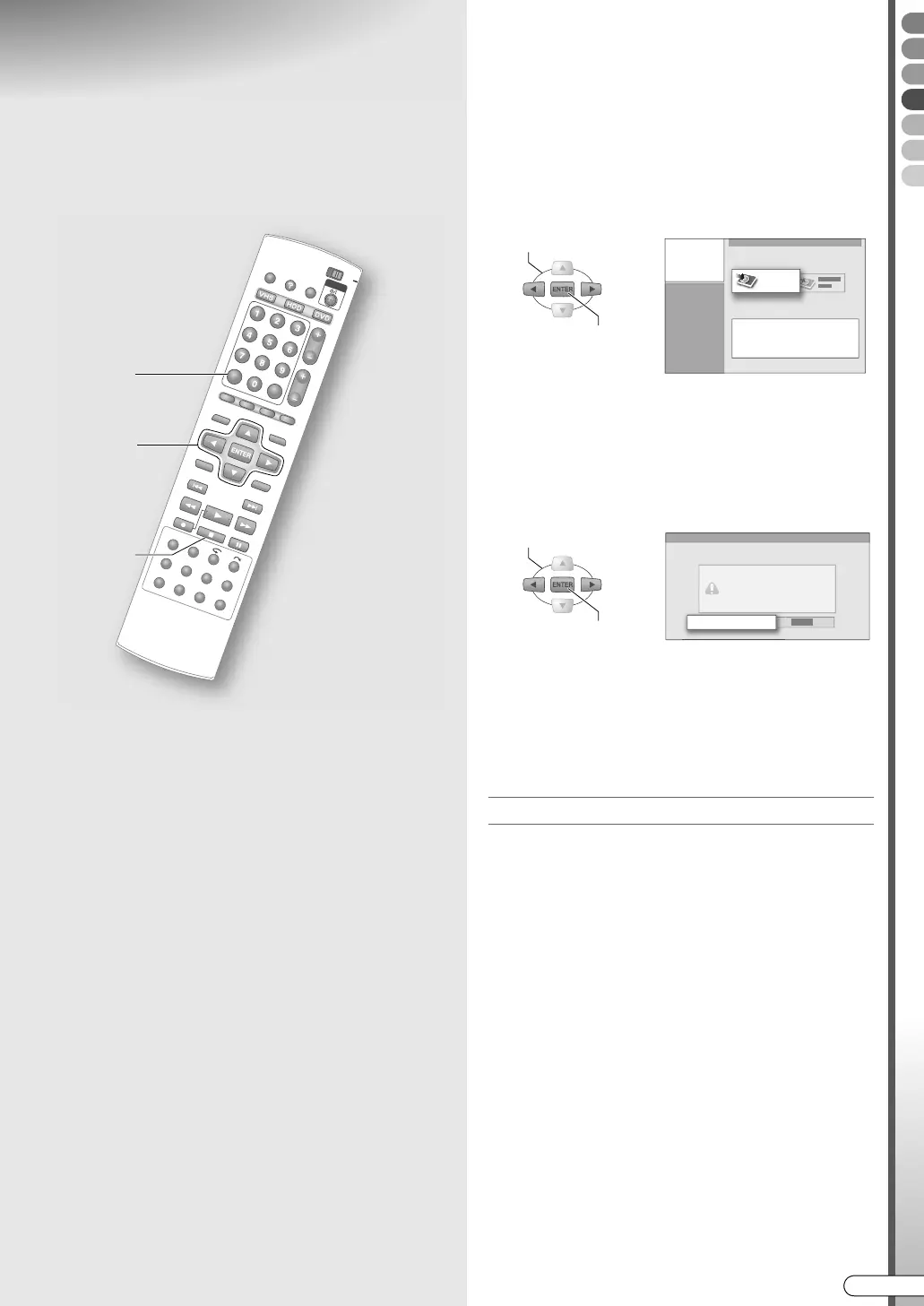
To cancel a dubbing that is in progress
A
Press STOP/CLEAR ( o).
B Select ACANCELB, then press ENTER.
STOP
CANCEL
B - D
SELECT
CONFIRM
ENTIRE
SELECT
CONFIRM
EXECUTE
DR-MX10SE.book Page 77 Wednesday, December 14, 2005 3:37 PM



 To Next Page
 Loading...








