Editing
EN I
85
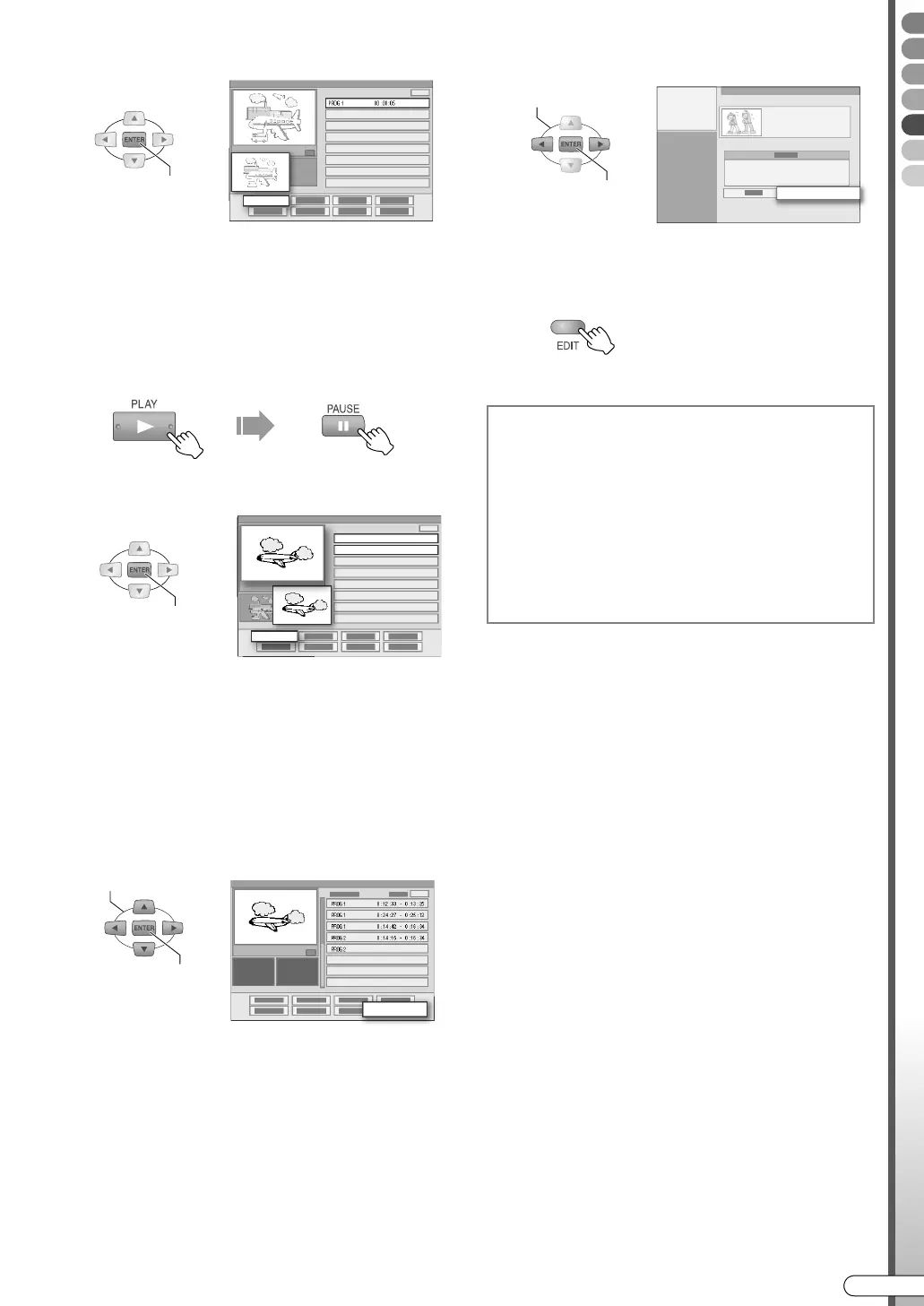
B Confirm on the start point.
0 The image of the start point for the scene will
be displayed on the AINB sub-screen.
F Decide on the end point of the scene.
A Start playback, then pause at the scene
where you want the created play list to
end.
B Confirm on the end point.
0 The image of the end point for the scene will
be displayed on the AOUTB sub-screen.
0 Repeat step E and F to add scenes.
0 To add scenes from other programmes, select
ASEL. TITLEB, then repeat step D - F.
0 A maximum of 99 scenes can be registered in a
play list.
G Select “OK”.
H Select “EXIT”.
I Exit play list creation.
........................................................
NOTES:
If a scene is created, the following menu buttons can
be selected.
0 ASEL. TITLEB: Select scenes from other programmes.
0 AMODIFYB: Modify scenes. [ P86]
0 ADELETEB: Delete scenes.
0 AMOVEB: Can change the playback order when there
are more than 2 scenes. [ P87]
0 ARETRYB: Cancel the last operation.
0 APREVIEWB: Play back from scene 1.
0 AOKB: Confirm scene registration.
Preview Playback
0 Forward search and slow motion playback are
possible.
0 You can move the scenes with S/T.
0 A scene being played back is selected.
0 Press STOP/CLEAR to end preview playback.
0 Enters into pause mode when preview playback ends.
CONFIRM
PROG 1 00 : 00: 05
IN/OUT
CONFIRM
IN/OUT
SELECT
CONFIRM
PROG 1 0 : 12 : 33 - 0 : 13 : 25
PROG 1 0 : 24 : 27 - 0 : 25 : 12
PROG 1 0 : 14 : 42 - 0 : 16 : 34
PROG 2 0 : 14 : 15 - 0 : 16 : 34
PROG 2
OK
Play back play list
0 Select APLAY LISTB in step C [ P42] of
ABasic Playback (Library Database
Navigation)B.
Delete play list
0 Perform the operations on ADeleting/
Protecting a ProgrammeB. During which,
select ADELETEB under APLAY LISTB in step
C [ P88].
SELECT
CONFIRM
EXIT
DR-MX10SE.book Page 85 Wednesday, December 14, 2005 3:37 PM



 To Next Page