Useful Features
EN I
95
Simple timer programming for the
following week
A Press PROG when playing back a
recorded programme.
B Select “YES”.
0 If there is inactivity for approximately 5 seconds,
the programme navigation screen will be
displayed. To cancel, press PROG.
0 If there is inactivity for approximately 1 minute
during setting, the settings will be cancelled and
the screen will return to the broadcast screen.
C Set timer at the programme
navigation screen.
0 For timer setting, perform step E-G on P54, 55.
0 After the timer recording has been set, the
broadcast screen is displayed.
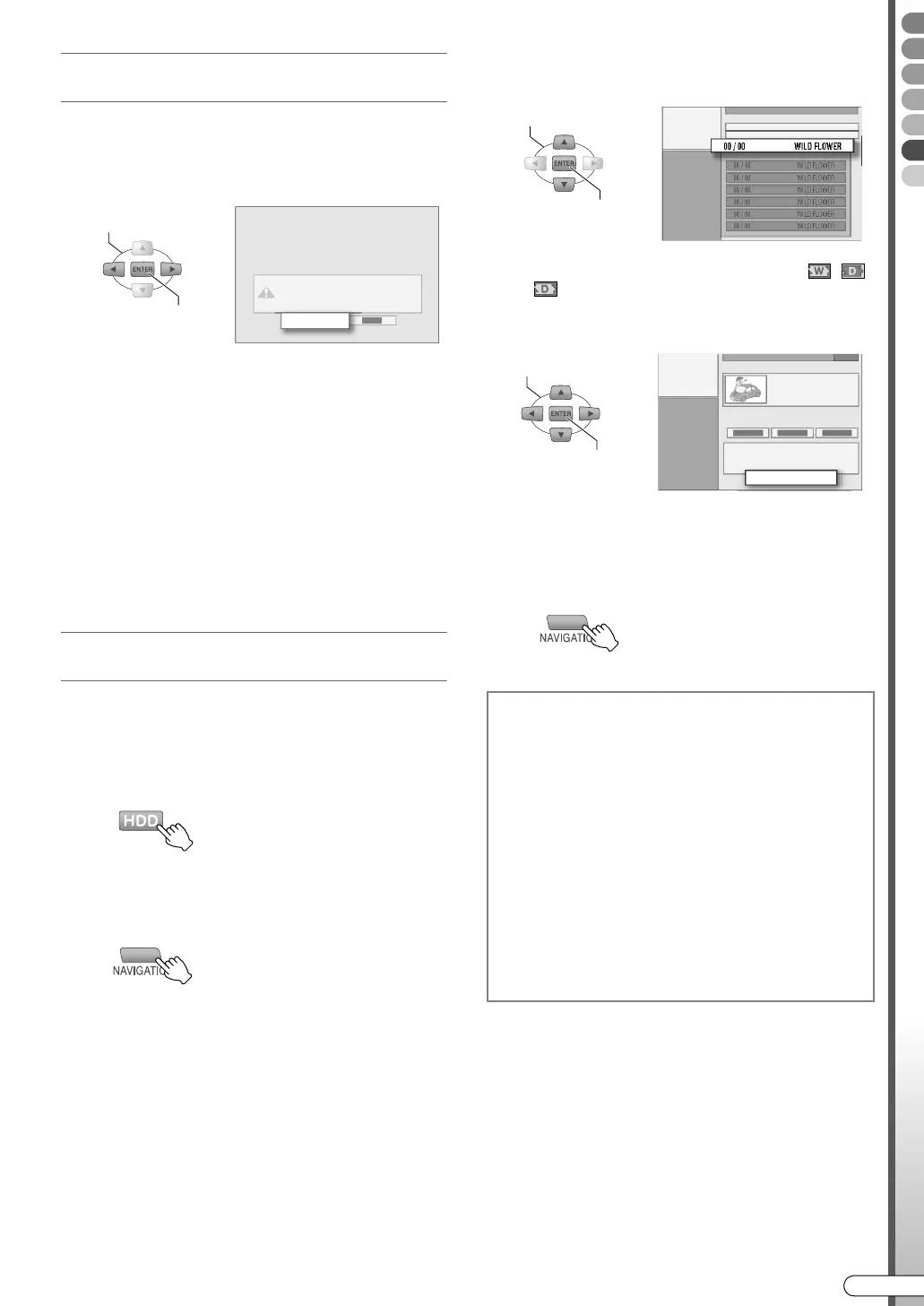
Overwrite protection setting for weekly/
daily recording (HDD)
When you wish to keep programmes specified for
overwriting, set overwrite protection. Or, dub to DVD
disc.
A Set to HDD.
B Display the Library Database
Navigation screen.
C Select and confirm on “NAME”.
D Select and confirm on the initial letter
of the programme name.
E Select and confirm on the
programme that you wish to protect.
0 Icon specifying weekly/daily overwrite ( , ,
) will be attached.
F Select “PROTECT”.
G Press ENTER.
H Exit.
YES
SELECT
CONFIRM
Programme alert message
0 For HDD timer programming, if there is a timer
programme that cannot be recorded within the
duration set due to the remaining capacity of
HDD, a programme alert message will be
display when the unit is turned on.
0 If APROGRAMME LISTB is selected and
confirmed, the APROGRAMME LISTB screen
will be displayed. Verify, cancel or change the
timer programme where necessary. AChecking,
Changing or Cancelling a Timer ProgrammeB
[ P57]
0 The display duration of the programme alert can
be set. Setup Menu APROGRAMME ALERTB
[ P112] Z
SELECT
CONFIRM
SELECT
CONFIRM
PROTECT
DR-MX10SE.book Page 95 Wednesday, December 14, 2005 3:37 PM



 To Next Page
 Loading...








