99
Step 3: Repeat ICP matching multiple times to make sure of convergence. Once you have
subsampled and segmented map you want to transform, you can drag the original point cloud
under it so that the transformation calculated on the subsampled and segmented map is also
applied to the full map.
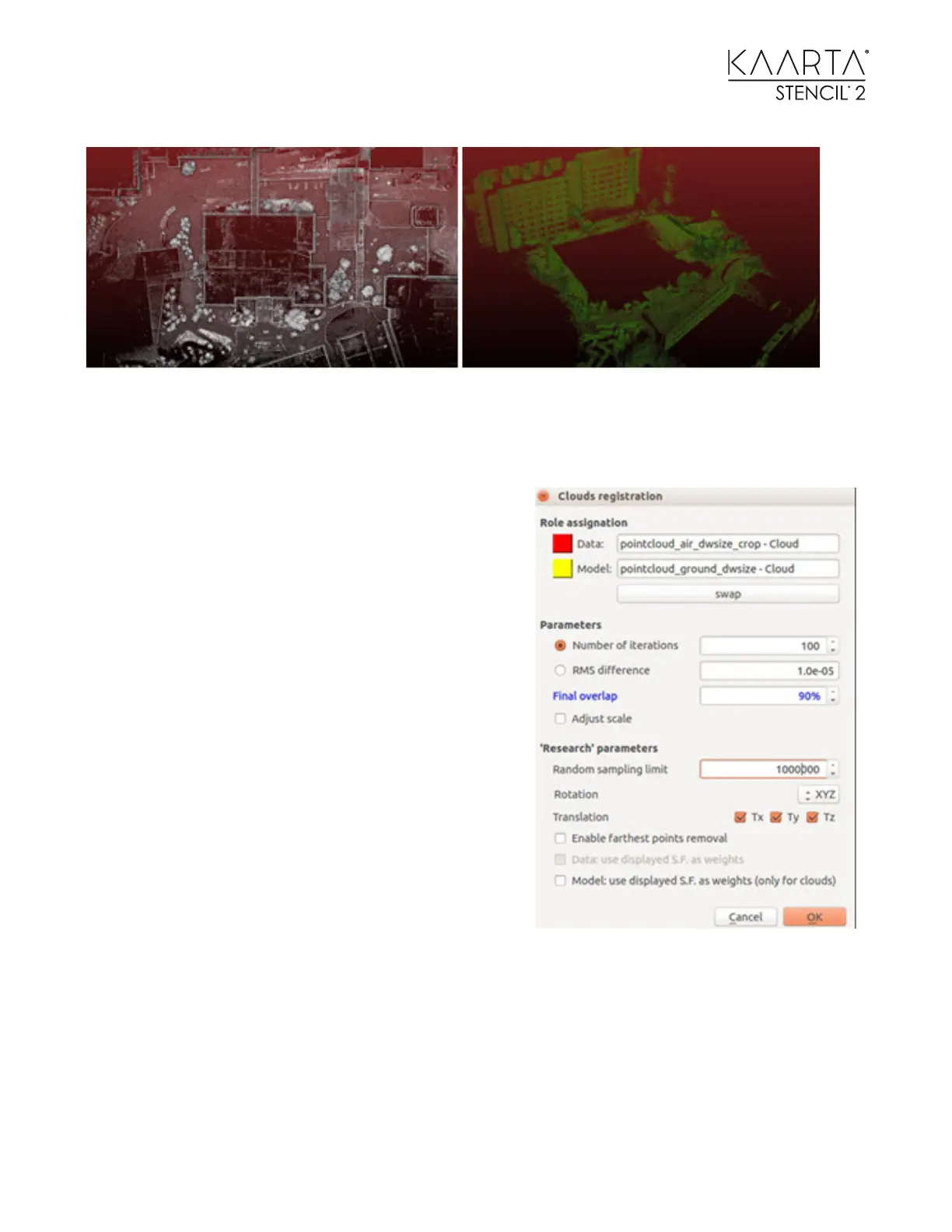
Select the two subsampled point clouds. Run the ICP
matching function. In the Clouds registration window,
make sure the Data with a red square refers to the
aerial map (to be moved), and the Model with a yellow
square refers to the ground map (reference). The idea
is that the aerial map will be moved toward the
ground map.
A good start is to set Number of iterations to be 100
and Final overlap to be 90%. Adjust the overlap
accordingly based on your estimate of how much the
aerial map (after trimming) overlaps with the ground
map.
Note: The percent of the overlap refers to the Data,
not the Model.
Set Random sampling limit to be a number larger than
the point number on the aerial map so that it will use
the entire aerial map (Data) to match to the ground
map (Model).



 To Next Page