EasyManua.ls Logo

Kamstrup ULTRAFLOW 54 - User Manual

Kamstrup ULTRAFLOW 54
77 pages
Print Icon
To Next Page IconTo Next Page
Loading...
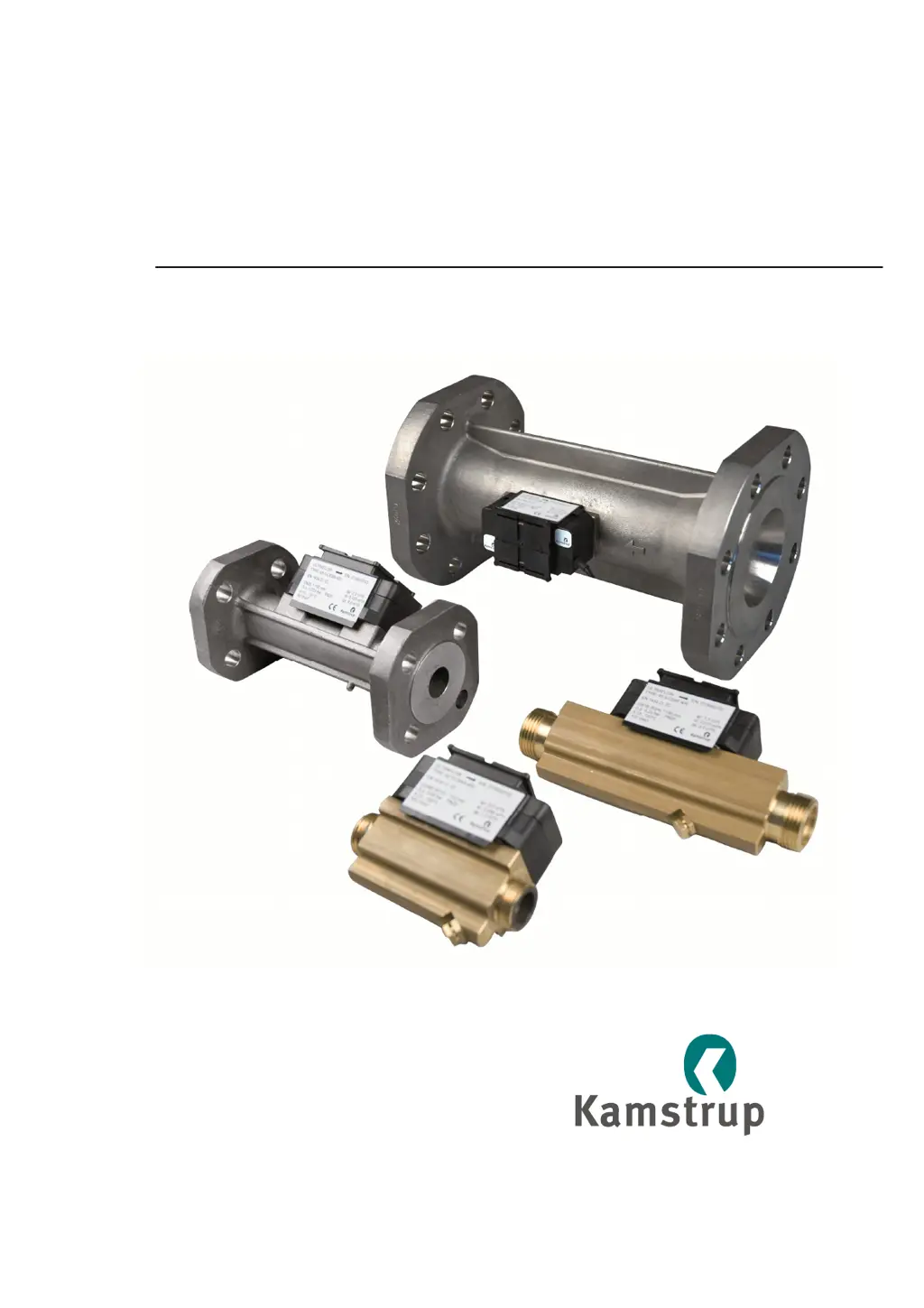
Technical Description
ULTRAFLOW
®
54
ULTRAFLOW
®
34
Kamstrup A/S
Industrivej 28, Stilling
DK-8660 Skanderborg
TEL: +45 89 93 10 00
FAX: +45 89 93 10 01
info@kamstrup.com
www.kamstrup.com

Table of Contents

Other manuals for Kamstrup ULTRAFLOW 54

Questions and Answers

  • G
    gchoiAug 13, 2025
    What to do if Kamstrup Measuring Instruments show no accumulation of m³?
    • D
      Deborah CraigAug 14, 2025
      If your Kamstrup Measuring Instruments are showing no accumulation of m³, several factors could be at play. First, examine the flow sensor connection, using a PULSE TESTER if needed. Incorrect connections can prevent proper measurement. Ensure the flow sensor isn't inverted and is installed in the correct direction. Air in the sensor or cavitation from valves and pumps can also lead to this issue; check for these conditions in the system. Finally, a faulty flow sensor can cause this problem, in which case you should consider replacing the flow sensor or sending the meter for repair.
  • M
    Meghan GrahamAug 17, 2025
    Why are my Kamstrup ULTRAFLOW 54 erroneously accumulating m³?
    • D
      dianeevansAug 17, 2025
      If your Kamstrup Measuring Instruments are erroneously accumulating m³, it could be due to several reasons. One potential cause is erroneous programming. Verify that the meter factors of the calculator and flow sensor correspond correctly. Another cause could be air in the sensor or cavitation from valves and pumps. Check the system for these issues. Finally, a flow sensor error might be the culprit, in which case you may need to replace the flow meter or send the sensor for repair.
  • A
    Audrey MasonAug 21, 2025
    What to do if Kamstrup ULTRAFLOW 54 have no display function (blank display)?
    • J
      jennifergarciaAug 21, 2025
      If the display on your Kamstrup Measuring Instruments is blank, it likely indicates a lack of voltage supply and backup. You should replace the back-up cell and also replace the battery or check the mains supply to resolve this issue.
  • M
    Michael HammondAug 25, 2025
    How to fix Kamstrup Measuring Instruments when there is no updating of display values?
    • S
      Susan BakerAug 25, 2025
      If the display values on your Kamstrup Measuring Instruments are not updating, the most likely cause is a lack of power supply. To resolve this, replace the battery or check the mains supply.
  • T
    Timothy VaughanAug 28, 2025
    What to do if my Kamstrup Accessories meter is not accumulating m³?
    • C
      Carol WoodsAug 28, 2025
      If your Kamstrup Accessories meter is not accumulating m³, it could be due to several reasons. First, ensure the flow sensor connection is correct, using a PULSE TESTER if necessary. Also, verify that the flow sensor direction is correct and that there is no air in the system or cavitation from valves and pumps. If the issue persists, the flow sensor might be faulty, requiring replacement or the meter to be sent for repair.
  • B
    Bob HigginsSep 1, 2025
    Why is my Kamstrup Accessories meter erroneously accumulating m³?
    • M
      Marie SalazarSep 1, 2025
      If your Kamstrup Accessories meter is erroneously accumulating m³, it could be due to incorrect programming. Verify that the meter factors of the calculator and flow sensor correspond. Also, check for air in the sensor or cavitation from valves and pumps. If these steps don't resolve the issue, the flow sensor may be faulty and require replacement or repair.
  • B
    Brooke MorganSep 5, 2025
    What to do if my Kamstrup Accessories has no display function (blank display)?
    • J
      Jacob GonzalezSep 5, 2025
      If the display on your Kamstrup Accessories is blank, it indicates a lack of voltage supply and backup. Try replacing the back-up cell. If that doesn't work, replace the battery or check the mains supply.
  • P
    pharrisonSep 9, 2025
    How to fix no updating of display values on Kamstrup Accessories?
    • T
      Teresa MorrisSep 9, 2025
      If the display values on your Kamstrup Accessories are not updating, it is likely due to a lack of power supply. Replace the battery or check the mains supply to resolve this issue.

Summary

1 General description

2 Data

2.1 Electrical data

Details electrical specifications like supply voltage, replacement interval, and EMC data.

2.2 Mechanical data

Covers mechanical properties such as metrological class, ambient temperature, and protection class.

2.3 Flow data

Provides detailed flow data, including flow rates, diameters, meter factors, and dynamic ranges.

2.4 Materials

Lists the materials used for wetted parts and housings of the sensor and accessories.

3 Type overview

4 Ordering details

4.1 ULTRAFLOW 54

Lists type numbers, specifications, and materials for the ULTRAFLOW® 54 model.

4.2 ULTRAFLOW 34

Lists type numbers, specifications, and materials for the ULTRAFLOW® 34 model.

4.3 Accessories for ULTRAFLOW

Details available accessories like glands and gaskets for ULTRAFLOW® installations.

4.4 Pulse Transmitter and Pulse Divider

Describes the function and availability of Pulse Transmitter and Pulse Divider accessories.

5 Dimensional sketches

5.1 ULTRAFLOW

Provides diagrams and dimensions for various ULTRAFLOW® threaded models.

5.2 Pulse Transmitter and Pulse Divider

Shows dimensional sketches for the Pulse Transmitter and Pulse Divider.

6 Pressure loss

7 Installation

7.1 Installation angle for ULTRAFLOW

Details the permissible installation angles and orientations for the ULTRAFLOW® sensor.

7.2 Straight inlet

Addresses requirements for straight inlet and outlet sections for optimal performance.

7.3 Operating pressure

Specifies minimum back pressure requirements to prevent cavitation and ensure accuracy.

7.4 Humidity and condensation

Provides guidance on installing in moist environments and managing condensation.

7.5 Installation examples

Shows visual examples of both threaded and flange meter installations.

7.6 Electrical connection of ULTRAFLOW and MULTICAL

Details the wiring connections between ULTRAFLOW® and MULTICAL® calculators.

7.7 Electrical connection of Pulse Transmitter and Pulse Divider

Explains how to connect the Pulse Transmitter/Divider to calculators.

7.8 Connection of power supply

Describes how to connect power to the Pulse Transmitter/Divider via battery or mains.

8 Functional description

8.1 Ultrasound combined with piezo ceramics

Explains the core technology combining ultrasound and piezo ceramics for measurement.

8.4 Signal paths

Illustrates the parallel and triangle signal paths within the flow sensor.

8.6 Function

Explains the linear relationship between flow and pulse frequency within the meter's range.

8.7 Guidelines for dimensioning ULTRAFLOW

Provides recommendations for selecting appropriate installation pressures and avoiding cavitation.

8.8 Pulse output of ULTRAFLOW

Details the type, impedance, duration, and pause of the ULTRAFLOW® pulse output signal.

8.9 Pulse output of Pulse Transmitter and Pulse Divider

Describes pulse output specifications for Pulse Transmitter and Pulse Divider.

8.11 Accuracy

Details the accuracy classes and tolerance requirements according to DS/EN 1434.

8.13 Interface connector;serial data

Describes the four-pole connector for programming, testing, and calibration.

8.14 Test mode

Explains how to switch the sensor into test mode to speed up calibration.

9 Calibrating ULTRAFLOW

9.2 Technical data for ULTRAFLOW

Lists output signal technical data such as type, impedance, duration, and pause.

9.7 Suggested test points

Provides recommended test points, durations, and quantities based on EN 1434-5.

9.9 Optimization in connection with calibration

Offers advice on optimizing calibration, including pressure, temperature, and installation conditions.

9.10 PULSE TESTER

9.10.1 Technical data for PULSE TESTER

Lists technical specifications for the PULSE TESTER device.

9.10.4 Using the PULSE TESTER

Outlines various ways to use the PULSE TESTER for calibration and testing.

10 METERTOOL

10.1 Introduction

Introduces METERTOOL software for servicing Kamstrup heat meters.

10.2 System requirements for PC

Lists the minimum system requirements for installing and running METERTOOL.

10.3 METERTOOL for ULTRAFLOW X4

Details the structure and functions of METERTOOL for ULTRAFLOW® X4.

10.4 Application

Guides on applying METERTOOL for flow sensor adjustment and configuration.

10.4.2 Flow meter adjustment

Explains how to read and write flow meter adjustments and correct the flow curve.

10.4.6 Pulse Configuration DN150-DN250

Describes how to configure meter factor and pulse duration for specific ULTRAFLOW® models.

11 Approvals

11.1 The Measuring Instruments Directive

Lists certificate numbers related to the Measuring Instruments Directive (MID).

11.2 CE marking

Specifies the directives under which ULTRAFLOW® 54 and 34 are CE marked.

12 Troubleshooting

13 Disposal

14 Documents

Kamstrup ULTRAFLOW 54 Specifications

General IconGeneral
BrandKamstrup
ModelULTRAFLOW 54
CategoryMeasuring Instruments
LanguageEnglish

Related product manuals