EasyManua.ls Logo

Kawai CA501 - User Manual

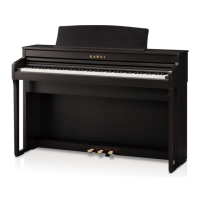
Kawai CA501
96 pages
Print Icon
To Next Page IconTo Next Page
Loading...
Important Information Preparation AppendixAdjustments & SettingsBasic Operation
DIGITAL PIANO
CA501
Owner’s Manual

Other manuals for Kawai CA501

Questions and Answers

  • R
    rkimSep 3, 2025
    What to do if the pedal does not work at all on Kawai CA501?
    • C
      Christopher OsbornSep 3, 2025
      If the pedal on your Kawai Musical Instrument isn't working or doesn't produce the same effect consistently, check whether the pedal cable is properly connected to the instrument. Even if it seems connected, try unplugging it and reinserting it to ensure a secure connection.
  • J
    Jeffery HardinSep 1, 2025
    Why does the name of my Kawai piano not appear in the smart device?
    • P
      Philip SanchezSep 1, 2025
      If the name of your Kawai piano isn't showing up on your smart device, another device might already be connected to the piano’s Bluetooth MIDI/Bluetooth Audio. To resolve this, press and hold the [LEFT] button and [EFFECTS] button on the Home screen to cancel pairing.
  • M
    Michael CareyAug 31, 2025
    What to do if the display turned off all of a sudden on my Kawai Musical Instrument?
    • J
      Janet WardAug 31, 2025
      If the display on your Kawai Musical Instrument turns off unexpectedly, it might be due to the “Auto Display Off” function. If a time is set, the display turns off automatically after that time. Press any control button to turn the display back on.
  • W
    Walter JonesAug 29, 2025
    What to do if connection fails for the paired smart device with Kawai CA501 Musical Instrument?
    • C
      Christopher SalazarAug 29, 2025
      If the connection to your paired smart device drops immediately after pairing with your Kawai Musical Instrument, try turning off the Bluetooth setting on your smart device, then turn it back on, and attempt to connect the device again.
  • T
    twaltersAug 28, 2025
    What to do if sounds get distorted in my Kawai CA501 performances?
    • T
      Tina PattonAug 28, 2025
      If you experience sound distortion during certain performances or at specific ranges on your Kawai Musical Instrument, decreasing the volume may resolve the issue. Increasing the volume for some performances may cause the sound to be distorted, so reduce the volume if this occurs.
  • A
    Ashley SmithAug 26, 2025
    What to do if my Kawai CA501 is unable to connect to a smart device?
    • P
      Patricia CannonAug 26, 2025
      If your Kawai Musical Instrument isn't connecting to your smart device: * Ensure the instrument’s Bluetooth function is enabled. * Try connecting through the application's settings instead of the smart device's Bluetooth settings.
  • D
    Danielle SanchezAug 25, 2025
    What to do if my Kawai CA501 Musical Instrument does not turn on?
    • W
      William HinesAug 25, 2025
      If your Kawai Musical Instrument isn't turning on, check that the main connector of the instrument, the AC adapter, and the power outlet are all properly connected.
  • D
    danielcardenasAug 22, 2025
    Why does my Kawai CA501 Musical Instrument turn off by itself?
    • T
      Thomas ThompsonAug 23, 2025
      If your Kawai Musical Instrument is turning off unexpectedly, check whether the “Auto Power Off” function is enabled.

Summary

Important Safety Instructions

Electrical Safety and Handling

Guidelines for safe electrical connections, power cord use, and handling to prevent damage or shock.

Safe Usage and Environmental Conditions

Recommendations for instrument placement, operating environment, and safe operational practices.

Emergency Procedures and Maintenance

Actions for instrument malfunction, breakdown, and basic cleaning procedures.

Preparation

Basic Operation

Adjustments & Settings

Settings Menu Overview

Introduction to the settings menu categories: Basic, Virtual Technician, Phones, MIDI, USB, Bluetooth.

Basic Settings Configuration

Adjusting core playing parameters like transpose, tone control, volume, and tuning.

Virtual Technician Adjustments

Fine-tuning piano characteristics like touch curve, voicing, resonance, and decay for personalized sound.

Appendix

Troubleshooting Common Issues

Solutions for problems related to power, sound, connection, and playback encountered during use.

Kawai CA501 Specifications

General IconGeneral
TypeDigital Piano
Polyphony256 notes
Voices19 voices
MetronomeYes
Lesson FunctionAlfred
BluetoothBluetooth® MIDI
Speakers2 x 13 cm (woofers), 2 x 5 cm (tweeters)
Amplifier20 W x 2
ConnectivityUSB to Host, USB to Device
PedalsGrand Feel Pedal System: Damper, Sostenuto, Soft
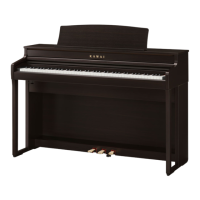
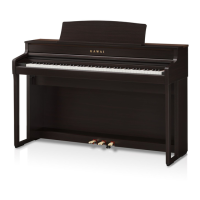
FinishPremium Rosewood

Related product manuals