2-14 Return to Section Topics 2100-900-01 Rev. D / September 2011
Section 2: Getting Started Model 2100 6 1/2-Digit Resolution Digital Multimeter User’s Manual
Step 1: Disconnect the AC power
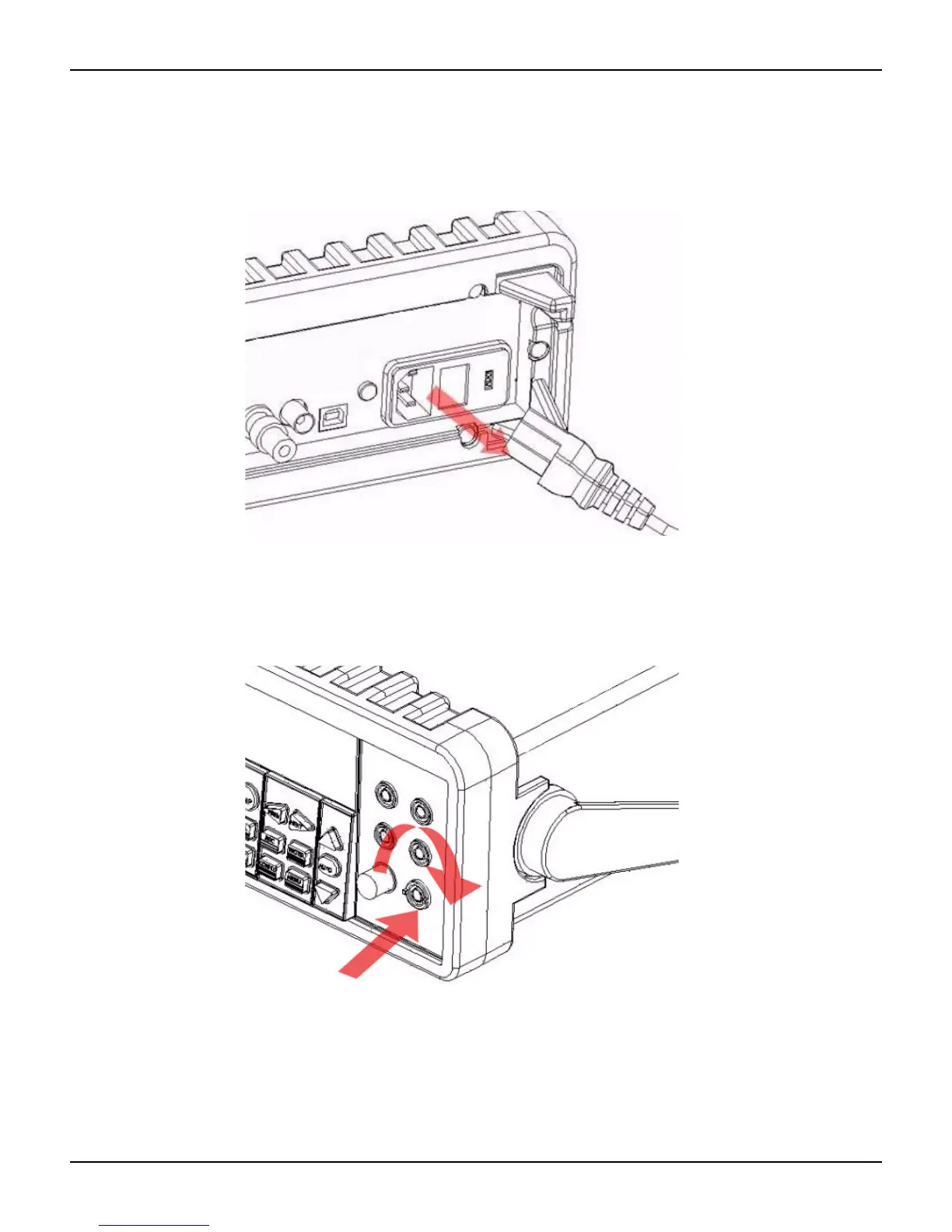
Verify that the meter is disconnected from AC power, as shown in Figure 2-20.
Figure 2-20
Disconnecting the AC power
Step 2: Release the current input terminal fuse holder
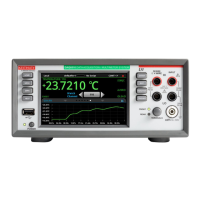
Push the current input terminal in and turn it to the right (see Figure 2-21) to release it.
Figure 2-21
Releasing the current input terminal fuse holder
Step 3: Remove the current input terminal fuse holder
Gently pull out the current input terminal fuse holder to expose the current input fuse
(see Figure 2-22).



 To Next Page