Product Manuals/Man-1096M_SyncroAS Marine 16 Page 25 of 38
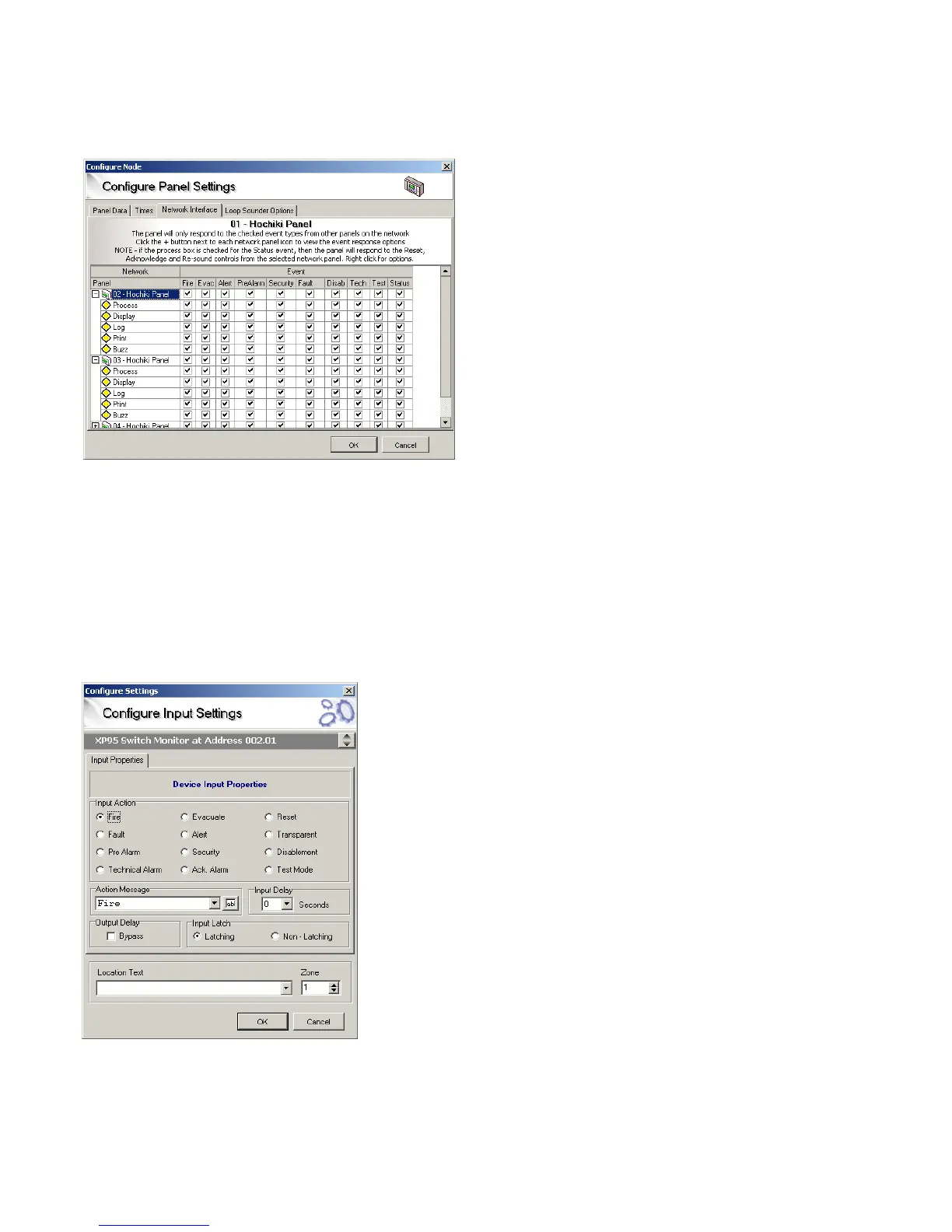
18.1.23 Network Interface
In a networked system, each panel can be configured to respond to individual event types from any or all other panels on the
system. The default setting is for all panels to respond to and display all events.
By selecting the appropriate tick boxes, each panel can be configured to respond in a unique way.
18.1.24 Loop Sounder Options
This is detailed in Section 10 of this manual.
18.2. Inputs
To simplify programming and promote an easy understanding of the system, the operation of the Syncro ASM panel has been
designed around a very simple principle.
This principle is that all inputs are handled in exactly the same way, whether they are from a loop device, a programmable input on
the panel, an I/O board or the programmable pushbutton on the front panel.
This means that any input (apart from a smoke or heat sensor which must always report fire) can be allotted a set of attributes,
which define how the control panel will respond when the input is activated.
As mentioned previously, because this is fundamentally a fire system, automatic sensors cannot have their action attributes changed
For sensors the attributes, which may be altered, are as follows:
ADDRESS (1-240)



 To Next Page