Using the Data Logger 5
Keysight U1610/20A User’s Guide 103
Scope Logger
Press to access the scope logger, which logs the first two scope
measurement results.
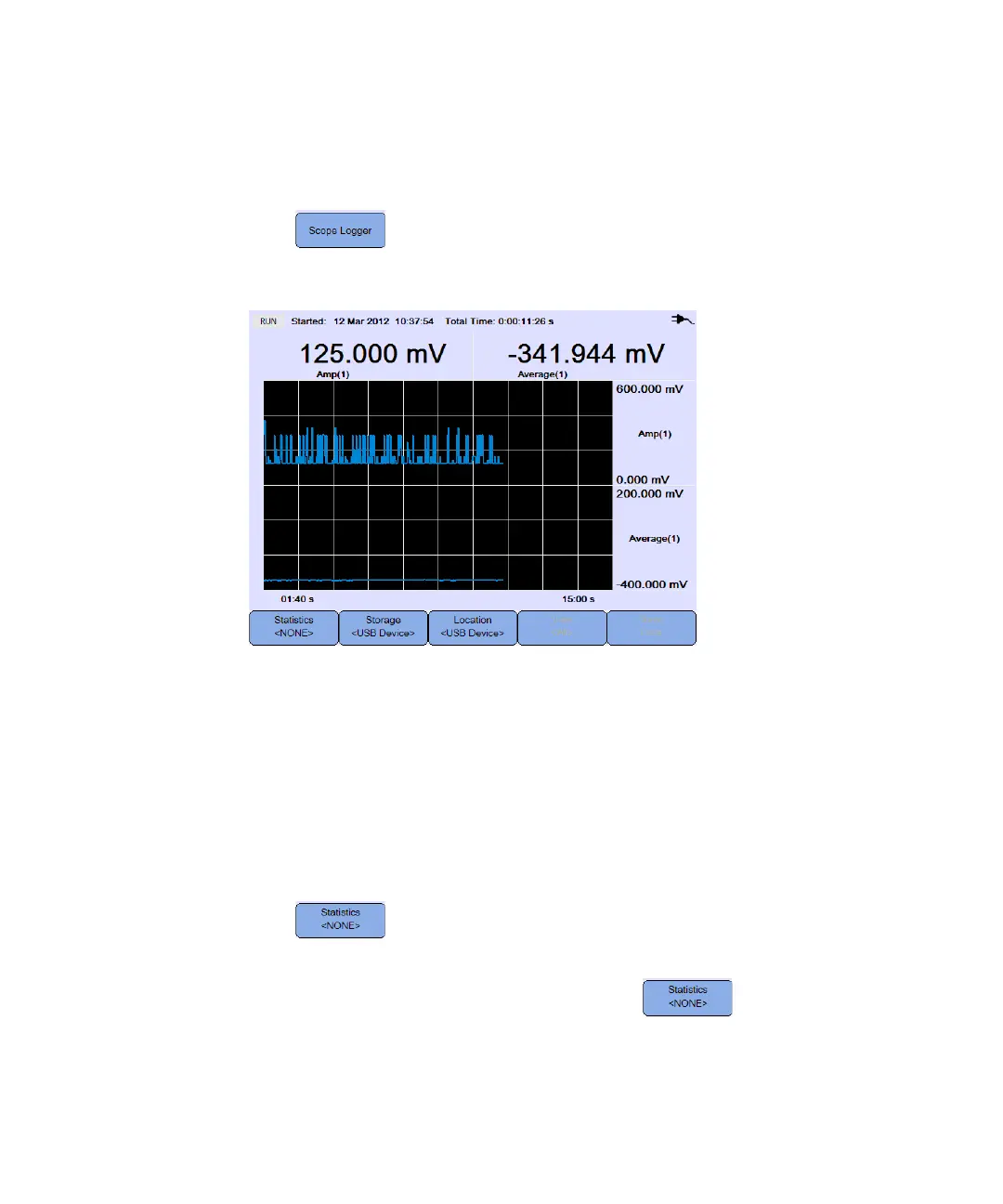
Figure 5-2 Scope logger display
Each measurement reading has a label below it indicating “measurement
(channel number)”.
The upper half of the logging graph contains the logged graph for the first
measurement, and the lower half contains the logged graph for the second
measurement.
Measurement statistics
Press repeatedly to display the maximum, minimum, and average
measurements for the first or second scope measurement.
If there is only one scope measurement selected, automatically
selects that measurement.




 To Next Page