Using the Oscilloscope 3
Keysight U1610/20A User’s Guide 69
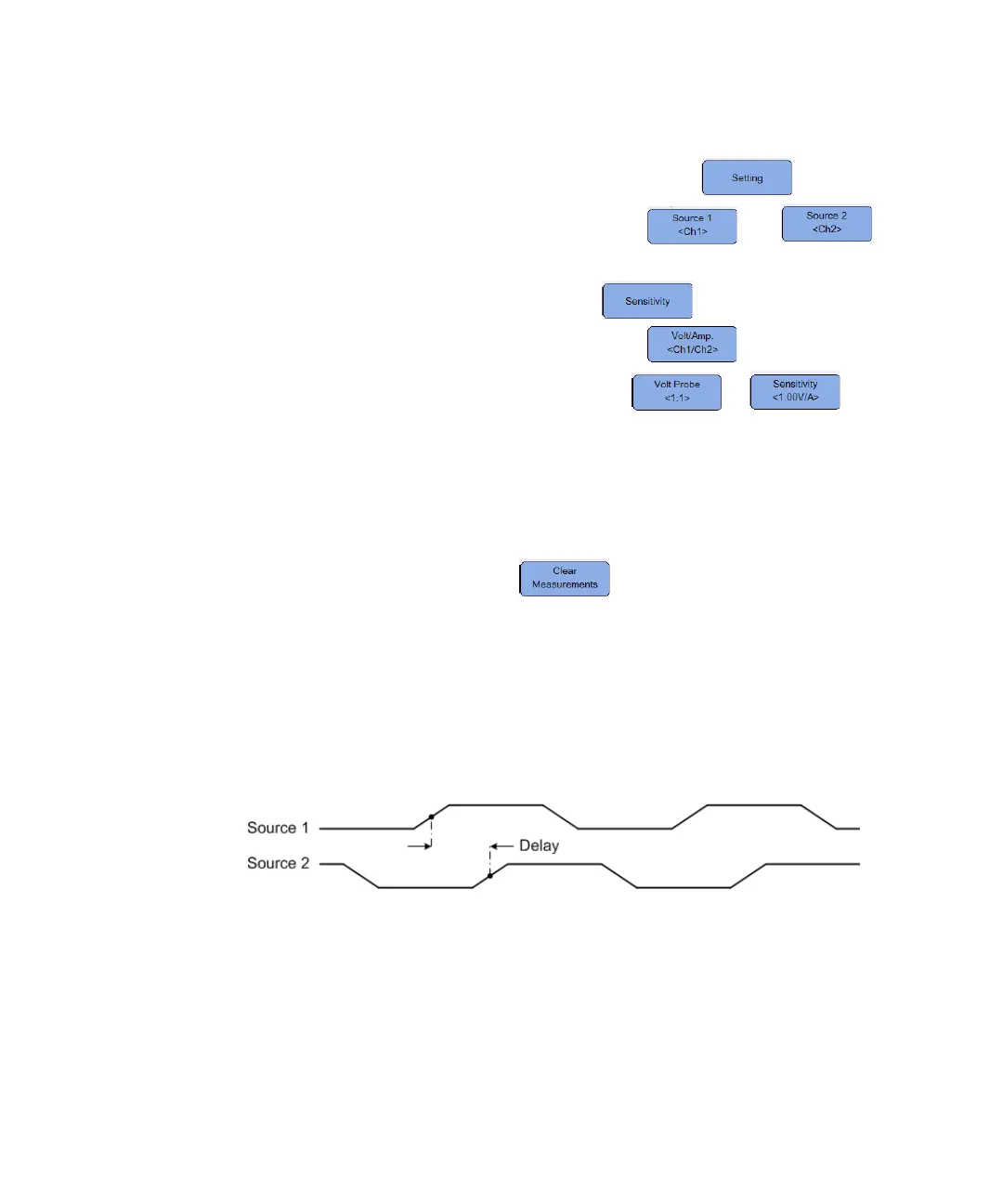
If you select the delay or phase shift measurement, press to select the
source channels or running math functions. Press and
repeatedly to select the first and second sources respectively.
If you select any power measurement, press to set the channel input
and probe attenuation factor or sensitivity. Toggle to assign channel 1
or 2 as the voltage input or current input. Press or
repeatedly to set the attenuation factor or sensitivity for the connected voltage or
current probe respectively. Changing the attenuation or sensitivity will also
change the vertical scale of the assigned channel.
To clear all measurements, press .
Time measurements
Delay
Delay measures the time difference from the selected edge on Source 1 and the
selected edge on Source 2 closest to the trigger reference point at the middle
threshold points on the waveforms.




 To Next Page