Using the Oscilloscope 3
Keysight U1610/20A User’s Guide 89
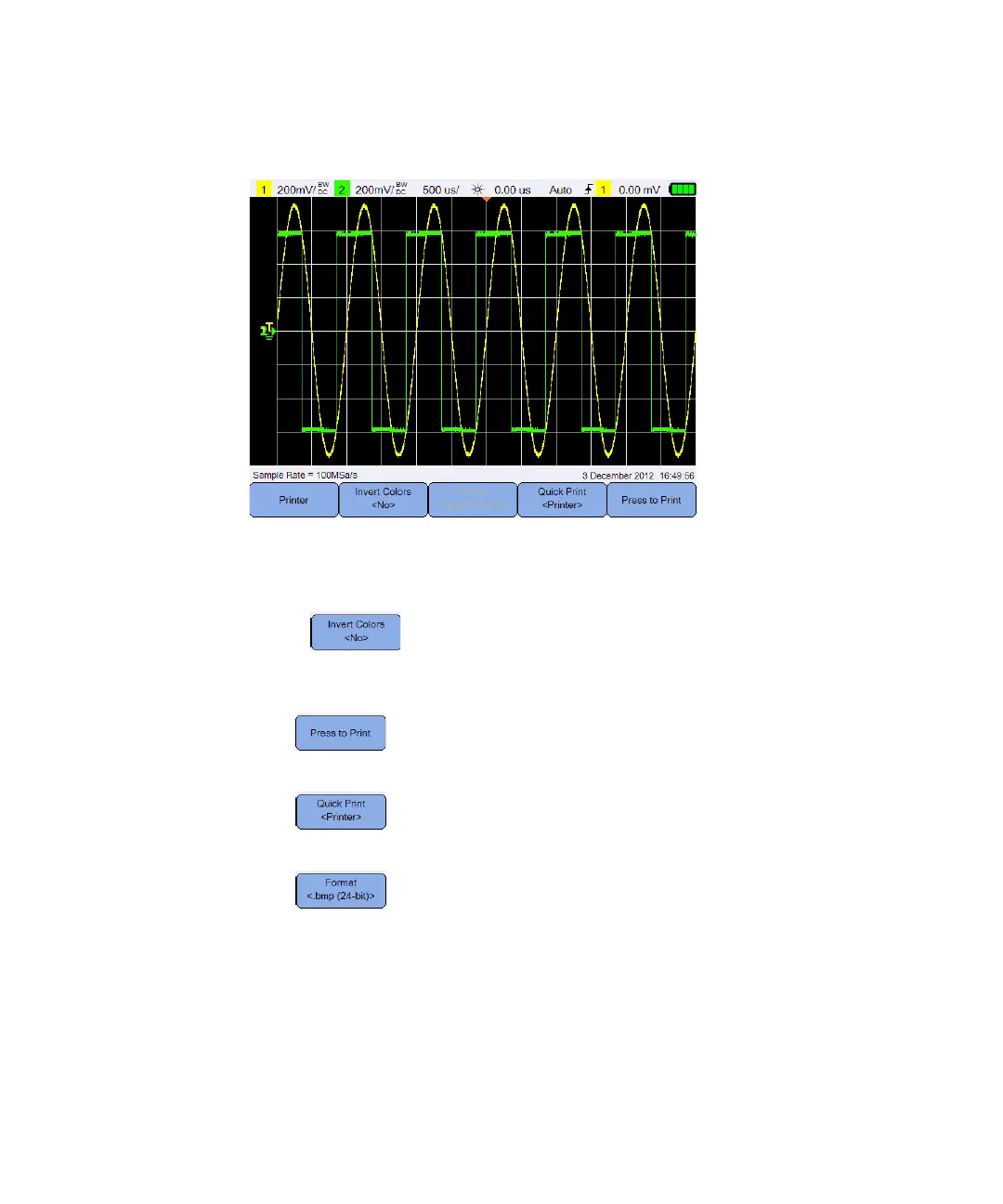
Figure 3-15 Print screen submenu
Invert image colors
Toggle to invert all colors on the screen image you want to print.
Print the screen image
Press to print the current screen image via a supported USB printer
connected to the handheld scope.
Press repeatedly to set the quick print option to the printer, USB, or
internal storage.
Press repeatedly to select the print screen file format for the USB or
internal storage quick print option.
– bmp (8-bit) – save the waveform image in the BMP (8-bit) format.
– bmp (24-bit) – save the waveform image in the BMP (24-bit) format.
– png (24-bit) – save the waveform image in the PNG (24-bit) format.




 To Next Page