79
4
4
Features of your vehicle LCD display
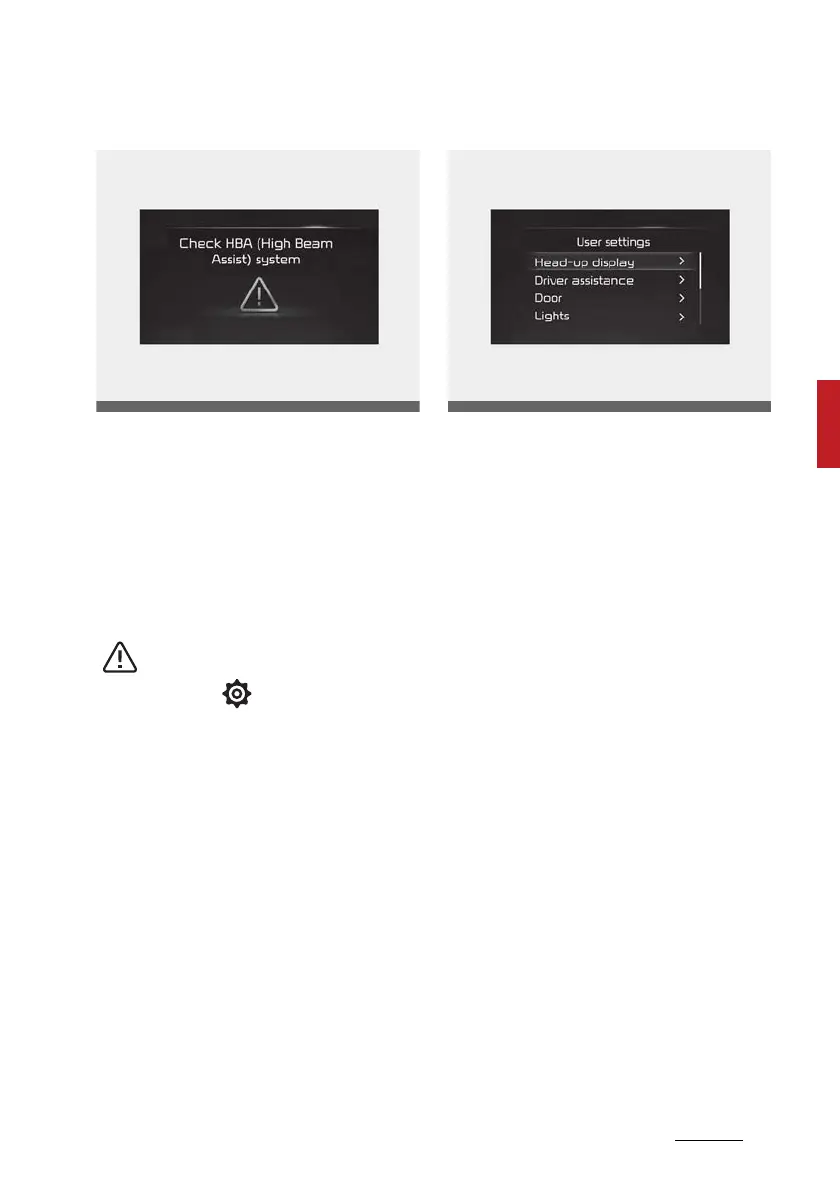
Master warning mode
This warning light informs the driver
the following situations.
䳜 LED headlamp malfunction (if
equipped)
䳜 Lamp malfunction
䳜 High Beam Assist malfunction (if
equipped)
At this time, a Master Warning icon
( ) will appear beside the User
Settings icon ( ), on the LCD dis
-
play. If the warning situation is
solved, the master warning light will
be turned off and the Master Warn
-
ing icon will disappear.
User settings mode
In this mode, you can change the
settings of the instrument cluster,
doors, lamps, etc.
1. Head-up display
2. Driver Assistance
3. Door
4. Lights
5. Sound
6. Convenience
7. Service Interval
8. Other features
9. Reset
The information provided may dif
-
fer depending on which functions
are applicable to your vehicle.













 To Next Page