Features of your vehicle
1124
Rear View Monitor (RVM)
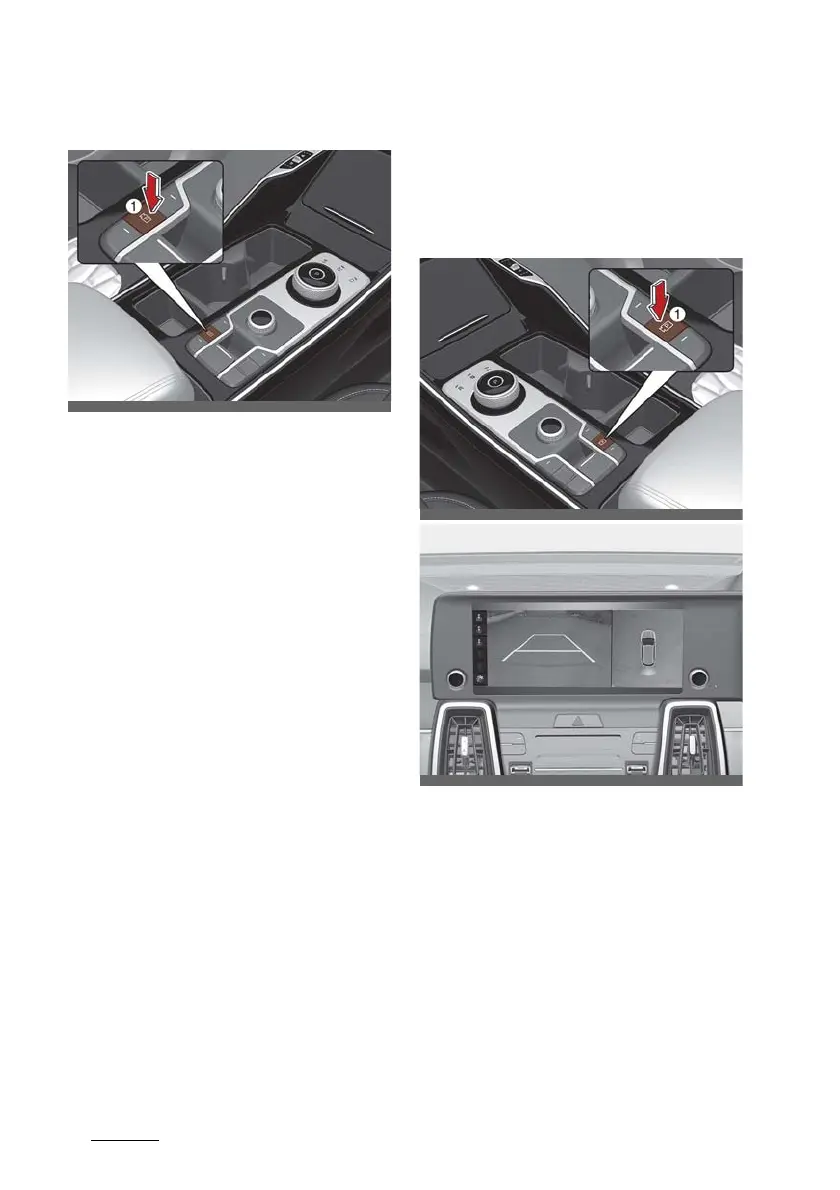
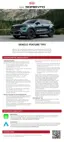
Parking/View button
䳜 Press the Parking/View button (1)
to turn Rear View Monitor on or
off.
Function operation
Rear view with parking guidance
The function will operate when the
following conditions are satisfied:
䳜 ENGINE START/STOP button in
the ON position
䳜 The gear is changed to R
(Reverse) and the back up light
turns on
Maintaining rear view
䳜 When parking, the rear view will
maintain showing on the screen if
the following conditions are satis
-
fied:
- The gear is changed from R
(Reverse) to N (Neutral) or D
(Drive)
- Vehicle speed is below 10 km/h
(6 mph)
䳜 The rear view will turn off when
vehicle speed is above 10 km/h (6
mph).
Driving rear view
The driver is able to check the rear
view on the screen whilst driving, it
is to assist with safe driving.
Operating conditions
䳜 ENGINE START/STOP button is in
the ON position.
䳜 Parking/View button (1) is
pressed with the gear in D (Drive)
or N (Neutral).










 To Next Page