Driving your vehicle
1165
Forward Collision-Avoidance Assist (FCA) (Sensor
fusion)
Take the following precautions to
maintain optimal performance of
the detecting sensor:
䳜 Never disassemble the detecting
sensor or sensor assembly, or
apply any impact on it.
䳜 Never install any accessories or
stickers on the front windscreen,
or tint the front windscreen.
䳜 If the detecting sensors have
been replaced or repaired, have
the vehicle be inspected by an
authorised Kia dealer.
䳜 Pay extreme caution to keep the
front view camera dry.
䳜 Never place any reflective objects
(i.e. white paper, mirror) over the
dashboard. Any light reflection
may prevent the function from
functioning properly.
䳜 Do not apply license plate frame
or objects, such as a bumper
sticker, film or a bumper guard,
near the front radar cover.
䳜 Always keep the front radar and
cover clean and free of dirt and
debris. Use only a soft cloth to
wash the vehicle. Do not spray
pressurised water directly on the
sensor or sensor cover.
䳜 If unnecessary force has been
applied to the radar or around the
radar, Forward Collision-Avoid
-
ance Assist may not properly
operate even though a warning
message does not appear on the
cluster. Have the vehicle be
inspected by an authorised Kia
dealer.
䳜 Use only genuine parts to repair
or replace a damaged front radar
cover. Do not apply paint to the
front radar cover.
Function settings
Setting
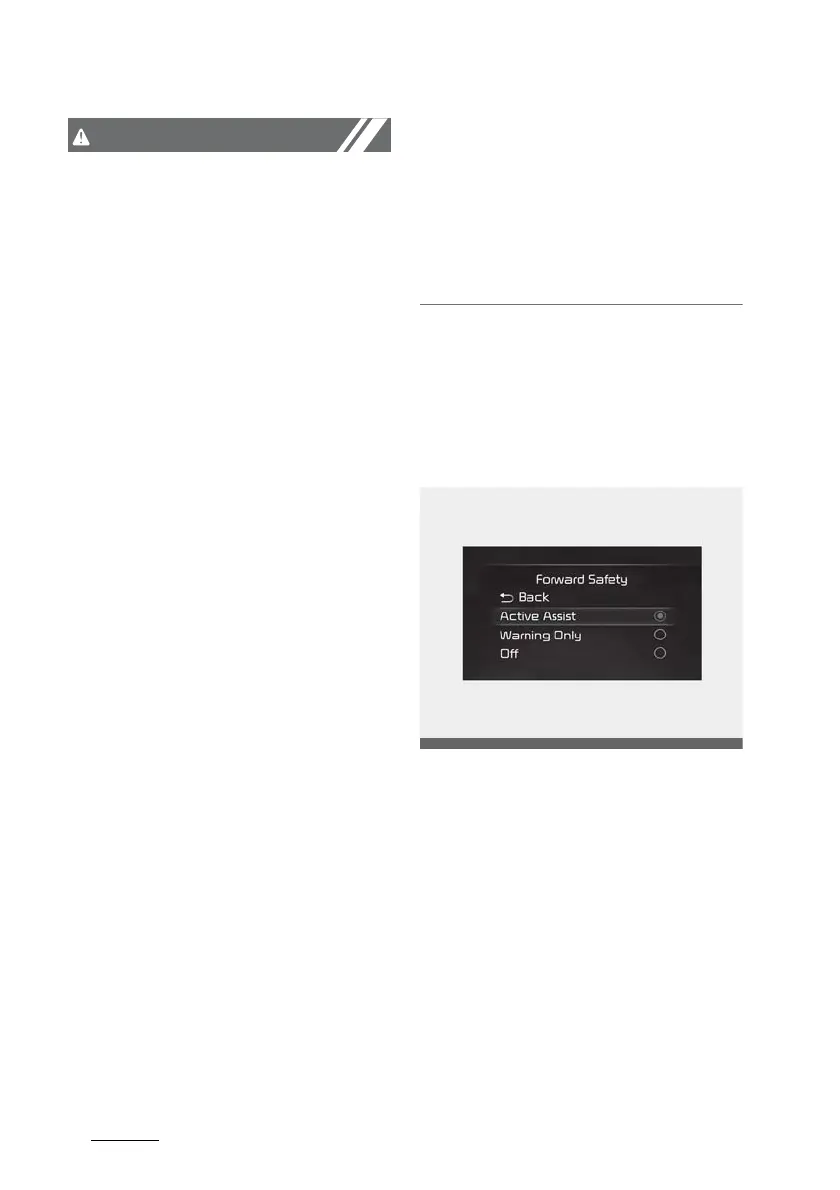
Forward Safety
With the ENGINE START/STOP but
-
ton in the ON position, select or
deselect 'Driver Assistance → For
-
ward Safety' from the Settings
menu to set whether or not to use
each function.
䳜 If 'Active Assist' is selected, the
function will warn the driver with
a warning message, an audible
warning and steering wheel vibra
-
tion depending on the collision risk
levels. Braking assist will be










 To Next Page