117
4
4
Features of your vehicle Surround View Monitor (SVM)
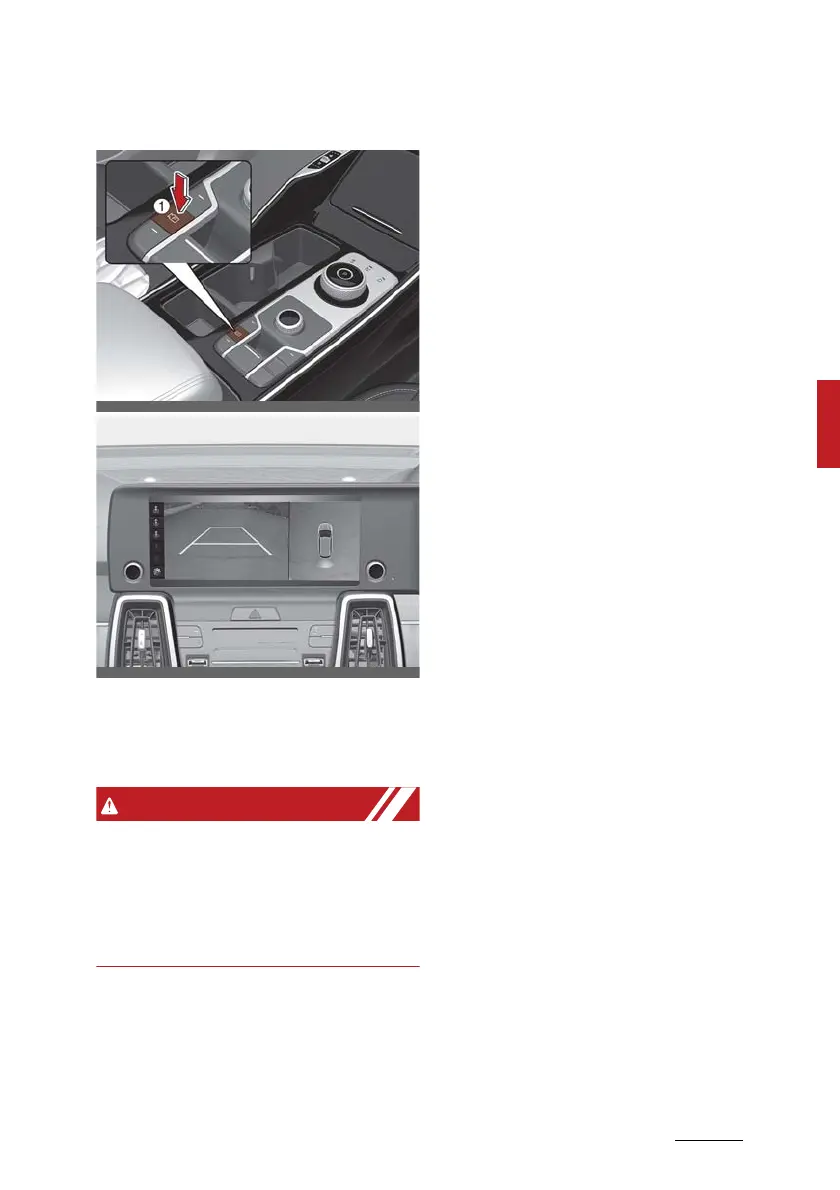
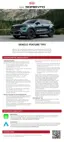
Driving rear view
The driver is able to check the rear
view on the screen whilst driving, it
is to help with safe driving.
The Driving rear view shown on the
screen may differ from the actual
distance of the object. Make sure to
directly check the vehicle's sur
-
roundings for safety.
Operating conditions
䳜 ENGINE START/STOP button is in
the ON position.
䳜 Parking/View button (1) is
pressed when vehicle speed is
above 15km/h (9 mph).
䳜 The icon (2) is touched on the
Surround View Monitor screen
when vehicle speed is below 15
km/h (9 mph).
Off conditions
䳜 Parking/View button (1) is
repressed.
䳜 Other view modes are selected
from the Surround View Monitor
screen when vehicle speed is
below 15 km/h (9 mph).
䳜 One of the infotainment system
button (3) is pressed.
When operating
䳜 When Driving rear view is dis
-
played on the screen, the function
is maintained regardless of speed
whilst driving.
䳜 If the gear is changed to R
(Reverse), whilst Driving rear view
is displayed on the screen, the
screen will change to Surround
View Monitor.
䳜 When Driving rear view is dis
-
played on the screen, an icon will
appear on the upper right side of
the screen indicating that the rear
view is being displayed. Do not get
confused with the front wide view
icon.









 To Next Page