PLZ-4W Installation and Preparation 2-7
2.6 Turning on The Power
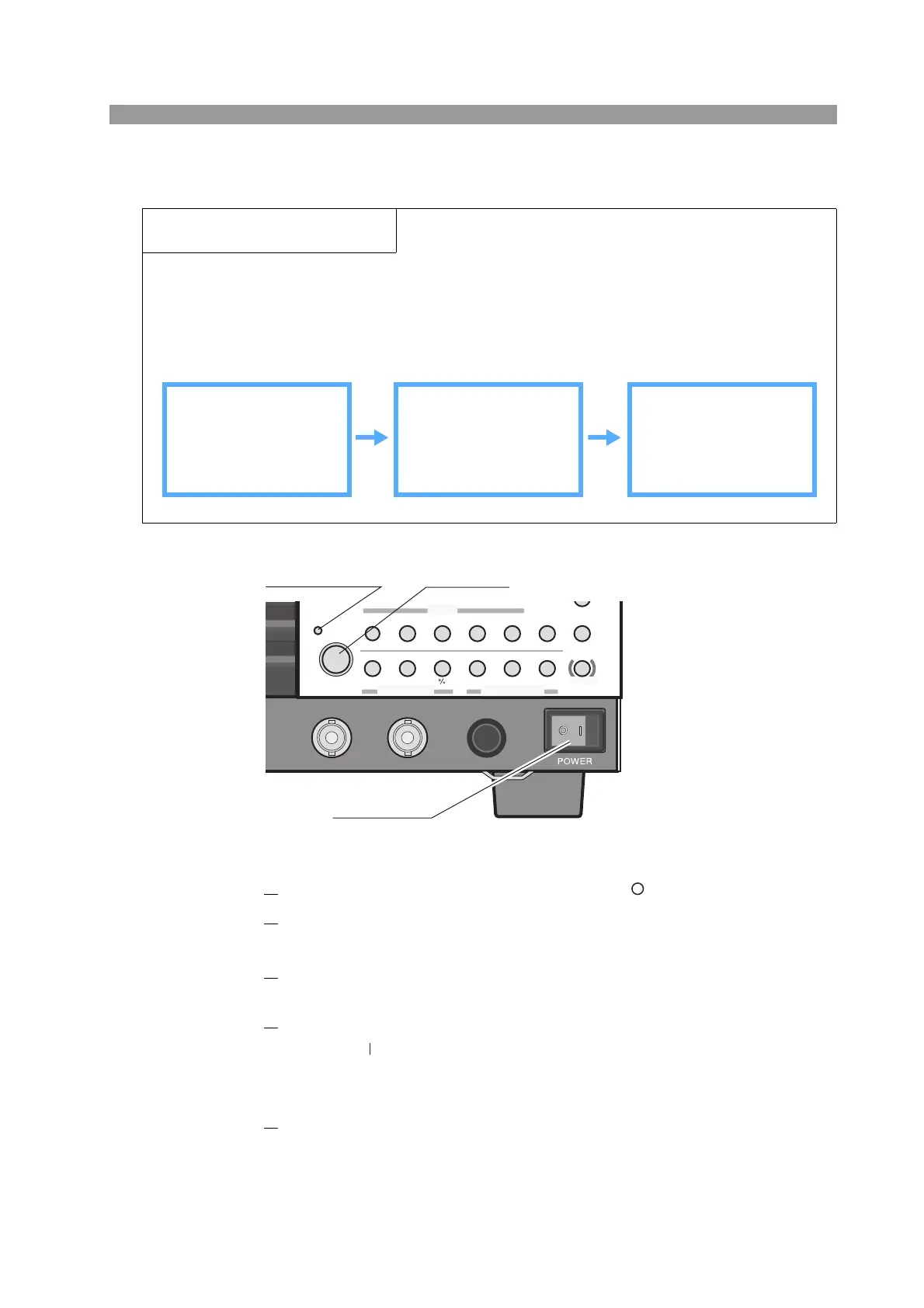
Fig. 2-3
1.
Check that the POWER switch is turned off( ).
2.
Check that the power cord is correctly connected.
See section 2.4, “Connecting the Power Cord” and 2.5, “Grounding (Earth).”
3.
Check that nothing is connected to the DC INPUT (load input terminal)
on the front and rear panels.
4.
Turn the POWER switch on.
Push the ( ) side of the POWER switch to turn the PLZ-4W on.
A self-test is executed. A special screen appears during the test at startup. A
normal display appears when the self-test is complete.
5.
Check whether the display appears as shown in Fig. 2-4.
The measured value displayed using large numbers (section with mA, V, and
W unit) indicates coarse zero.
Overview of the procedure
Carry out this procedure without connecting anything to the DC INPUT (load input terminal).
Turn on the POWER switch and then operate the LOAD key.
At the end, turn off the POWER switch.
If an alarm occurs during operation, see section 5.3, “Types of Protection Functions.
”
Preparation Main operation Unit behavior
Do not connect anything
to the load input termi-
nal.
Turn on the POWER
switch. Press the LOAD
key.
The display section is
activated.
LOAD indication LED
illuminates.
SWITCHING
ENTER
SHORT
EDIT
SLEW RATE
RUN / STOP
UVP
PAUSE
STORE
RECALL
ABC
LOAD
Th/TL
FREQ / DUTY
MENU
PRESET
SEQ
I
LEVEL
VRANGE
RANGE
SW ON
+
CV
MODE
LOAD
SET/VSET
LOCK
SHIFT
ABC
OPP / OCP
POWER
REMOTE
I MON
OUTOUT
TRIG
POWER switch
LOAD key
Load on indication
LED



 To Next Page