5-20 Basic Operation PLZ-4W
5.10 Soft start
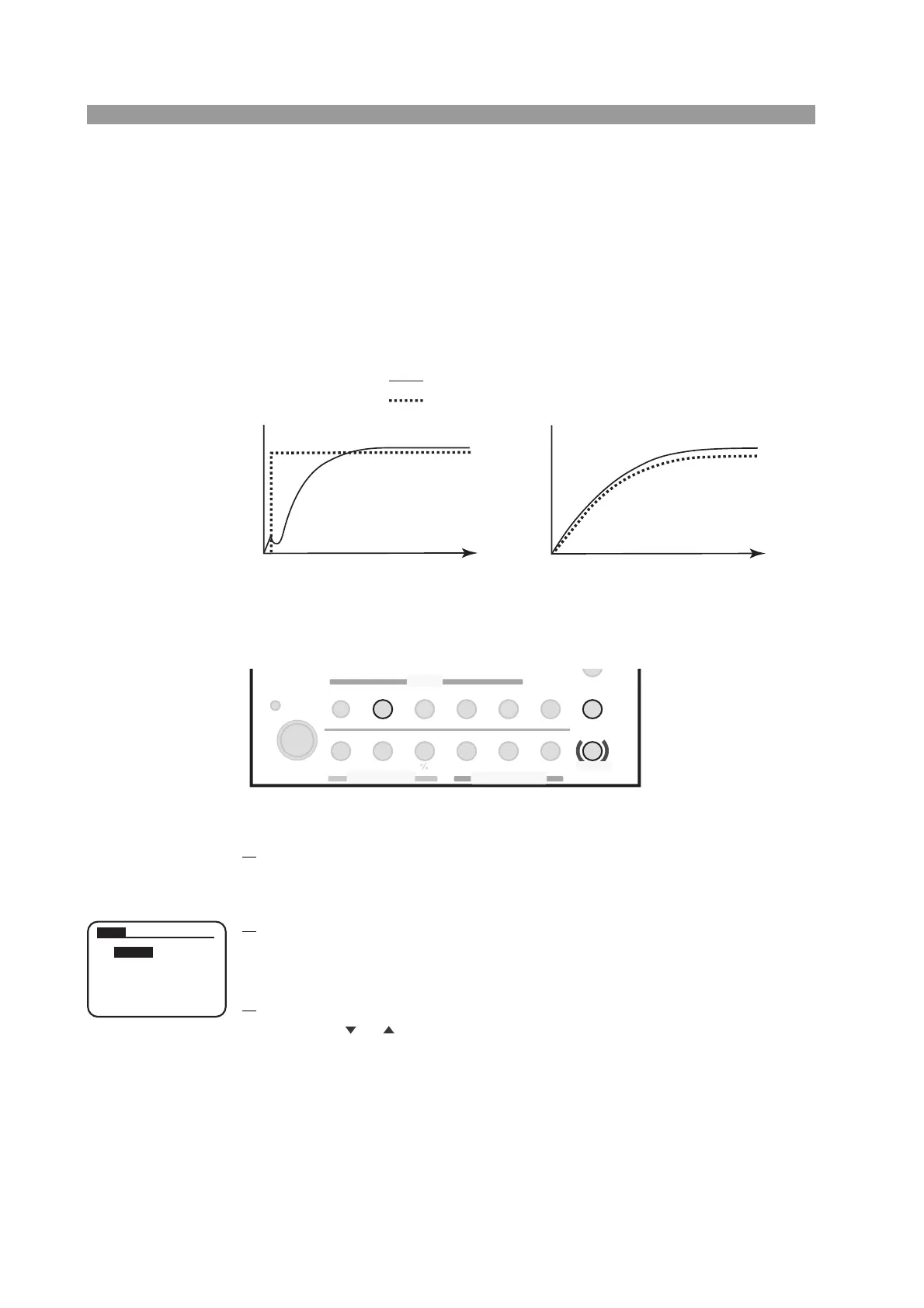
The PLZ-4W can be set to start up slowly of the input current of the PLZ-4W (soft
start) in the constant current (CC) mode and the constant resistance (CR) mode
when the applying voltage and the turning on the load at the same time, or when the
voltage applied with 0 V input of the load input while the load is turned on.
When the soft start time is appropriately set, the distortion of output voltage from
the DUT can be suppressed. Set the soft-start in accordance with the rise time of the
DUT.
Fig. 5-9 Difference in operation by the setting of soft start time
■ Procedure
Fig. 5-10 Keys used in soft start
1.
Check that the load is turned off.
Check that the LOAD LED is turned off. If it is on, press the LOAD key to turn
it off.
2.
Select the menu setup.
Press the MENU (SHIFT + SET/VSET) key.
The menu appears.
3.
Select Setup.
Press the or CURSOR key several times until Setup is highlighted on the
menu.
When highlighted, press the ENTER key.
Time
0
Time
0
When soft start time is inappropriate When soft start time is appropriate
Rise time of the DUT
Rise time of the PLZ-4W
Input current
Input current
SWITCHING
ENTER
SHORT
EDIT
SLEW RATE
RUN / STOP
UVP
PAUSE
STORE
RECALL
ABC
LOAD
Th/TL
FREQ / DUTY
MENU
PRESET
SEQ
I
LEVEL
VRANGE
RANGE
SW ON
+
CV
MODE
LOAD
SET / VSET
LOCK
SHIFT
ABC
OPP / OCP
1. Setu
p
2. Confi
g
uration
4. Model Info
PREV NEXT
3. Calibration
Menu



 To Next Page