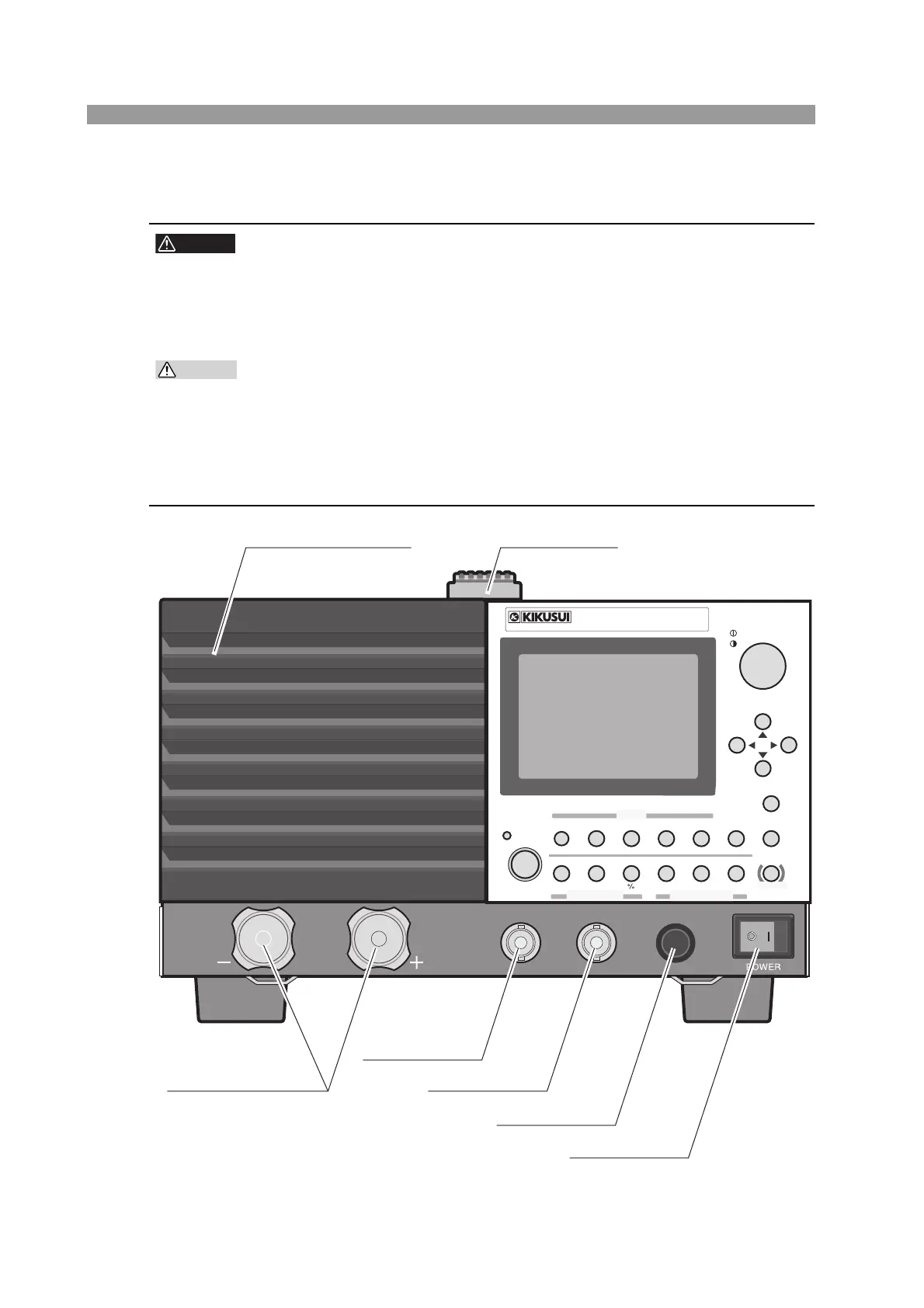
4-2 Names and Functions of Parts PLZ-4W
4.1 Front Panel
• Do not touch the load input terminal while the PLZ-4W is turned ON, as it
may lead to electric shock.
In addition, be sure to use the load input terminal cover.
• The load input terminals on the front and rear panels are coupled inside
the PLZ-4W. A voltage applied to one end will appear on the other end.
• Do not connect equipment to the load input terminals on the front and rear
panels simultaneously, as it cause damage.
• Avoid using the PLZ-4W in a dusty environment or an environment with
poor ventilation.
• Do not obstruct the air intake on the front panel and the air outlet on the
rear panel.
Fig.4-1 Front panel (PLZ164W)
SWITCHING
165W
ELECTRONIC LOAD
1.5
-
150V 0
-
33A
PLZ164W
ENTER
SHORT
EDIT
SLEW RATE
RUN / STOP
UVP
PAUSE
STORE
RECALL
ABC
LOAD
Th/TL
FREQ / DUTY
MENU
PRESET
SEQ
I
LEVEL
VRANGE
RANGE
SW ON
+
CV
MODE
LOAD
SET / VSET
LOCK
LOCAL
CURSOR
COARSE
/
FINE
SHIFT
ABC
OPP / OCP
PREV
DEL
INS
NEXT
DC INPUT
165W
1.5
-
150V
0
-
33A
REMOTE
I MON
OUTOUT
TRIG
[1] DC INPUT
[5] I MON OUT
[6] TRIG OUT
[7] REMOTE
[4] POWER
[2] Air intake [3] Handle



 To Next Page