4-4 Names and Functions of Parts PLZ-4W
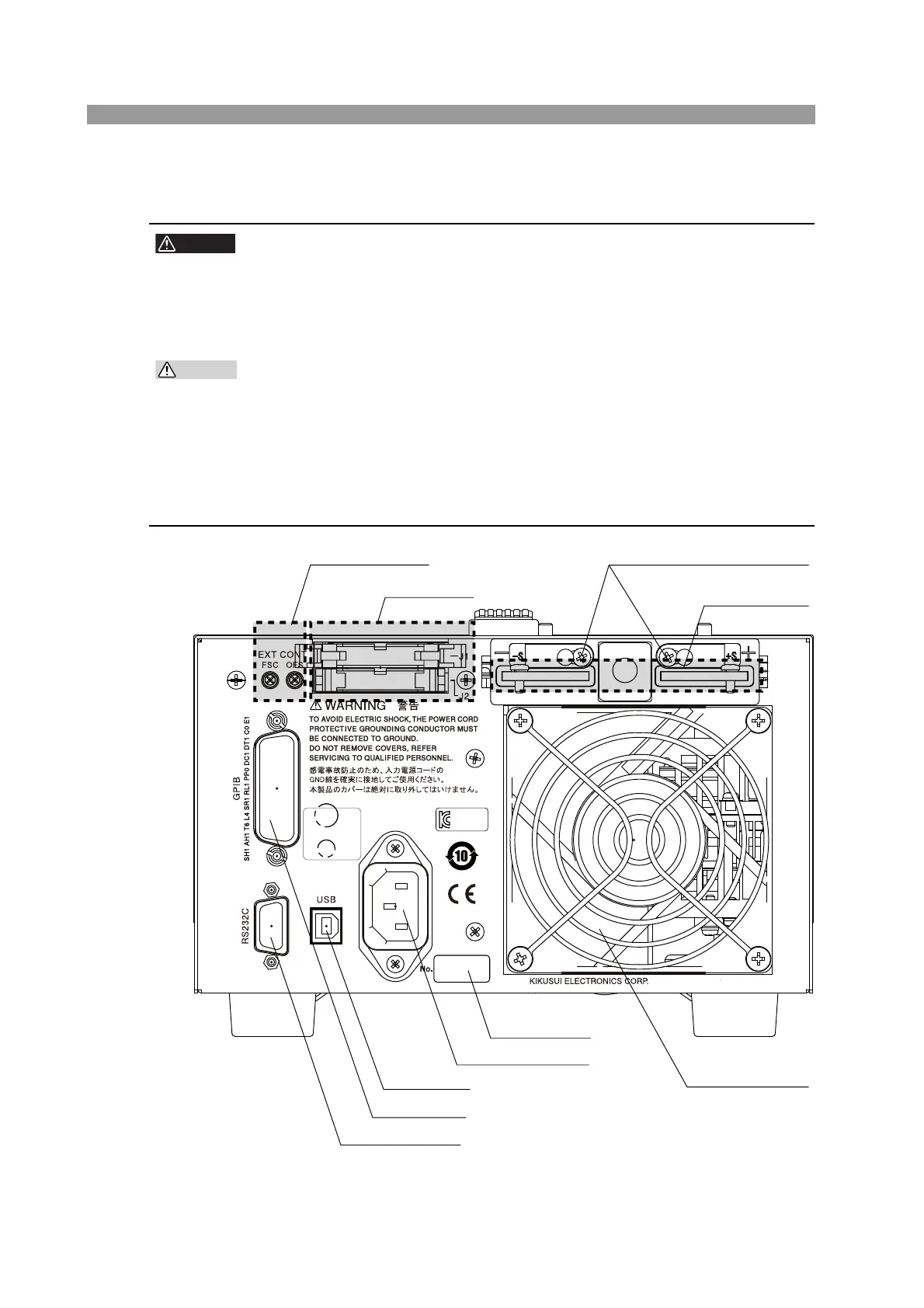
4.2 Rear Panel
• Do not touch the load input terminal while the PLZ-4W is turned ON, as it
may lead to electric shock.
In addition, be sure to use the load input terminal cover.
• The load input terminals on the front and rear panels are coupled inside
the PLZ-4W. A voltage applied to one end will appear on the other end.
• Do not connect equipment to the load input terminals on the front and rear
panels simultaneously, as it cause damage.
• Avoid using the PLZ-4W in a dusty environment or an environment with
poor ventilation.
• Do not obstruct the air intake on the front panel and air exhaust on the rear
panel with objects. In particular, allow at least 20 cm of space behind the
PLZ-4W.
Fig. 4-2 Rear panel (PLZ164W)
AC INPUT
100
-
240V
47
-
63Hz
160VA MAX
KCC-REM-KEJ
-
PLZ
-
78270
2012/05
AC INPUT
100
-
240V
47
-
63Hz
160VA MAX
[1] DC INPUT
[4] Remote sensing terminal
[7] RS232C
[6] GPIB
[8] USB
[3] AC INPUT
[5] Manufacturing number
[2] Air outlet
[9] J1/J2
[10] EXT CONT



 To Next Page