PLZ-4W Basic Operation 5-9
5.5 Operation Modes
The following four operation modes are available on the PLZ-4W. Furthermore,
constant voltage mode (+CV) can be added to CC and CR modes.
• Constant current mode (CC mode and CC+CV mode)
• Constant resistance mode (CR mode and CR+CV mode)
• Constant voltage mode (CV mode)
• Constant power mode (CP mode)
■ Switching operation modes
You can switch the operation mode by pressing the MODE key when the load is
turned off. Press the MODE key to show the operation mode pop-up menu. Each
time you press the MODE key while the menu is displayed, the selected item
switches one by one to the next item.
When you finish the key operation, the operation mode at that point is selected, and
the pop-up menu automatically clears. The operation mode is indicated on the dis-
play.
By pressing +CV (SHIFT+MODE) in CC mode or CR mode, you can add CV
mode.
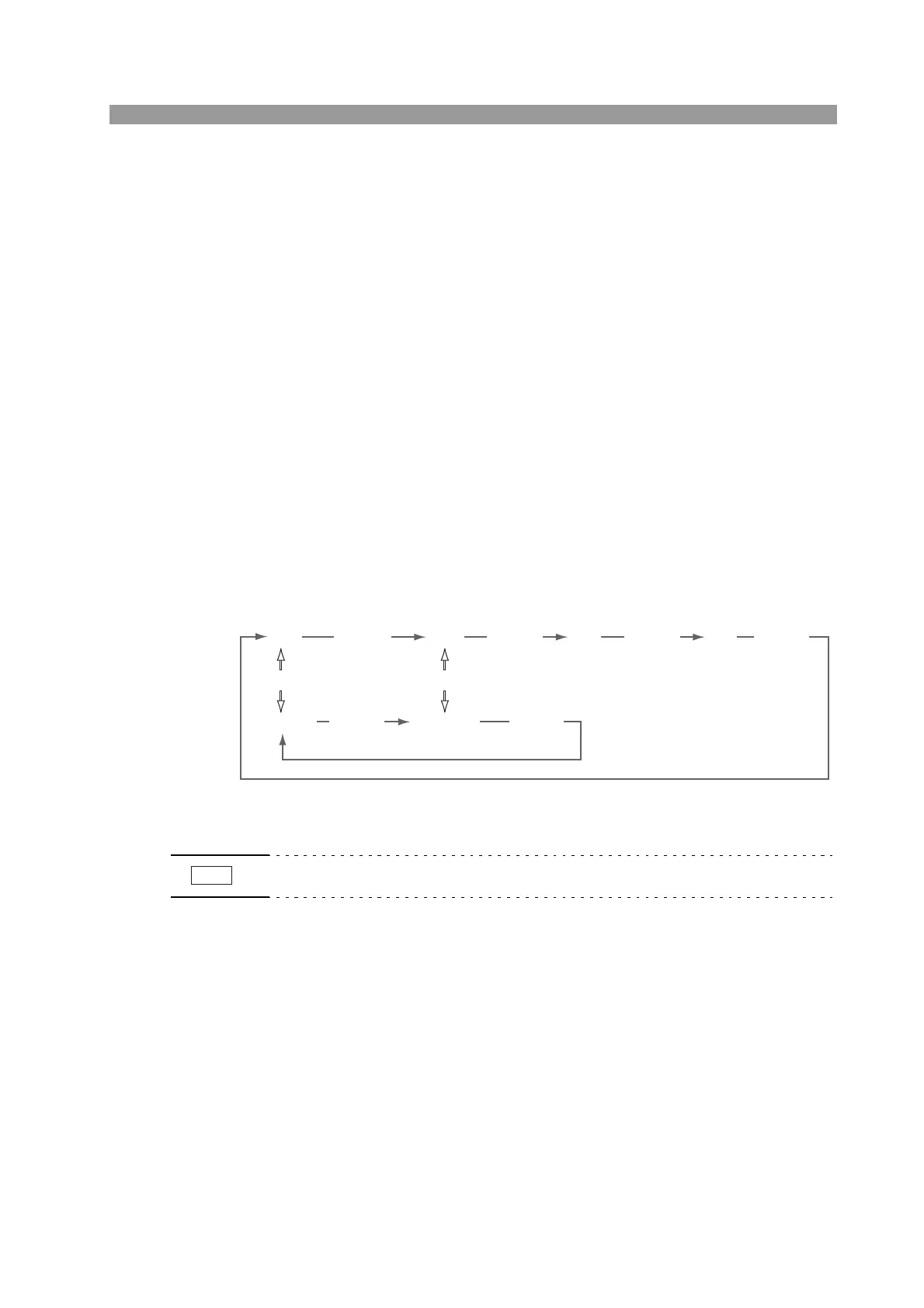
The figure below shows the transition of operation modes.
Fig. 5-2 Transition of operation modes
• You can add +CV mode even when the load is turned on.
CC
CC+CV CR+CV
CR CV CP
(MODE)
(MODE) (MODE)
(MODE) (MODE) (MODE)
(+CV)(+CV)



 To Next Page