4-14
Remove the base grille (See page 4-13)
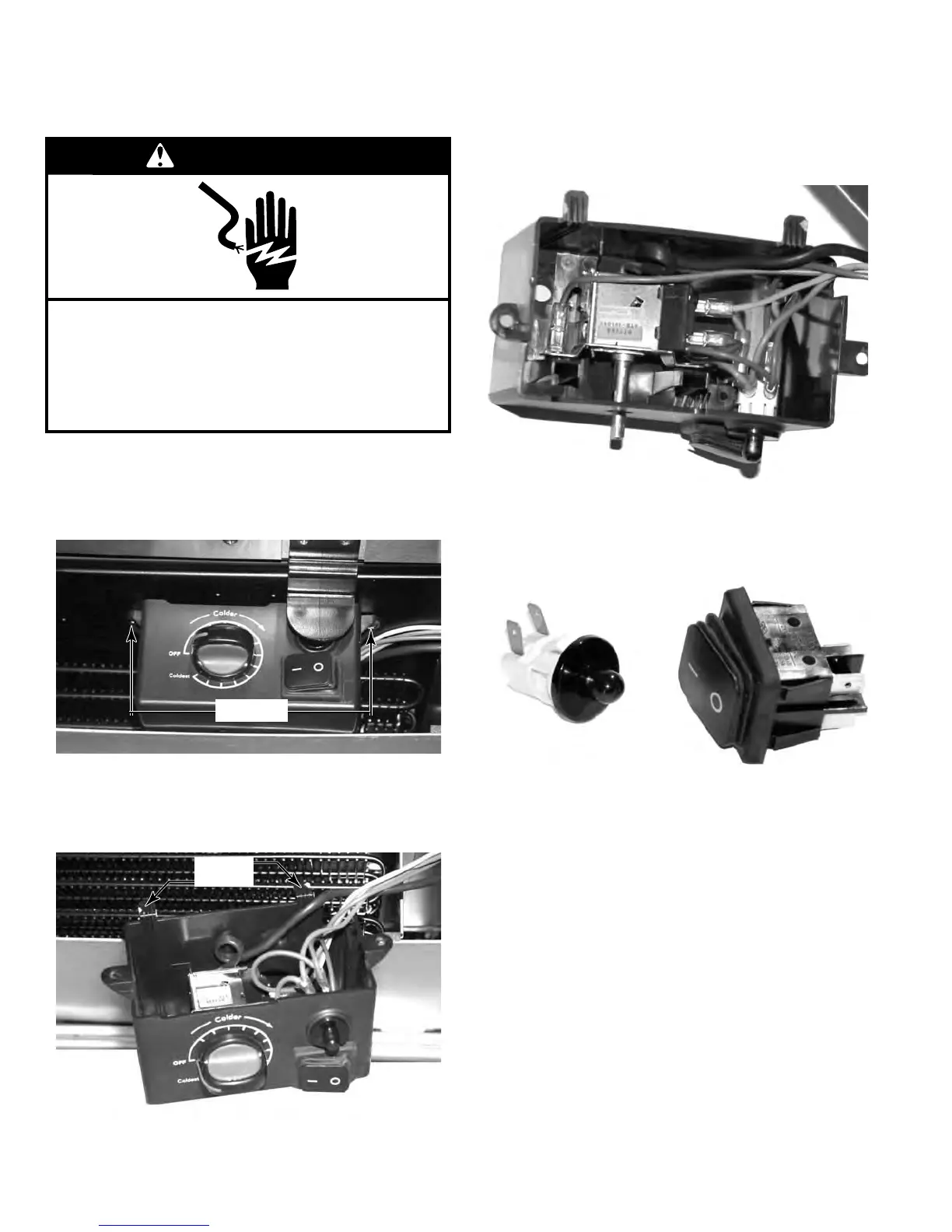
Remove the two screws that secure the Con-
trol box to the bottom of the unit.
Lower the front of the control box and slide
the rear tabs out of the slots that hold the
back of the control box.
1.
2.
3.
Disconnect the wire connectors attached to
the switch.
Press in on the tabs on the switch body and
push the switch out of the hole in the control
box.
4.
5.
REMOVE THE DOOR SWITCH OR THE LIGHT SWITCH
WARNING
Electrical Shock Hazard
Disconnect power before servicing.
Failure to do so can result in death or
electrical shock.
Replace all parts and panels before operating.
Tabs
Screws


 To Next Page