E2-38 Electrical Propulsion Components 2/02 E02016
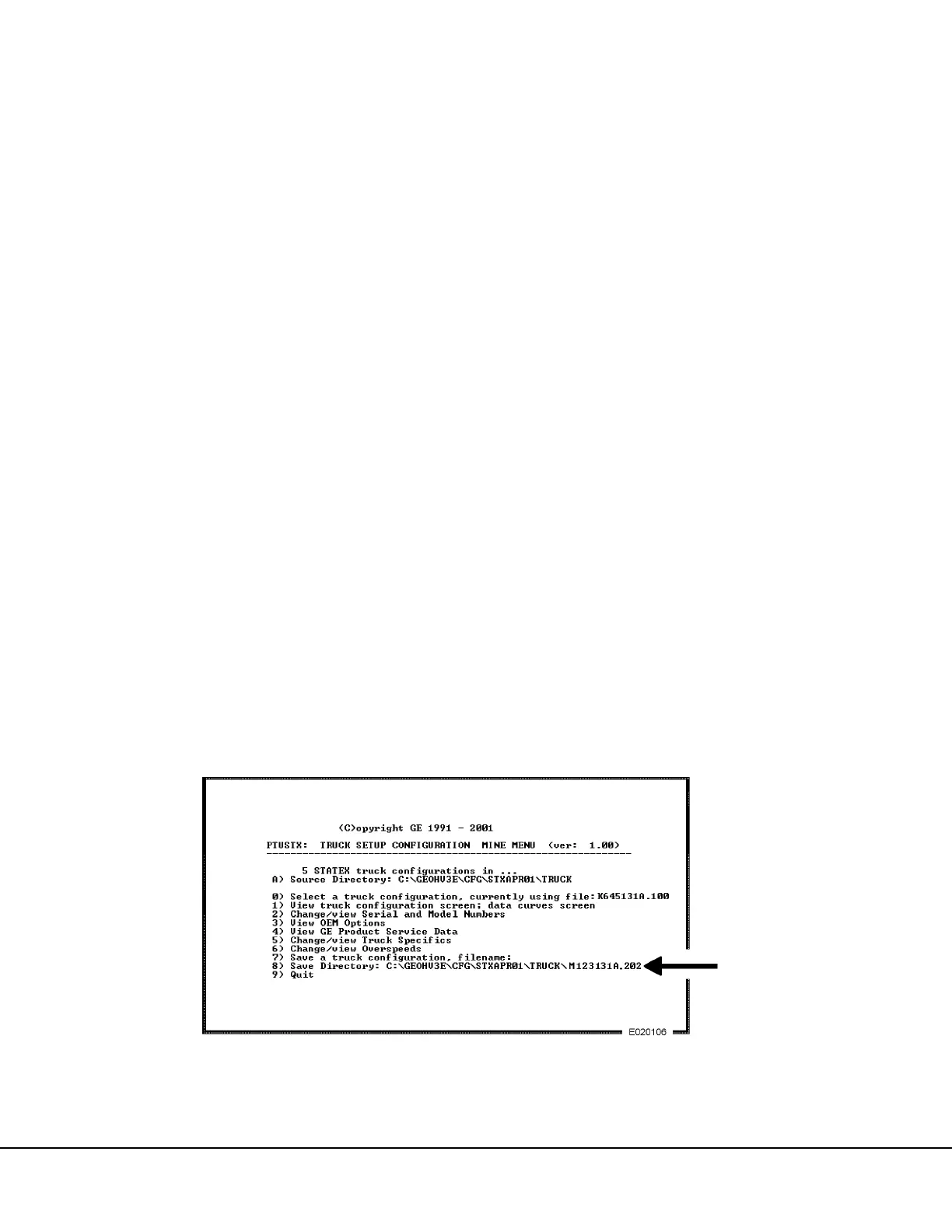
“7) Save a Truck Configuration, filename: . . .”
NOTE: If the configuration file is to be saved into a
directory other than the directory shown at the end of
line 8), the new directory must be specified before
“Save a truck configuration, . . .” in line 7) is selected.
Refer to “Save Directory: . . . ” on the following page.
Changes to the Configuration File represent changes
made by the mine specific to their equipment and oper-
ating conditions. When the Truck Configuration file is
modified, it should be saved under a new file name
rather than being resaved under the originally selected
file name.
Example:
The Mine configuration file name may be defined as
M123131A.202 where:
M = Mine designation letter
123 = Mine truck identification number (last three
digits)
131 = Hardware Configuration (GE defined truck
config. screen)
A = Revision Letter (A =1st release of this config.
file)
. = Period (Used to separate first 8 characters from
last 3)
2 = Current Month (Jan =1, ... Sep =9, Oct = A, Nov
= B, Dec = C)
02 = Current Year (2002)
The Mine may choose to set up its own system for
naming and recording the Truck configuration files cur-
rently installed on its trucks, but it is strongly recom-
mended that a file naming system be established.
NOTE: The file name length is limited to 8 characters
maximum, followed by a period, then followed by a
maximum 3 characters.
1. From the TRUCK SETUP CONFIGURATION
MINE MENU screen, move the cursor to line 7)
and press [ENTER] or press [7] key to select
“Save a truck configuration, filename:”
a. After “filename:. . . ” the original selected truck
configuration file name will appear as a
prompt.
b. Type the desired Mine truck configuration file
name defined above to replace the original file
name as shown by the arrow in Figure 2-16.
Press [ENTER] key.
c. The saved Mine configuration file name should
now appear in the source directory. Press the
[0] key to verify the file has been added to the
list of configuration files as shown by the
arrow in Figure 2-17. The Mine configuration
file is now accessible in the subdirectory for
installation into the CPU.
d. Press [ESC] key to return to the previous
menu screen.
FIGURE 2-16. ENTERING NEW CONFIGURATION FILE NAME
(Enhanced Version 1.00 Software Shown)



 To Next Page