E2-42 Electrical Propulsion Components 2/02 E02016
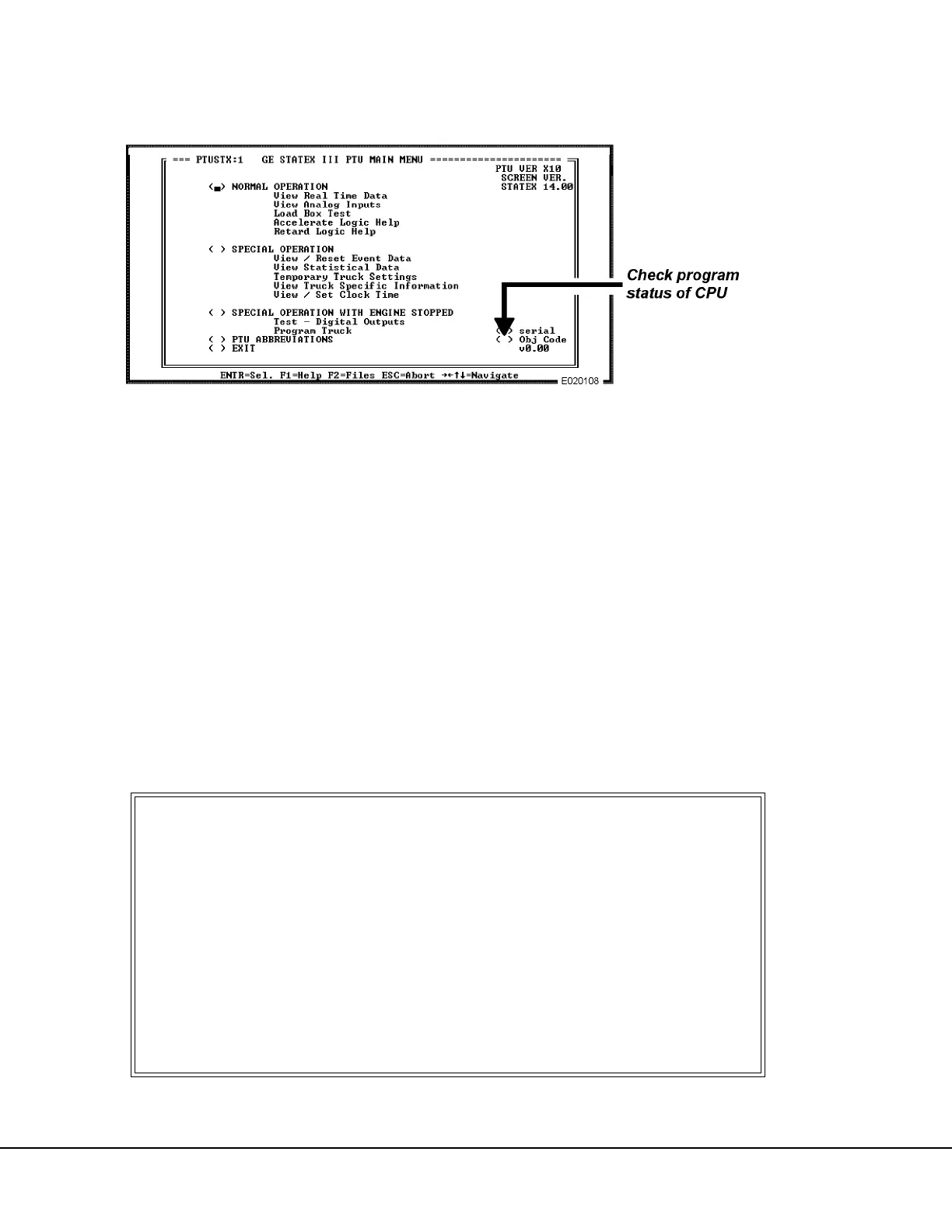
Check Object Code Version
Before downloading configuration files to the truck
CPU, use the cursor to select “OBJ CODE V0.00” (or
whatever number is displayed on the screen) as shown
in Fig. 2-19. When selected, one of two events will take
place:
1. If a number appears on the screen, code has
been installed into the truck CPU, and the down-
loading selection on the PROGRAM TRUCK
YES/NO MENU will be “YES, RELOAD PRO-
GRAM INTO TRUCK”.
2. If code has not been installed, the truck CPU is
not programmed, and an error message will
appear as shown in Figure 2-20. If this happens,
the downloading selection will be “YES, INSTALL
PROGRAM INTO TRUCK”.
FIGURE 2-19. PTU MAIN MENU
FIGURE 2-20. PTU/CPU COMMUNICATION ERROR MESSAGE
Unable to successfully communicate
with vehicle after 1 attempt
Press “C” to continue attempts,
“R” to re-initialize Serial Port
Anthing else to abort this packet.
Overrun error: 0
Parity error: 0
Framing Error: 0
TOTAL ERRORS 1
PR0BLEMS COMMUNICATING WITH VEHICLE



 To Next Page