.
MAINTENANCE
MAINTENANCE PROCEDURE
MAINTENANCE
MAINTENANCE PROCEDURE
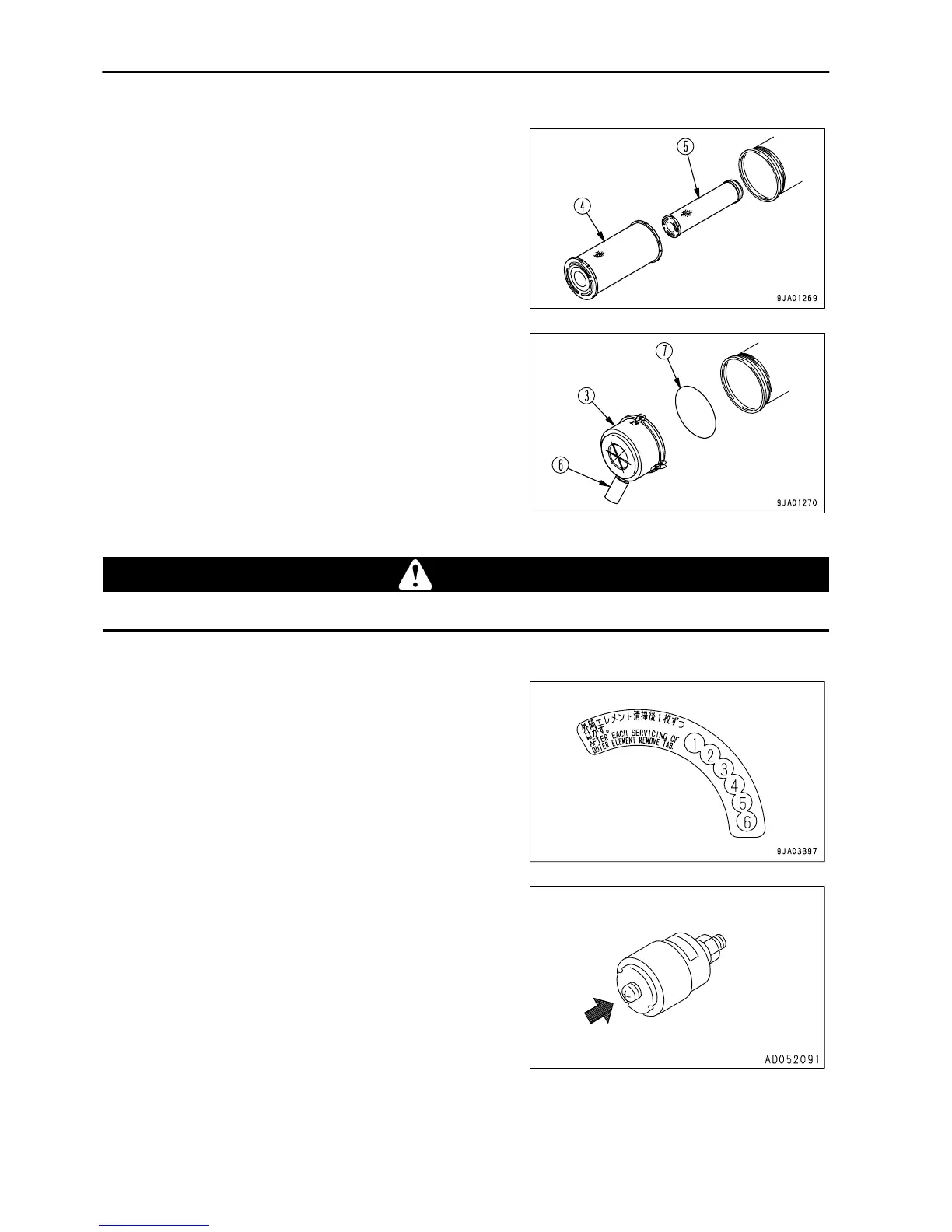
2. Remove outer element (4).
Do not remove inner element (5) at this time, however.
NOTICE
When cleaning cover (3), do not remove evacuator valve (6).
3.
Clean the inside of the air cleaner body and the cover (3).
4.
Remove inner element (5), then install a new inner element immediately.
CAUTION
When installing the cover (3), check O-ring (7) and replace it if there are any scratches or damage.
5.
Set the cleaned outer element in position, then secure cover (3) with mounting clips (2).
6. Replace the seal attached to cover (3) with new one.
7.
Return the red piston in the dust indicator (1) to its original
position.
4 - 20



 To Next Page