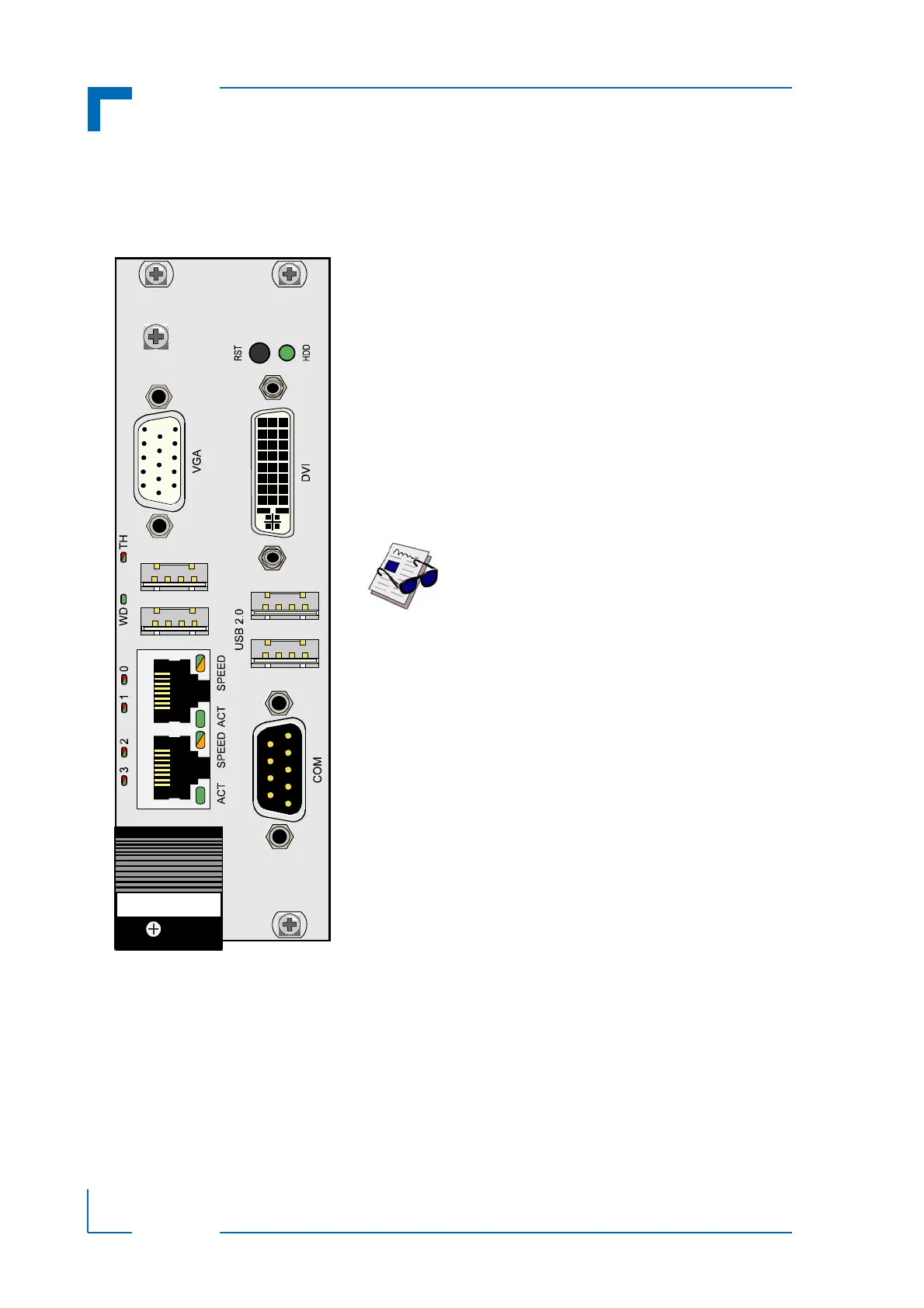
Watchdog and Overtemperature Status LEDs:
WD (green): Watchdog Status
TH (red/green): Overtemperature Status
SATA LED:
HDD (green): Monitors SATA Activity
General Purpose LEDs:
LED0..3 (red/green/red+green): General Purpose/POST
Code
Ethernet LEDs:
ACT (green): Ethernet Link/Activity
SPEED (green/orange): Ethernet Speed
Note ...
If the General Purpose LEDs 0..3 are lit
red during boot-up, a failure is indicated
before the uEFI BIOS has started.
For further information, please contact
Kontron.



 To Next Page