CP3002 Installation
ID 1042-9252, Rev. 2.0 Page 3 - 9
P R E L I M I N A R Y
3.5 Installation of CP3002 Peripheral Devices
The CP3002 is designed to accommodate various peripheral devices, such as USB devices,
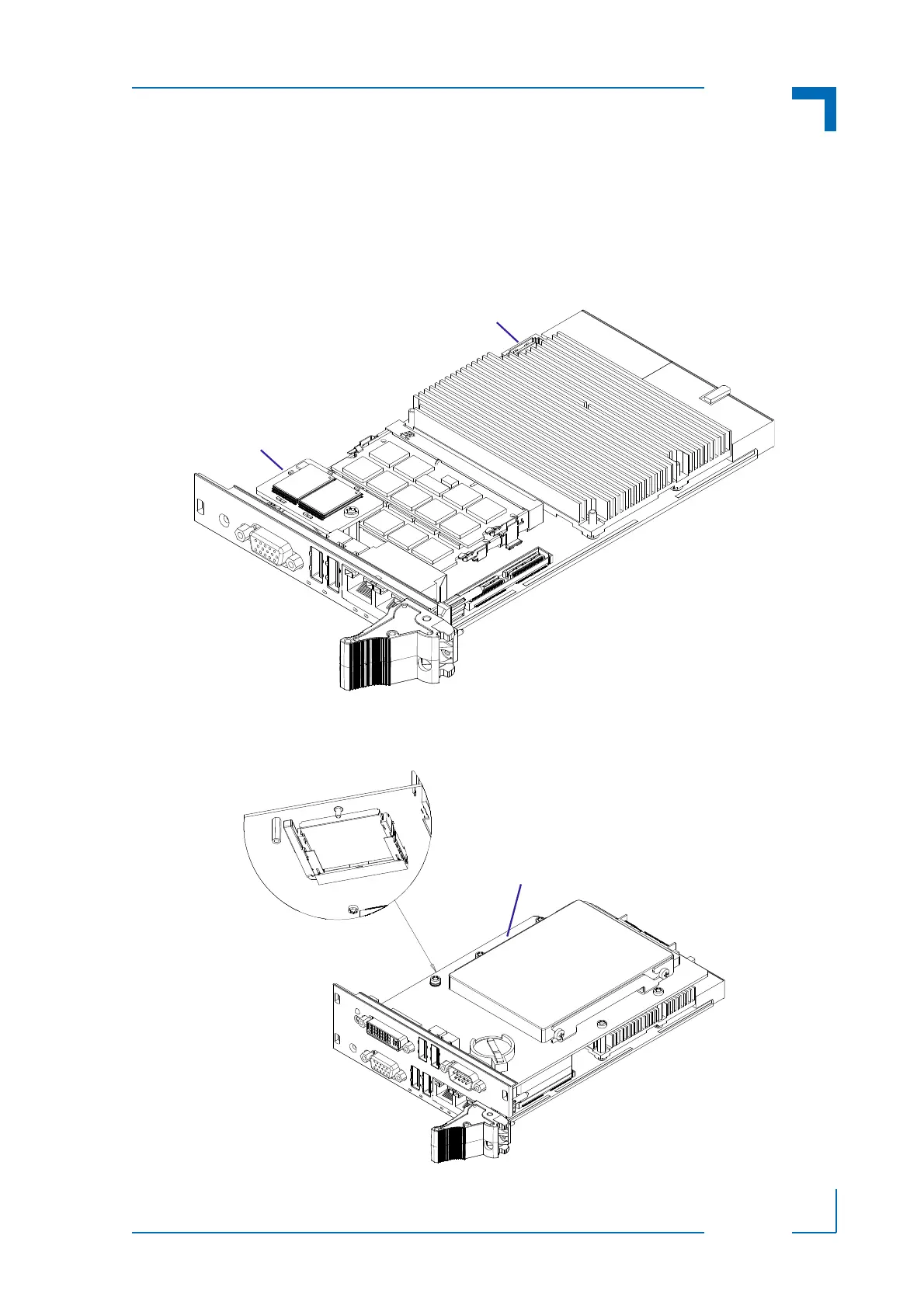
Serial ATA devices, a CFast card, etc. The following figures show the placement of modules
and peripheral devices on the CP3002.
Figure 3-1: Connecting a Peripheral Device to the 4HP CP3002
Figure 3-2: Connecting a Peripheral Device to the 8HP CP3002 with CP3002-HDD
SATA Flash
Module
SATA con. for external
SATA devices
CFast Card
2.5” Serial ATA HDD/SSD
CP3002-HDD Module



 To Next Page