13
Operating Instructions 10/2020 2010045v10
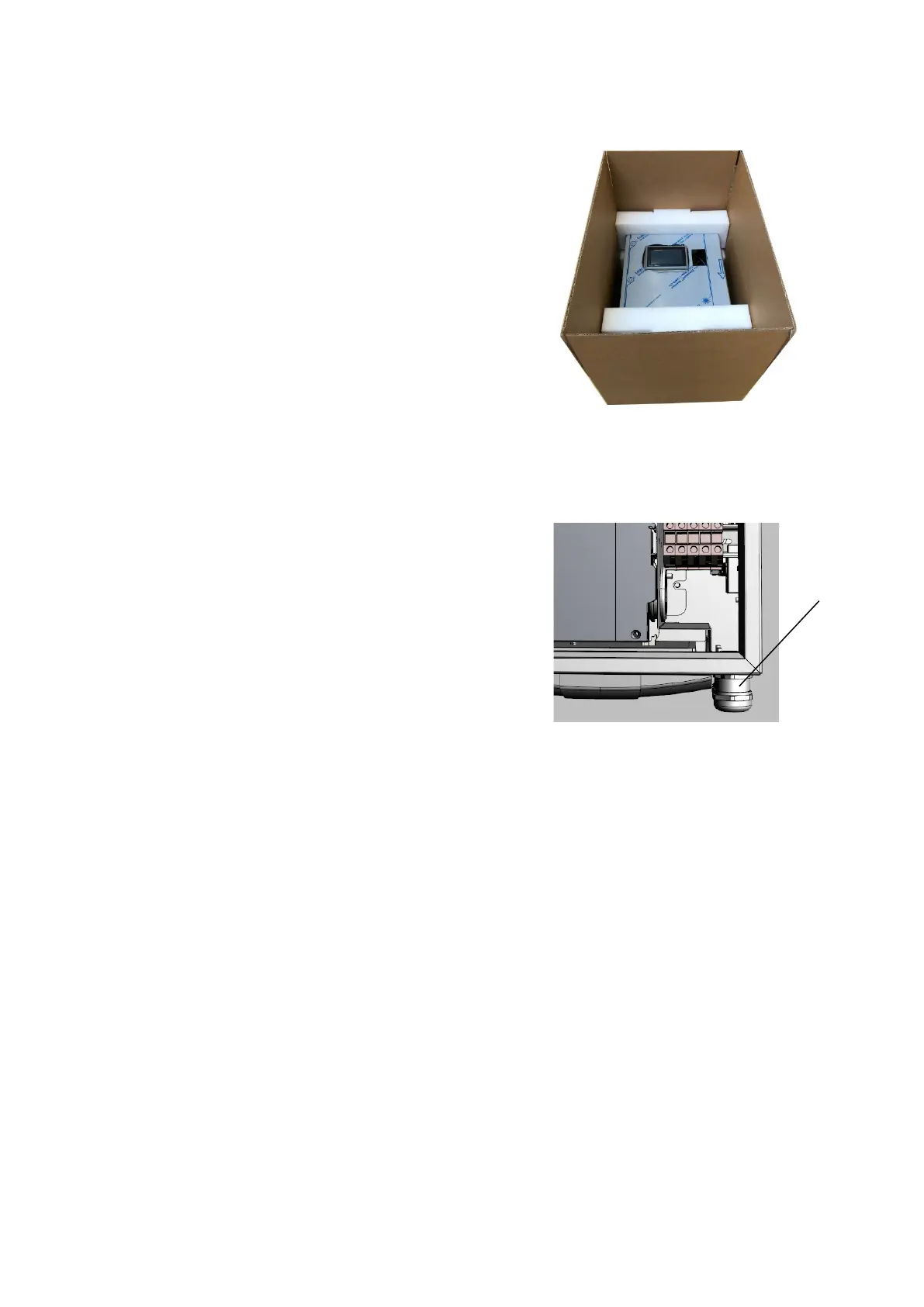
6.4.4 Unpacking the DC Wallbox
The packaging of the DC Wallbox can be removed without tools.
Be careful as the packaging could pollute the environment.
1.
Remove the protective foam pad.
2.
Take the DC Wallbox out of the packaging.
3.
The wall bracket of the Wallbox is already attached to the
housing.
6.4.5 Mounting the DC Wallbox
Prerequisites:
• Guide the mains cable through the central cable gland
(A).
6.4.6 Wall mounting
At least two people are required to lift the DC Wallbox (weight 62kg). In general, local regulations must be
observed, as the maximum weight to be lifted may vary from country to country.
1. Place the wall bracket in the intended position and fix it with M10 screws suitable for the surface.
2. Carefully lower the DC Wallbox onto the wall bracket.
3. Make sure that the cables are not pinched.
4. Place the DC Wallbox in the correct position on the wall bracket.
5. Place the station on the wall bracket and secure it accordingly with the M5 screws provided (Fig. 7).
6. Now attach the supplied charging plug holder (Fig. 8) to the position you want.
Fig 6: Cable gland


 To Next Page