32
Operating Instructions 10/2020 2010045v10
7.3.2 Procedure for deleting an entire list
1. Select <Delete Entire List>.
2. Select <Yes> in the prompt pop-up. If you cancel the function
then confirm the query with <No>.
3. If you have confirmed with <Yes>, the entire list is deleted.
7.3.3 Accept or reject changes
If you have made changes to the lists, these are displayed in the lower third of the screen. The changes can
be accepted or discarded with the corresponding buttons. If the data is not accepted, it is only valid until the
next restart.
7.4 Performance management
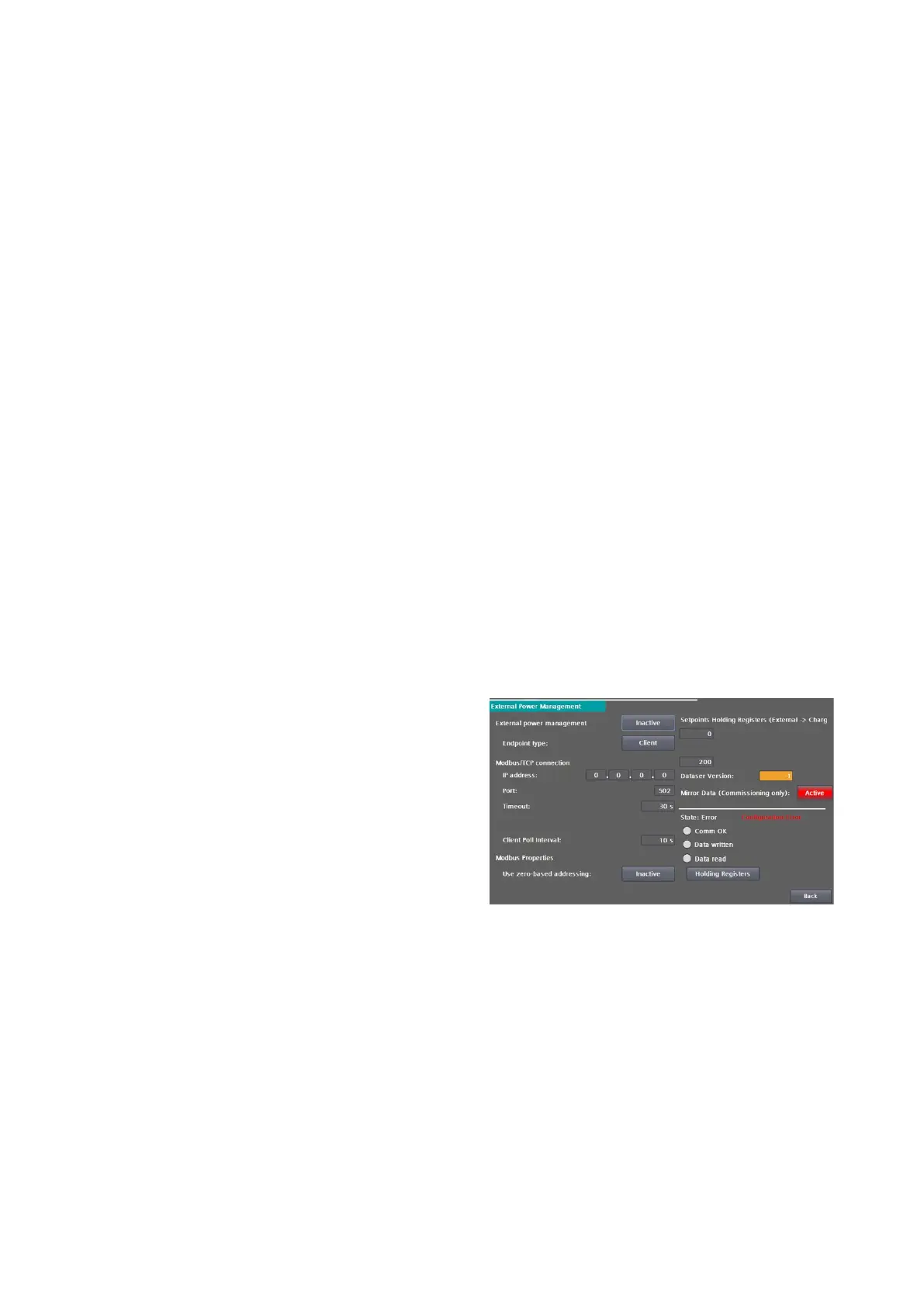
In "Power management" you configure the settings
required for external power management via
Modbus/TCP.
External performance management is independent
of CPO performance management via OCPP. It
can be done by the operator using a proprietary
S/W control without using an OCPP connection to
a CPO backend.
As the operator, you can activate and deactivate
the function, but not make any further settings.
Further intervention in the system may be
necessary, e.g. firewall or routing settings.
The power management is used to dynamically
control the available power of the entire charging
station or the individual charging outlets. This
works independently of other power controls, e.g.
Smart Charging via OCPP, and only has a limiting
effect, i.e. the respective minimum power is used
from all functions for power limitation.
Active / Inactive
• Inactive: An existing connection is terminated. The function is no longer used. Services are no
longer limited via this function.
• Active: A connection is established with the set parameters. Power management is activated.
Fig 35: External performance management


 To Next Page