31
Operating Instructions 10/2020 2010045v10
If a master card is then held in front of the reader,
the charge is terminated. This works independently
of the authorization method, i.e. also with
authorization by the CPO via OCPP. This
functionality is intended for petrol station
operators, for example, who thus have the option
of cancelling charging processes. RFID cards in
the master list generally cannot start a charging
process.
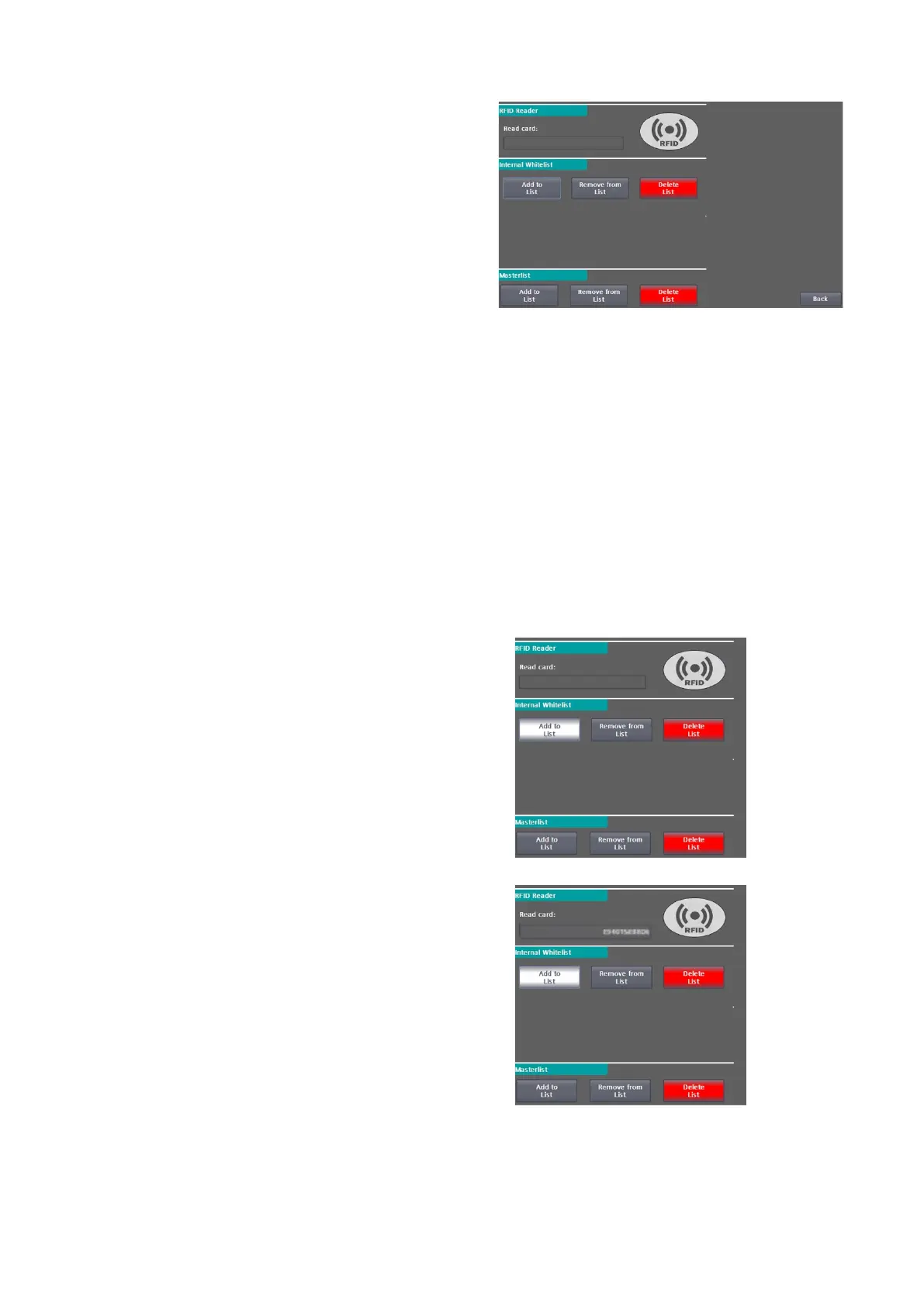
In the RFID reader menu, the currently read card is displayed in hexadecimal. If the currently read card is
included in the internal (local) whitelist, this output field is highlighted in green with the UID.
If you want to check whether and in which list a certain RFID card is present, then hold this RFID card in front
of the RFID card reader. After the RFID card has been read, you will see next to the list heading whether the
UID is present in this list. If it is not present in this list, nothing will be displayed.
7.3 Administering the lists
You can administer the whitelist and the master list in the same way as follows.
7.3.1 Procedure for adding RFID cards to a list
1. Select <Add to List>. The button starts
flashing. If you want to cancel the
function, press this button again. The
button then stops flashing.
2. Hold the desired RFID card in front of the
RFID card reader.
3. The UID of the read card is displayed in
hexadecimal under "Read card". <Add to
list> is automatically deselected.
4. If you want to add more cards, repeat this
procedure.
Fig 33: Administering RFID cards via whitelist
Fig 34: Administering RFID cards via Masterlist


 To Next Page