35
Operating Instructions 10/2020 2010045v10
Charging station
Int Telegram version (=ID=1)
Uint Mode 0=Off, 1=Feed-in limitation, 2=Charge point limitation
Uint Maximum feed line in kW
Uint Charging point1 Maximum power in kW
Uint Charging point2 Maximum power in kW
Uint Charging point3 Maximum power in kW
Management system
Int Telegram version (=ID=1)
Uint Active mode 0=Off, 1=Feed-in limitation, 2=Charge point limitation
Uint Act. Feed line in kW
Uint Charging point 1 current power in kW
Uint Charging point 2 current power in kW
Uint Charging point 3 current power in kW
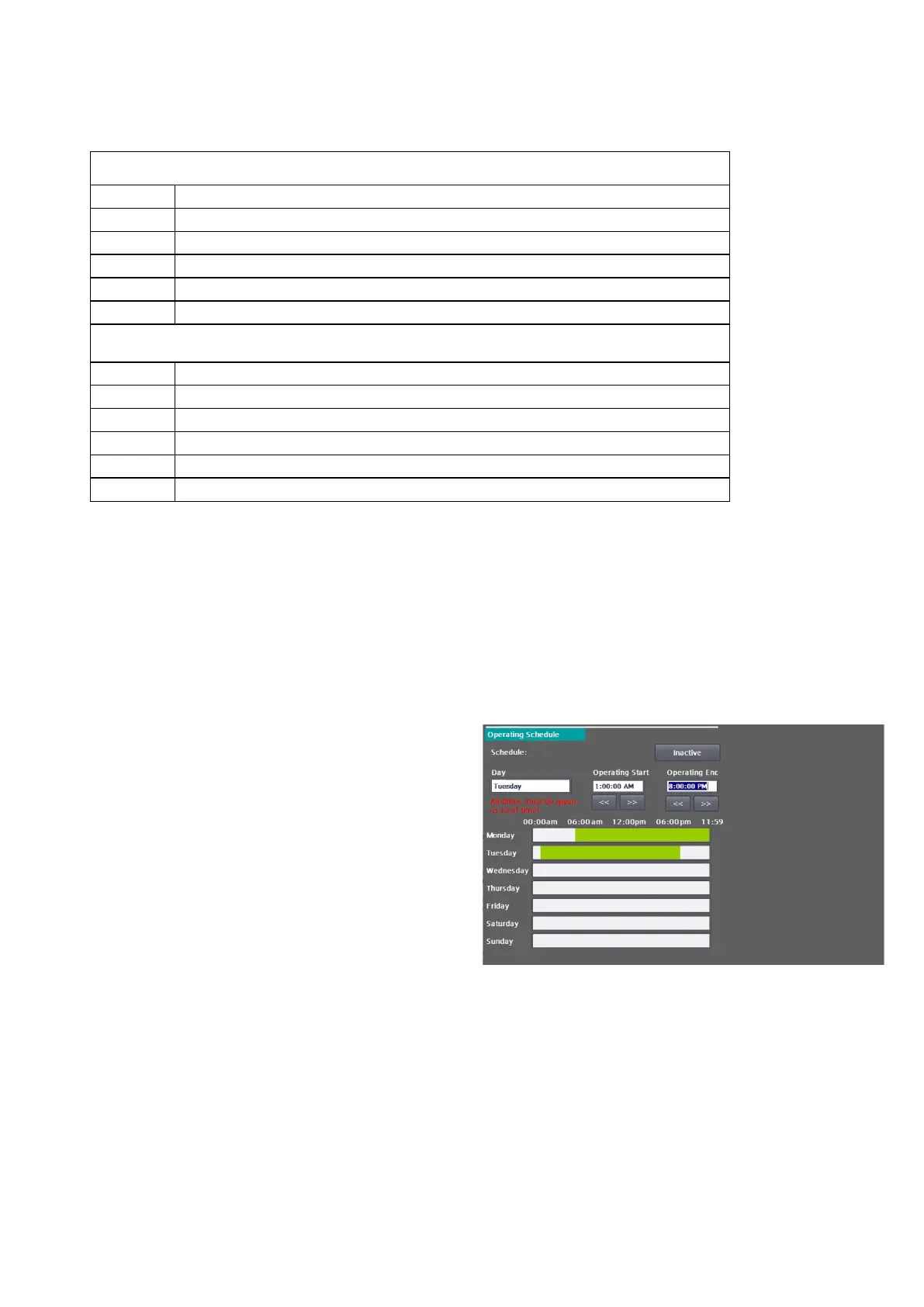
7.5 Operating schedule
You can use the operating schedule to specify
operating times for the charging station.
These times are treated with the highest priority,
i.e. these times also apply when OCPP is activated
and any backend commands are thus ignored or
rejected.
If a time threshold is exceeded during a charging
process, the charging process is terminated with
the reason code
"R_ID_StoppedByOperationSchedule". The status
of the charging pole is set to "Not Available". A
charging process is only possible again when the
operating schedule releases the charging pole
again.
The operating schedule has no influence on the
power provided by other functions (e.g. OCPP
SmartCharging or external energy management).
All time information in the mask refers to the set
local time.
Fig 37: Operating schedule


 To Next Page