39
Operating Instructions 10/2020 2010045v10
7.11 Stop causes
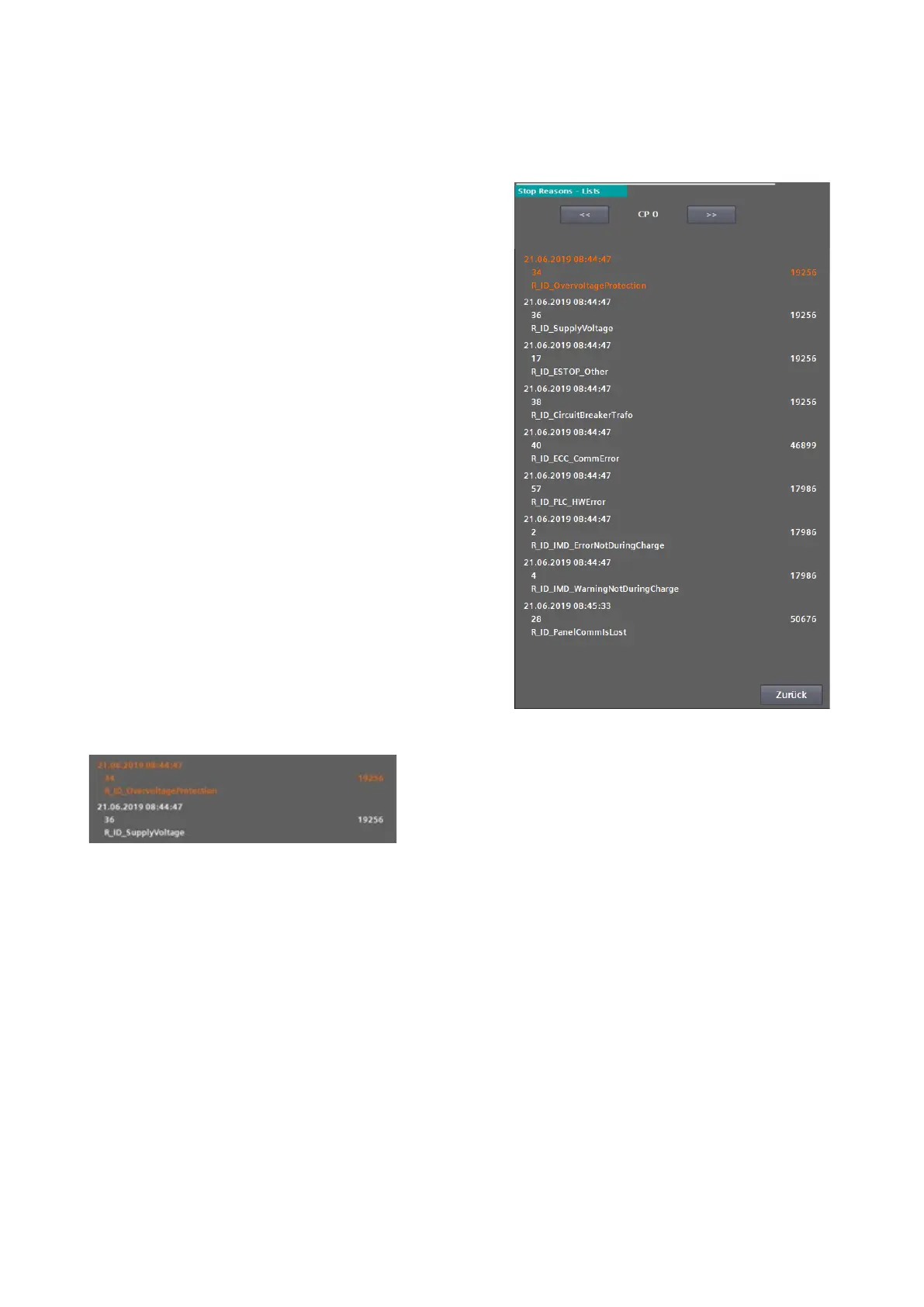
In the "Stop causes" menu, you can view the
triggering and pending faults of the individual
charging points or the charging station itself
(charging point 0). You can navigate through the
charging points using the arrow keys in the upper
area.
The cause that triggered the error or was detected
first is always at the top (orange). This error
variable is also displayed in the basic menu of the
service area. The name of the error variable is also
displayed as plain text on the error screen at user
level.
In addition to the text for the stop cause, you can
also read the time stamp of the first occurrence,
the error code as a number and an occurrence
counter (cycle). If the occurrence counter no
longer moves, this error is no longer pending.
However, it will be displayed as the first (triggering)
error until all errors have been acknowledged.
This behaviour is intended to enable you to carry
out detailed troubleshooting, as triggering errors
often generate many other subsequent errors.
Fig 43: Charging station stop causes - all errors
Fig 44: Charging station stop causes - first value error


 To Next Page