VS-88H2 – Protocol 3000 Commands
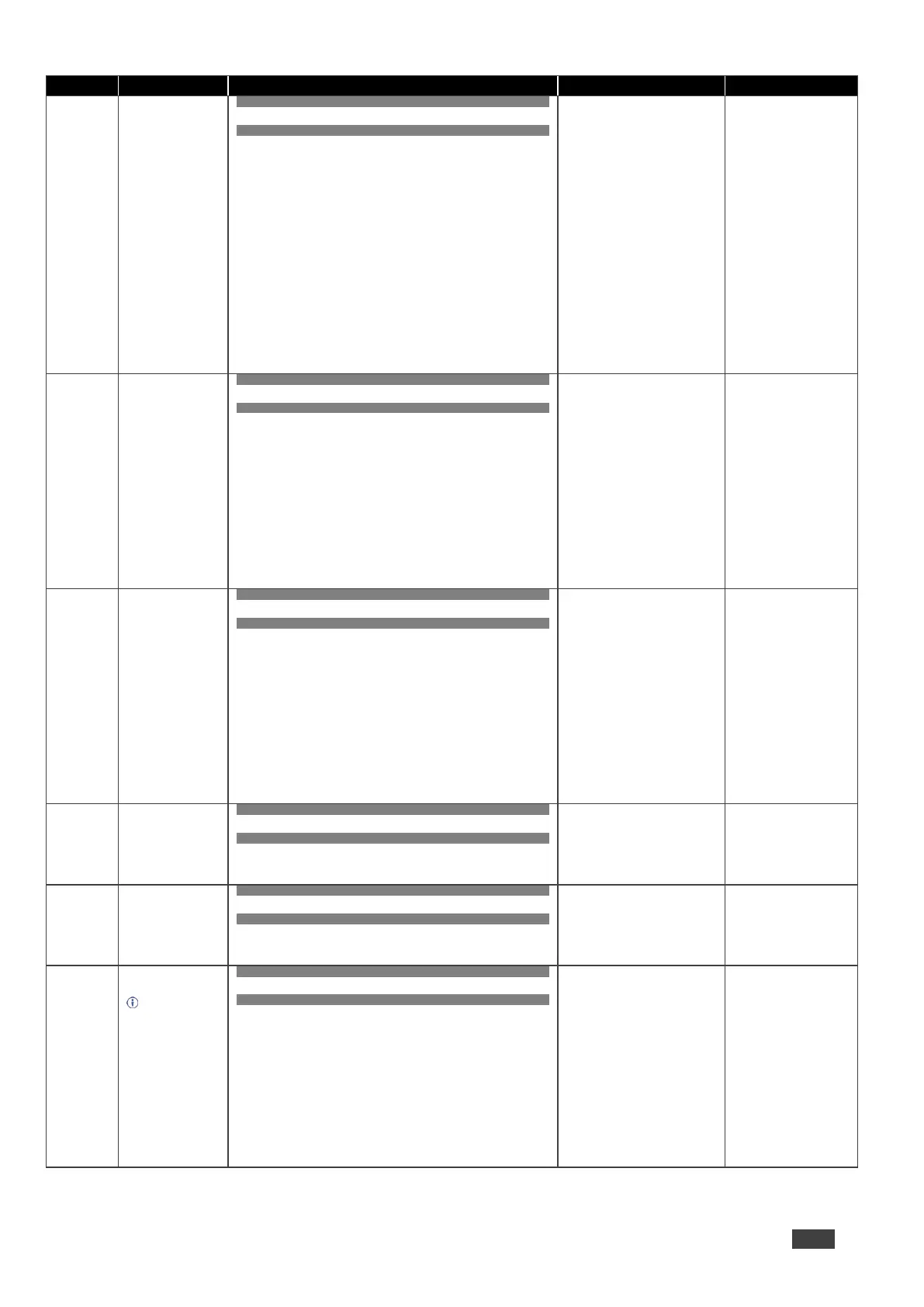
COMMAND
#AVin>out_id,in>out_id,…<CR>
FEEDBACK
~nn@AVin>out_id,in>out_id,…<CR><LF>
in – Number that indicates the
specific input:
0 – disconnect output
1 – HDMI IN 1
2 – HDMI IN 2
3 – HDMI IN 3
4 – HDMI IN 4
5 – HDMI IN 5
6 – HDMI IN 6
7 – HDMI IN 7
8 – HDMI IN 8
> – Connection character between
in and out parameters
out_id –Output number
* – All outputs
1 – HDMI OUT 1
2 – HDMI OUT 2
3 – HDMI OUT 3
4 – HDMI OUT 4
5 – HDMI OUT 5
6 – HDMI OUT 6
7 – HDMI OUT 7
8 – HDMI OUT 8
Switch HDMI IN 1 to HDMI
OUT 4:
#AV1>4<CR>
Set input auto switch
mode (per output).
COMMAND
#AV-SW-MODElayer_type,out_index,connection_mode<CR>
FEEDBACK
~nn@AV-SW-MODElayer_type,out_index,connection_mode<CR><
LF>
layer_type – Number that
indicates the signal type:
1 – Video
out_index – Number that
indicates the specific output:
1 – HDMI OUT 1
2 – HDMI OUT 2
3 – HDMI OUT 3
4 – HDMI OUT 4
5 – HDMI OUT 5
6 – HDMI OUT 6
7 – HDMI OUT 7
8 – HDMI OUT 8
connection_mode – Connection
mode
0 – manual
1 – priority switch
2 – last connected switch
Set input auto switch mode
(per output) for HDMI OUT
1 to manual:
#AV-SW-MODE1,1,0<CR
>
Get input auto switch
mode (per output).
COMMAND
#AV-SW-MODE?layer_type,out_index<CR>
FEEDBACK
~nn@AV-SW-MODElayer_type,out_index,connection_mode<CR><
LF>
layer_type – Number that
indicates the signal type:
1 – Video
out_index – Number that
indicates the specific output:
1 – HDMI OUT 1
2 – HDMI OUT 2
3 – HDMI OUT 3
4 – HDMI OUT 4
5 – HDMI OUT 5
6 – HDMI OUT 6
7 – HDMI OUT 7
8 – HDMI OUT 8
connection_mode – Connection
mode
0 – manual
1 – priority switch
2 – last connected switch
Get the input auto switch
mode for HDMI OUT 1:
#AV-SW-MODE?1,1<CR>
Set auto switching
timeout.
COMMAND
#AV-SW-TIMEOUTswitching_mode,time_out<CR>
FEEDBACK
~nn@AV-SW-TIMEOUTswitching_mode,time_out<CR><LF>
switching_mode – Switching
mode
0 – Video signal lost
4 – Disable 5V on video output if
no input signal detected
time_out – Timeout in seconds
0 - 999
Set the auto switching
timeout to 5 seconds in the
event of 5V disable when
no input signal is detected:
#AV-SW-TIMEOUT4,5<C
R>
Get auto switching
timeout.
COMMAND
#AV-SW-TIMEOUT?switching_mode<CR>
FEEDBACK
~nn@AV-SW-TIMEOUTswitching_mode,time_out<CR><LF>
switching_mode – Switching
mode
0 – Video signal lost
4 – Disable 5V on video output if
no input signal detected
time_out – Timeout in seconds
0 - 999
Get the Disable 5V on
video output if no input
signal detected timeout:
#AV-SW-TIMEOUT?4<CR
>
Set protocol serial
port baud rate.
The new defined
baud rate is stored in
the EEPROM and
used when powering
up.
Default baud rate is
115200 (on factory
reset).
Only works with
devices supporting
this command (if ERR
002 is returned, the
default baud rate is
used).
COMMAND
#BAUDbaud_rate<CR>
FEEDBACK
~nn@BAUDbaud_rate<CR><LF>
Option 1:
~nn@BAUDcurrent_baud_rate<CR><LF>
Option 2:
~nn@BAUDbaud_rate1,baud_rate2,...<CR><LF>
baud_rate – 9600 / 115200 / else
- new baud rate to set
current_baud_rate – 9600 /
115200 / else - current protocol
serial port baud rate
baud_param – 0 - get the list of
supported baud rates
baud_rate1,baud_rate2, … –
List of supported baud rates
Set the baud rate to 9600:
#BAUD9600<CR>



 To Next Page