Get Started 4
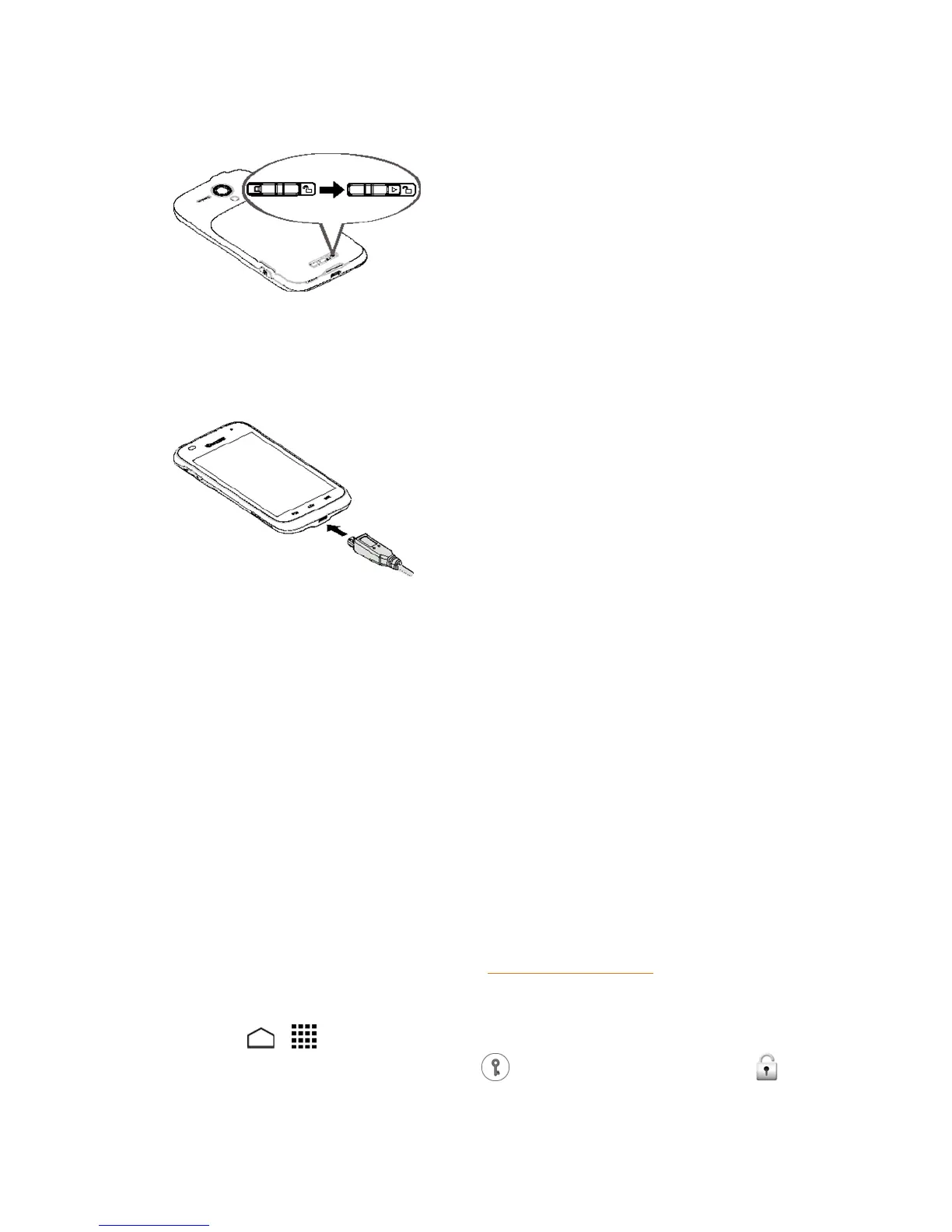
l Slidethebatterycoverlocktothelockedposition.
Note: Whenyouinsertthebattery,yourphonemaypoweronautomatically.
2. Chargeyourbattery.
l PlugthesmallerendoftheUSBcableintothephone’scharger/accessoryjack.
l PlugtheotherendoftheUSBcableintothecharger,andthenplugthechargerintoan
electricaloutlet.
Note: Yourphone’sbatteryshouldhaveenoughchargeforthephonetoturnonandfindasignal,
setupvoicemail,andmakeacall.Youshouldfullychargethebatteryassoonaspossible.
3. PressandholdthePowerbuttontoturnthephoneon.
l Ifyourphoneisactivated,itwillturnonandsearchfortheservice.
l Ifyourphoneisnotyetactivated,refertoyourActivationGuideformoreinformation.
Set Up Voicemail
SettingupVisualVoicemailfollowsmanyofthesameproceduresassettinguptraditional
voicemail.Youshouldsetupyourvoicemailandpersonalgreetingassoonasyourphoneis
activated.Yourphoneautomaticallytransfersallunansweredcallstoyourvoicemail,evenifyour
phoneisinuseorturnedoff.
Note: Tosetupyourtraditionalvoicemailbox,seeVoicemail(Traditional).
TosetupVisualVoicemail:
1.
TouchHome > >Voicemail.(Ifyourscreenislocked,pressthePowerbutton,touch
andholdthescreenandthenflickthekeyicon underyourfingertowardUnlock to
unlockthescreen.)


 To Next Page
 Loading...







