LaCie Ethernet Disk Using the Web Administration Page
User Manual page 22
7.2. Wizard Mode and Advanced
Mode
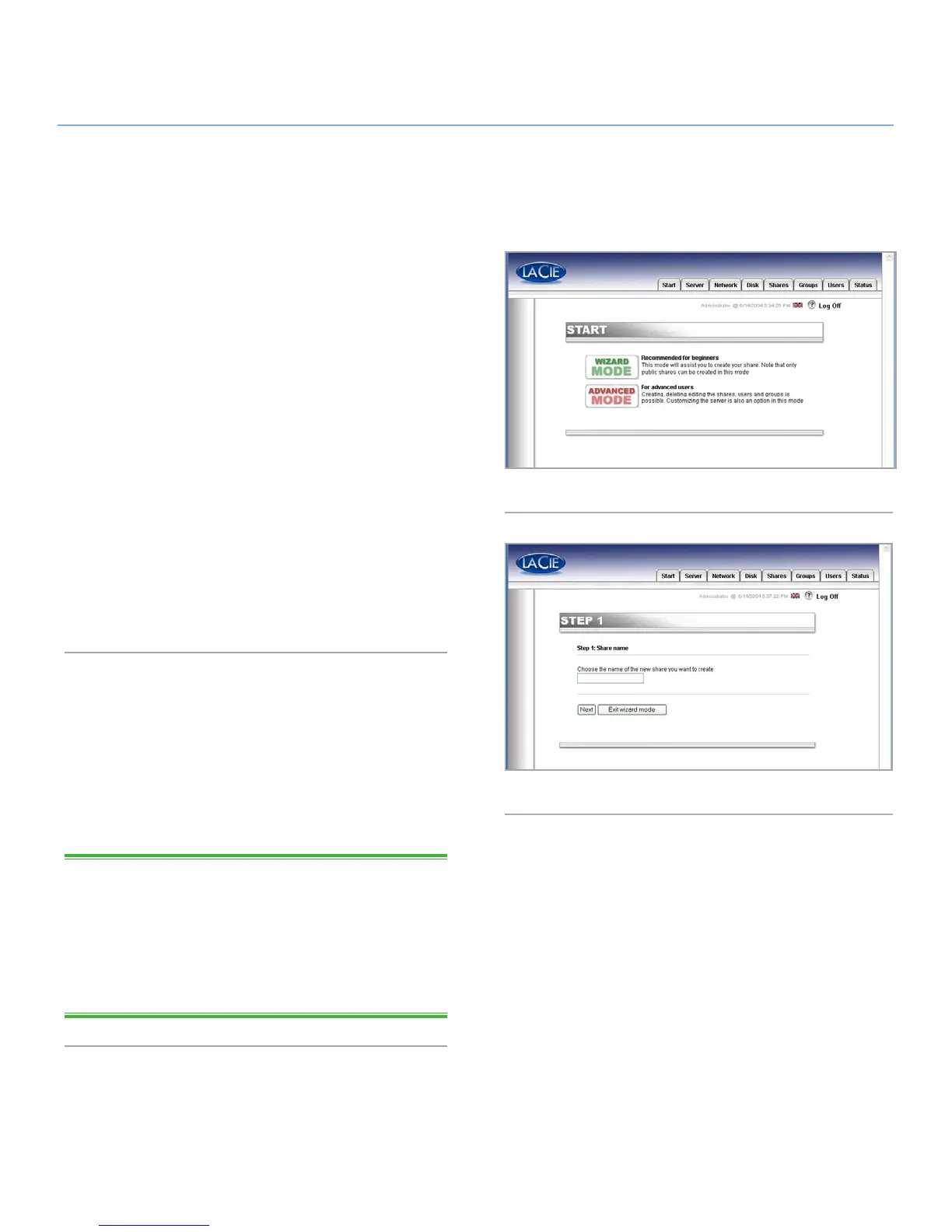
There are two different ways to use the Web Administration Page,
Wizard mode or Advanced mode (Fig. 21).
Wizard Mode
This method is recommended for beginning administrators, or
for those who have a limited technical knowledge base.
The Wizard mode provides an easy way to create new shares
and users. This mode will guide you through a series of questions
and will help you to create your shares and users.
Click the Wizard Mode button to use this utility.
Advanced Mode
The Advanced mode provides you with all of the available tools:
you can create, delete and customize any share and user. You
can also change the system configuration (machine name, time,
etc.) and defrag or back up drives.
Click the Advanced Mode button to utilize these tools.
7.3. Using the Wizard Mode
7.3.1. Creating a Share: “Share Name”
Enter the name of the share you want to add and press the Next
button (Fig. 22). The name must only contain valid characters (do
not use any of the following:
? [ ] \ / = + < > ; : “ , | * ).
TECHNICAL NOTE: If you will be using your LaCie Ethernet Disk
with Mac OS 9.x, the file and folder length is limited to 27 char-
acters. If you will be using your LaCie Ethernet Disk in a network
environment with Mac OS 9.x and Mac OS 10.x or Windows,
the same limitation applies. In network environments that utilize
Windows and/or Mac OS 10.x, files and folders may be up to
255 characters.
Fig. 21
Fig. 22














 To Next Page