LaCie Ethernet Disk Managing Your LaCie Ethernet Disk
User Manual page 36
9.7. Formatting Disks
The LaCie Ethernet Disk allows you to format a disk. To format a
disk, use the formatting tool:
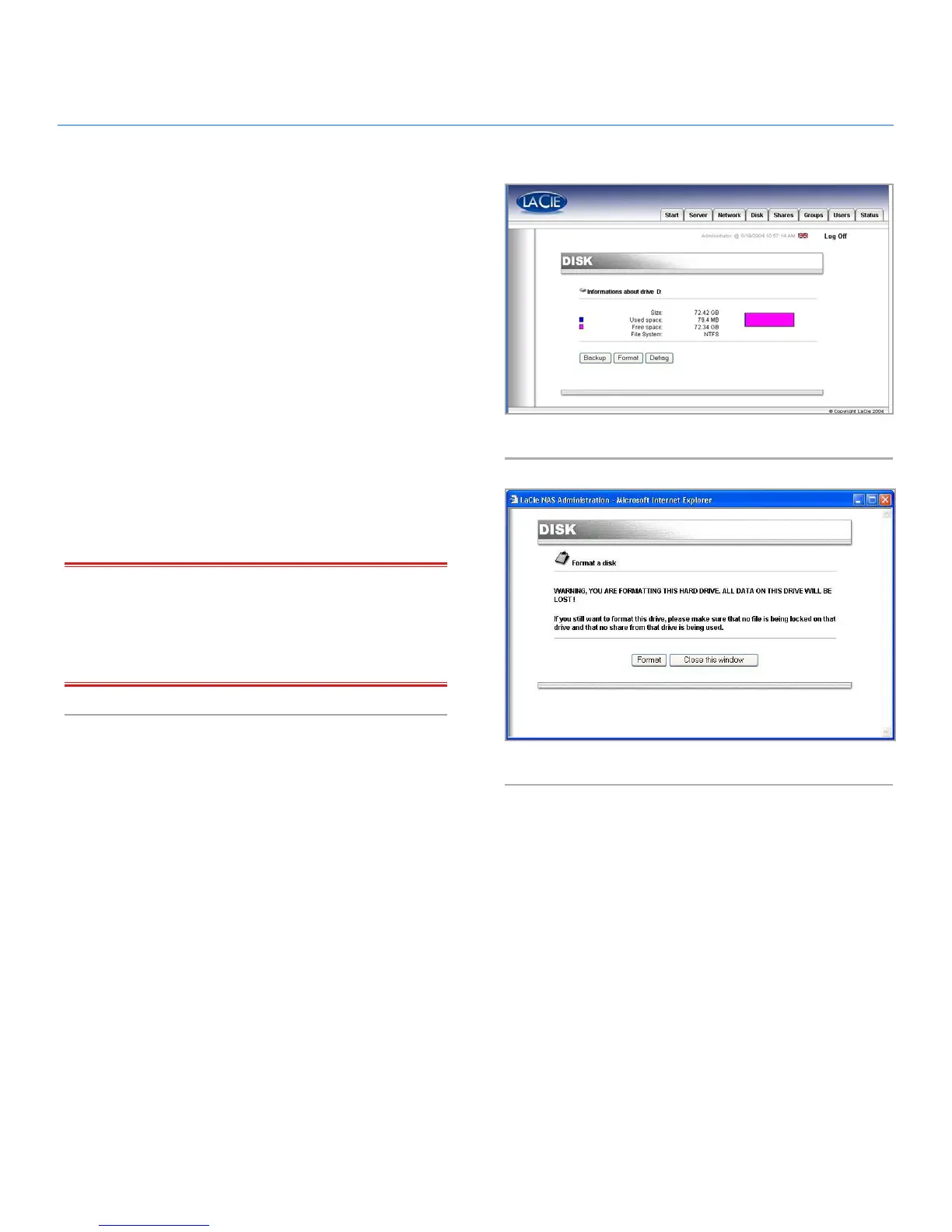
1. In the Web Administration Page, click on the Disk tab.
2. Check format for the drive that you want to format (Fig. 42).
(There should only be one drive, unless you have attached an
external hard disk drive to your LaCie Ethernet Disk.)
3. Answer the following questions, then click on the Format but-
ton (Fig. 43). Leave the status window open until the format-
ting process completes.
The formatting process can be a quick process, or a long pro-
cess, depending on the size of your hard drive. If necessary, you
can stop the formatting process at any time – it is not recom-
mended, however, because you may corrupt files or cause other
errors.
IMPORTANT INFO: Before beginning the formatting process,
all files must be unlocked (i.e., the files cannot be in use). It
is recommended that you format the drive immediately after a
reboot to ensure that no one is accessing shares during the for-
matting process.
Fig. 42
Fig. 43














 To Next Page