LaCie Ethernet Disk Using the LaCie Shell
User Manual page 47
11.3. Firewall
To configure the firewall of the Ethernet Disk
1. Click on the Firewall button.
2. In the LaCie Ethernet Disk Firewall dialog that appears select
the desired settings in each section of the dialog.
3. Click Apply Settings, then
4. Click Quit.
11.4. Back Up the LaCie Ethernet
Disk onto other NAS Devices
Using the Remote Desktop connection, it is possible to back up
the LaCie Ethernet Disk onto another network-attached storage
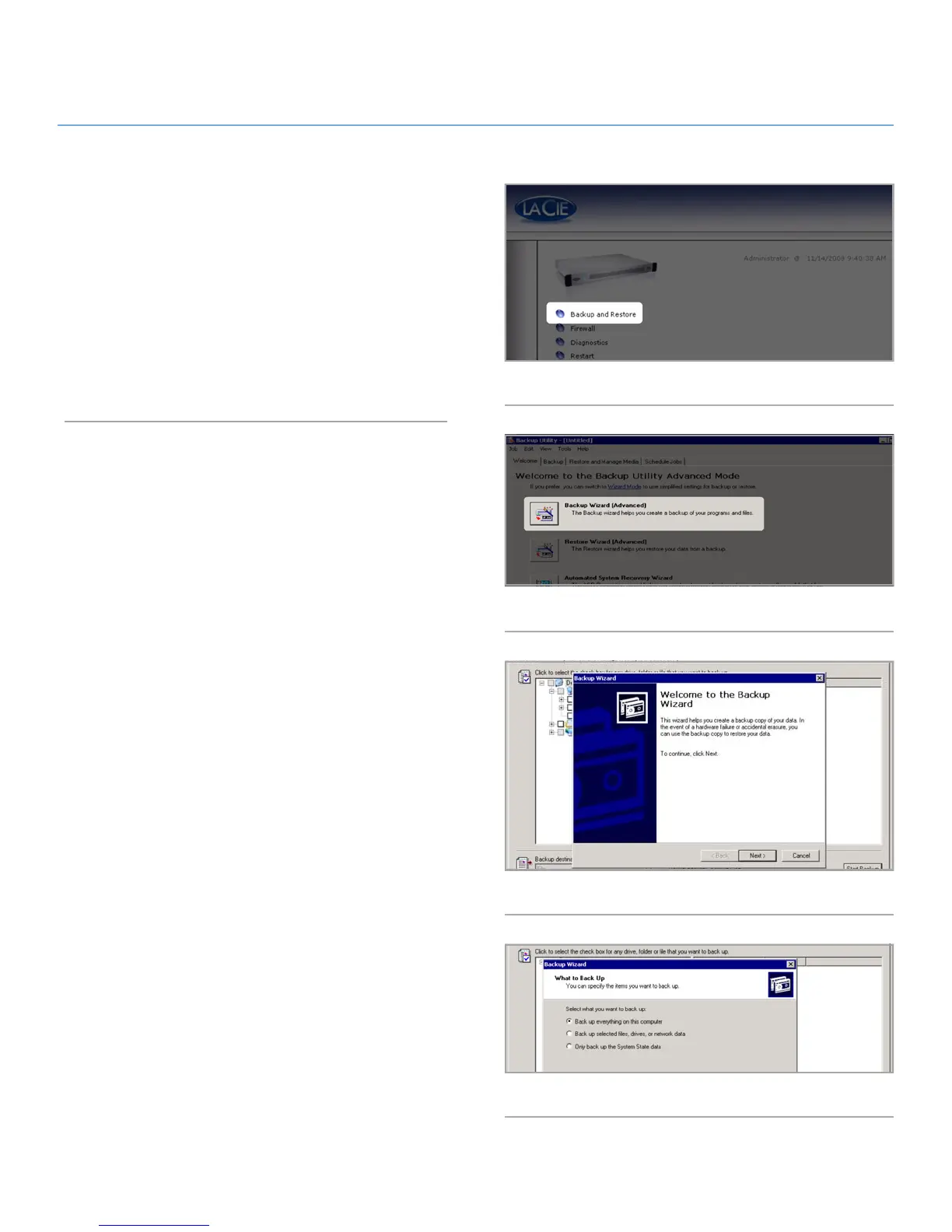
(NAS) device. From the Backup and Restore menu (Fig. 62),
follow these steps to initiate a backup:
1. Select the Backup Wizard (Advanced) button (Fig. 63).
2. In the Wizard that opens, click Next (Fig. 64).
3. Select either to back up all the Ethernet Disk’s data or se-
lected files. This guide will explain the steps for backing up
all the Ethernet Disk’s data. Click Next (Fig. 65).
Fig. 62
Fig. 63
Fig. 64
Fig. 65














 To Next Page