LaCie Ethernet Disk Using the LaCie Shell
User Manual page 48
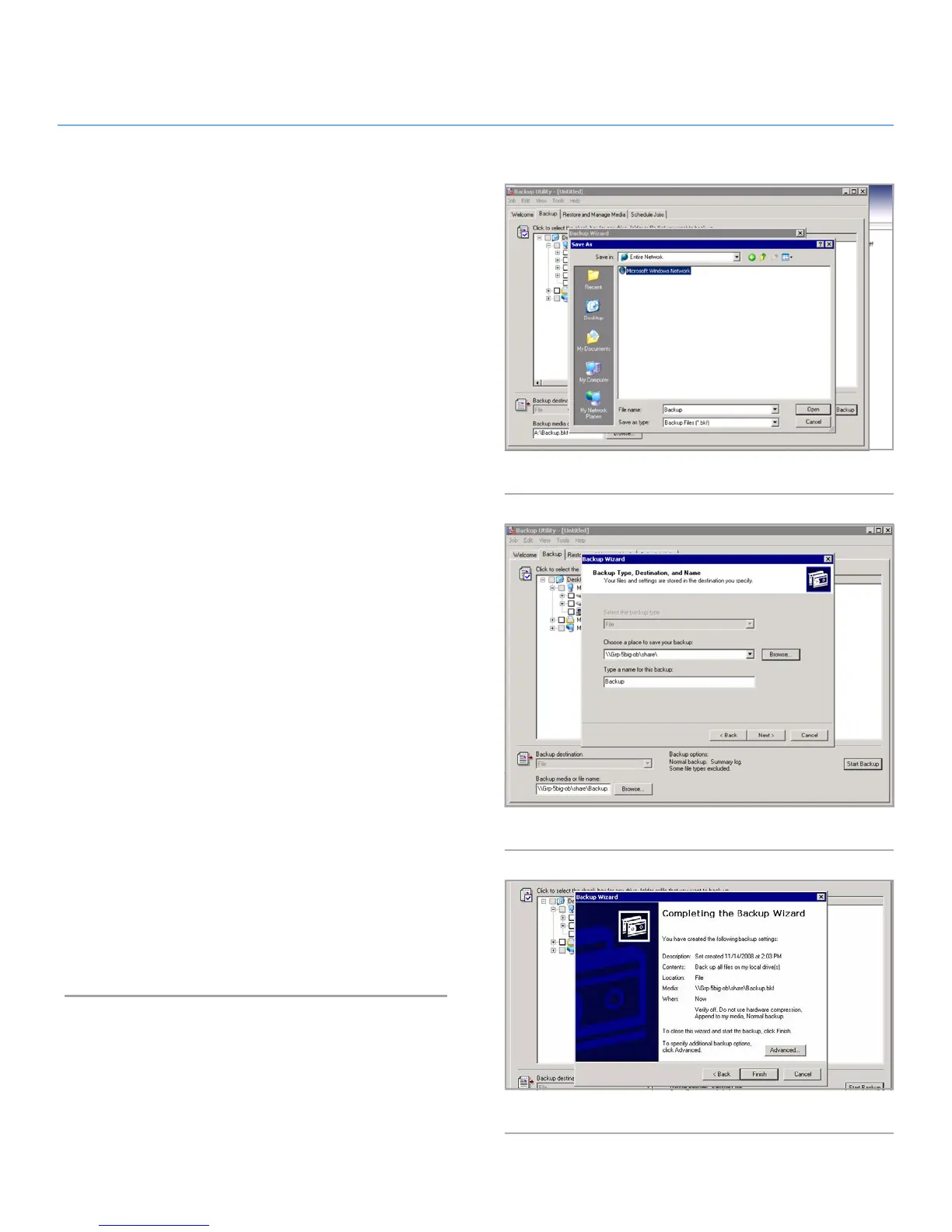
4. In the dialogue window that opens, click on Browse and nav-
igate to the target volume on which to backup your Ethernet
Disk and click Open (Fig. 66).
Fig. 66
Fig. 67
Fig. 68
5. Type a name for the backup and click Next (Fig. 67).
6. Review the information to make sure it is correct. Optional:
Select Advanced to modify other parameters such as sched-
uling (Fig. 68).
7. Click Finish and the backup will begin.














 To Next Page