LaCie Network Space MAX • DESIGN BY NEIL POULTON Connecting to a Network
User Manual page 12
2.2. STEP 2: Connect the Ethernet
Cable
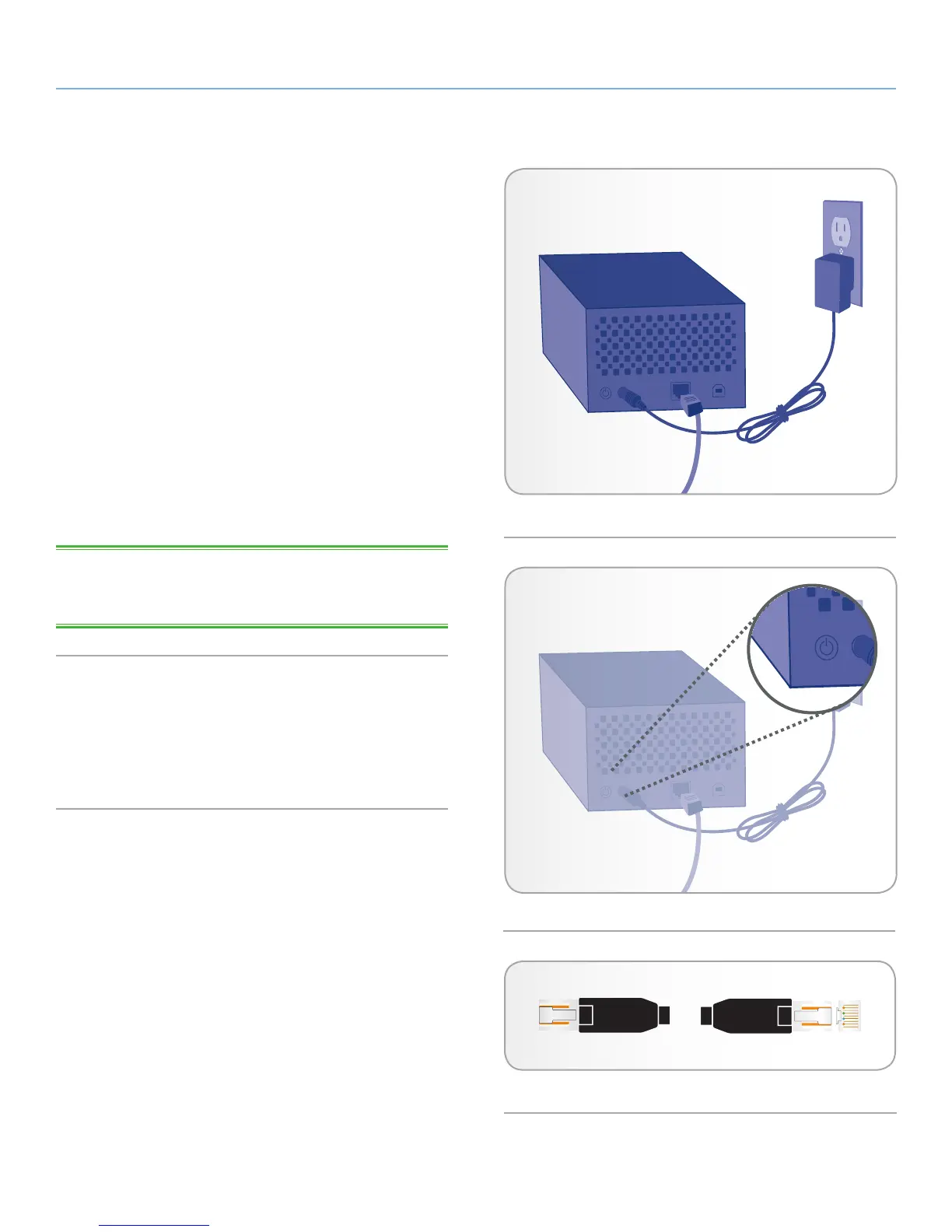
1. Connect the Ethernet cable to the Ethernet port on the back of
the LaCie Network Space MAX (Fig. 05).
2. Connect the other end of the Ethernet cable into an available
Ethernet port on your router or hub (refer to your router or hub’s
documentation if necessary).
3. Turn on the drive by pressing the power button on the back of
the drive for two seconds (Fig. 06). The front LED will turn on
and then begin blinking blue.
The drive is ready to be accessed once the blue LED has stopped
blinking. Please be patient while the Network Space MAX starts for
the first time.
Now move on to step 3, section 2.3. STEP 3: Connect using LaCie
Network Assistant.
TECHNICAL NOTE: Depending on your computer’s Ethernet set-
tings, you may be able to connect the Network Space MAX directly
to your computer using the Ethernet cable.
Gigabit Ethernet Cables And Connectors
See Fig. 07 for an illustration of the Ethernet cable used to connect
your LaCie Network Space MAX to your network device. The ends
of the Ethernet cable are the same and either end can be connected
to the LaCie Network Space MAX or your router.
Fig. 06
Fig. 07 - Gigabit Ethernet cable ends (top view)
Fig. 05














 To Next Page