LaCie Network Space MAX • DESIGN BY NEIL POULTON Accessing & Transferring Files
User Manual page 31
3.7. Multimedia Server
Once you have established the network connection between your
computer and the Network Space MAX, you can configure your Net-
work Space MAX to share files (stored on OpenShare only) to UPnP/
DLNA devices. Follow these steps:
1. Make sure the Network Space MAX is properly connected to
your home network as described in section 2. Connecting to a
Network.
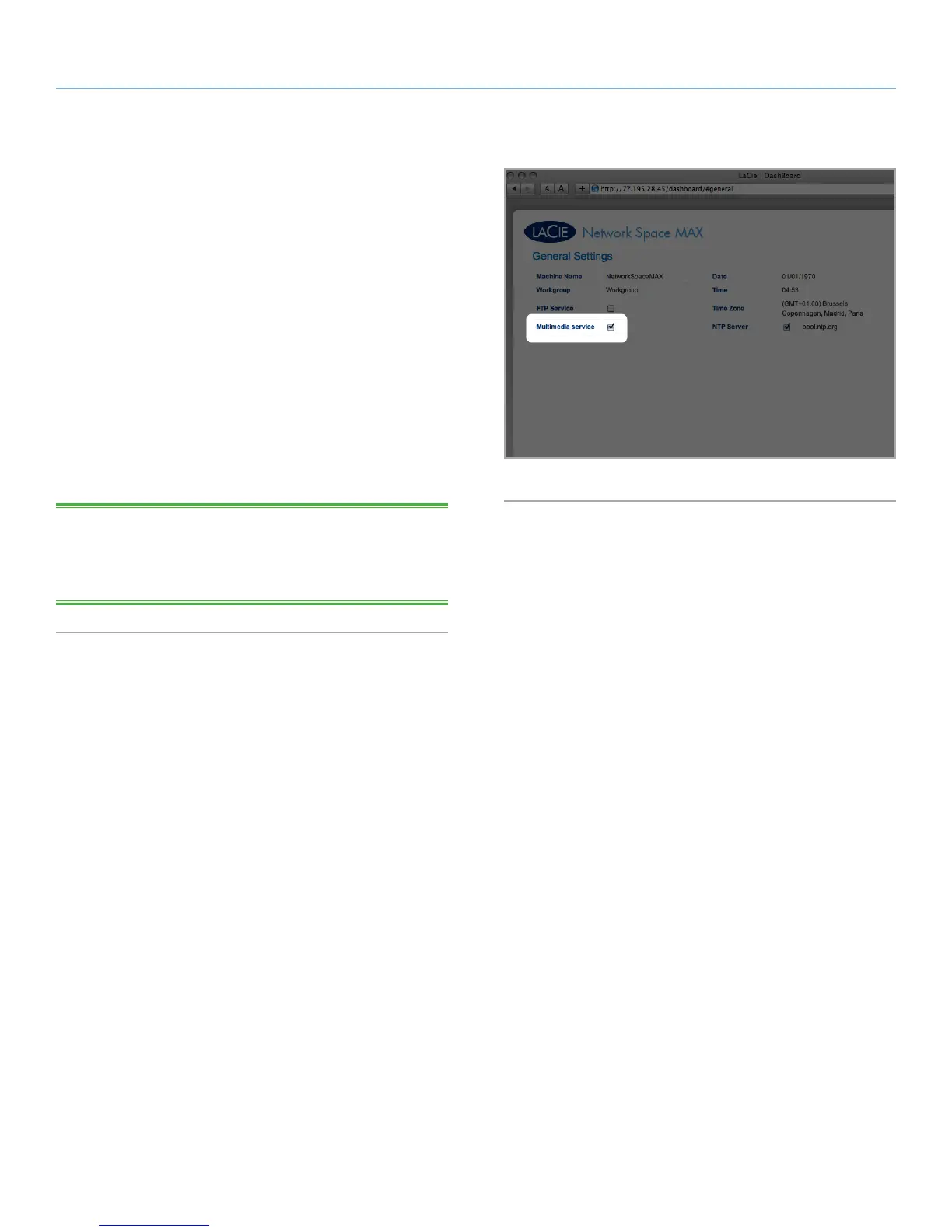
2. Enable Multimedia server on the Network Space MAX Dash-
board (see section 4.6. Dashboard: General Settings) (Fig. 42).
3. Now you will be able to play files located on OpenShare on
your Network Space MAX on any other UPnP/DLNA-certified
player/adapter (such as an XBox 360, Play Station 3, a DLNA
mobile phone, etc.).
TECHNICAL NOTE: If you want your UPnP/DLNA devices to be
able to access files on your external USB hard drive connected to
the expansion port on the Network Space MAX, select Multimedia
Indexation on the Dashboard: Front USB Port page.
Fig. 42














 To Next Page