LaCie Network Space MAX • DESIGN BY NEIL POULTON Administering Your LaCie Network Space MAX
User Manual page 41
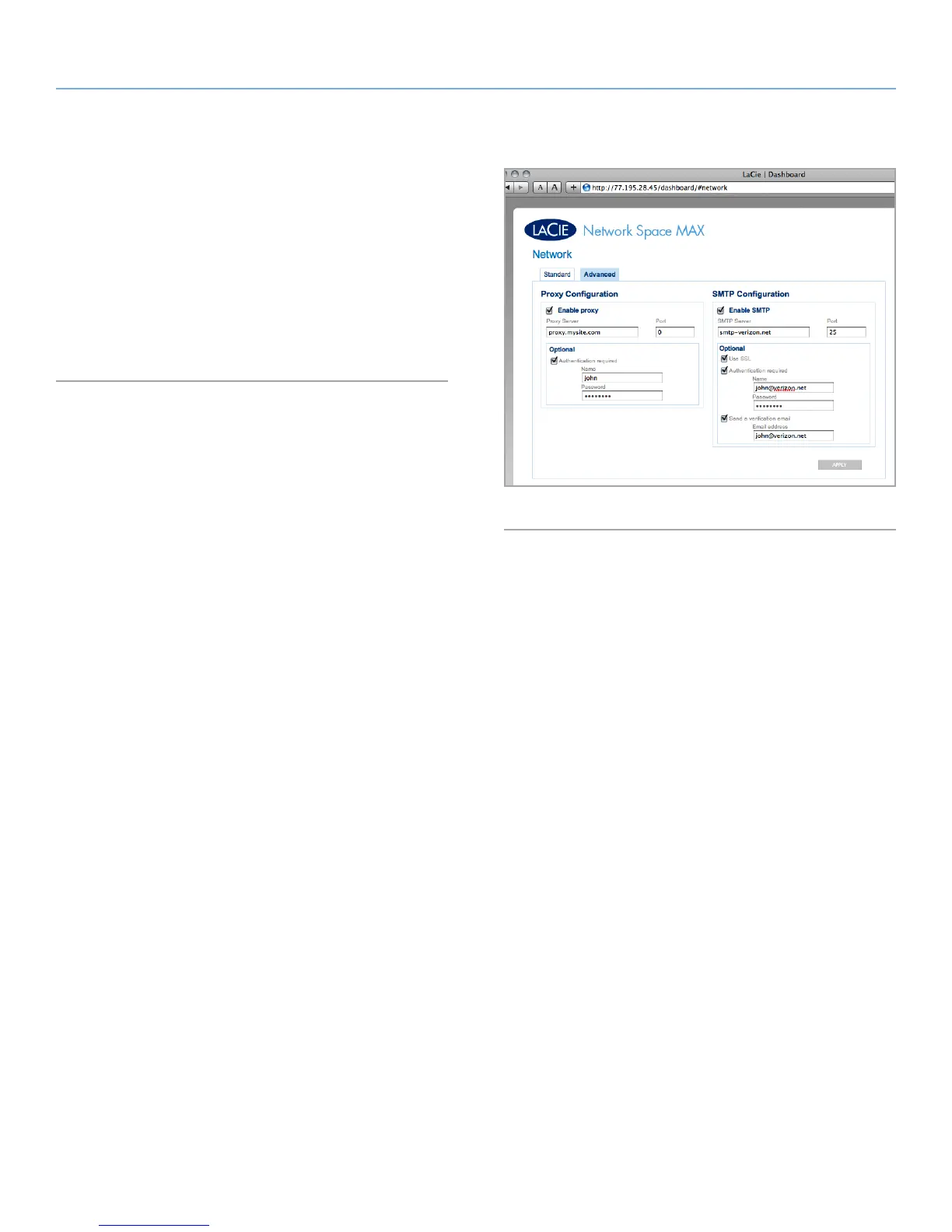
4.8.2. Advanced Settings
Proxy Configuration: The Network Space MAX can be configured to
connect to a proxy server. Fill in the server URL, port, and optional
authentication information and click Apply.
SMTP Configuration: To make sure your Network Space MAX can
send alert emails to users, configure the SMTP settings. Verify the
alert system works by clicking the Send a verification email box.
After modifying any of the above settings, click the Apply button.
Fig. 62














 To Next Page