LaCie Network Space MAX • DESIGN BY NEIL POULTON Introduction
User Manual page 8
1.3. Views of the Drive
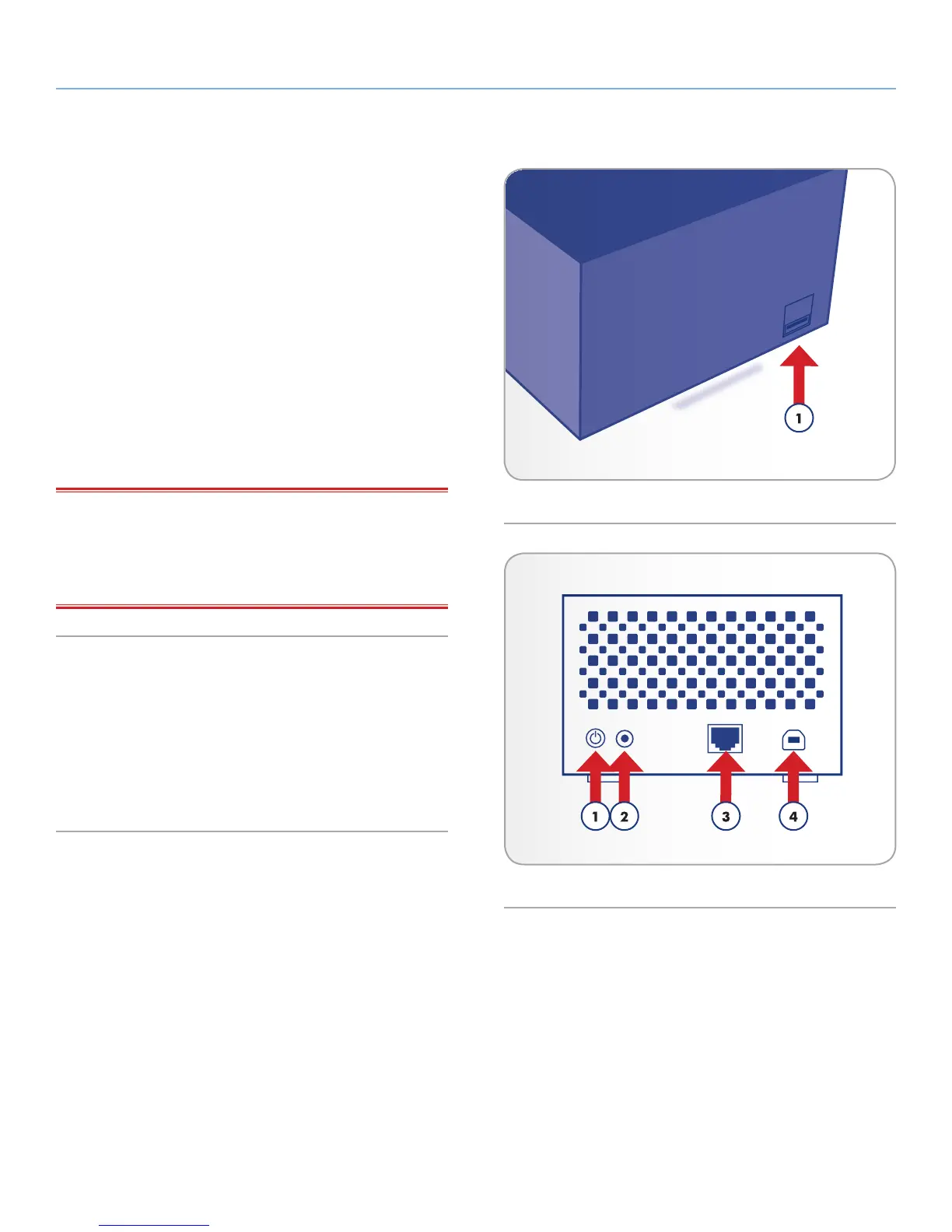
1.3.1. Front View
1. USB Expansion and Backup Port: The USB port on the front
of the LaCie Network Space MAX is used to connect another
external USB hard drive, USB key, USB printer, digital camera,
or any other USB mass storage device (ex. mp3 player). Using
the Copy page on the Dashboard (see section 4.13. Dash-
board: Copy), you can back up shares on your LaCie Network
Space MAX to the external disk.
It is also possible to use the LaCie Network Space MAX to
back up an external USB hard drive. Connected hard disks
are accessed similarly to public folders on the network. See
sections 4.14. Dashboard: Front USB Port and 4.13. Dash-
board: Copy for more information.
IMPORTANT INFO: Do not connect the LaCie Network Space
MAX directly to your computer via the FRONT USB port. Doing so
will not allow the Network Space MAX to be recognized by your
computer. The front USB port is intended only for connection of
other USB storage devices.
1.3.2. Rear View
1. ON/OFF
2. Power Connector
3. Gigabit Ethernet
4. USB 2.0 Direct Connection
Fig. 01
Fig. 02














 To Next Page