4.1 Ge n e r a l 29
| www.lakeshore.com
Chapter 4: Operation
4.1 General
This chapter provides instructions for the general operating features of the
Model 425 gaussmeter. Advanced operation including probe management is in
Chapter 5. Computer interface instructions are in Chapter 6.
4.2 Front Panel
Description
This section provides a description of the front panel controls and indicators for the
Model 425.
4.2.1 Keypad Definition
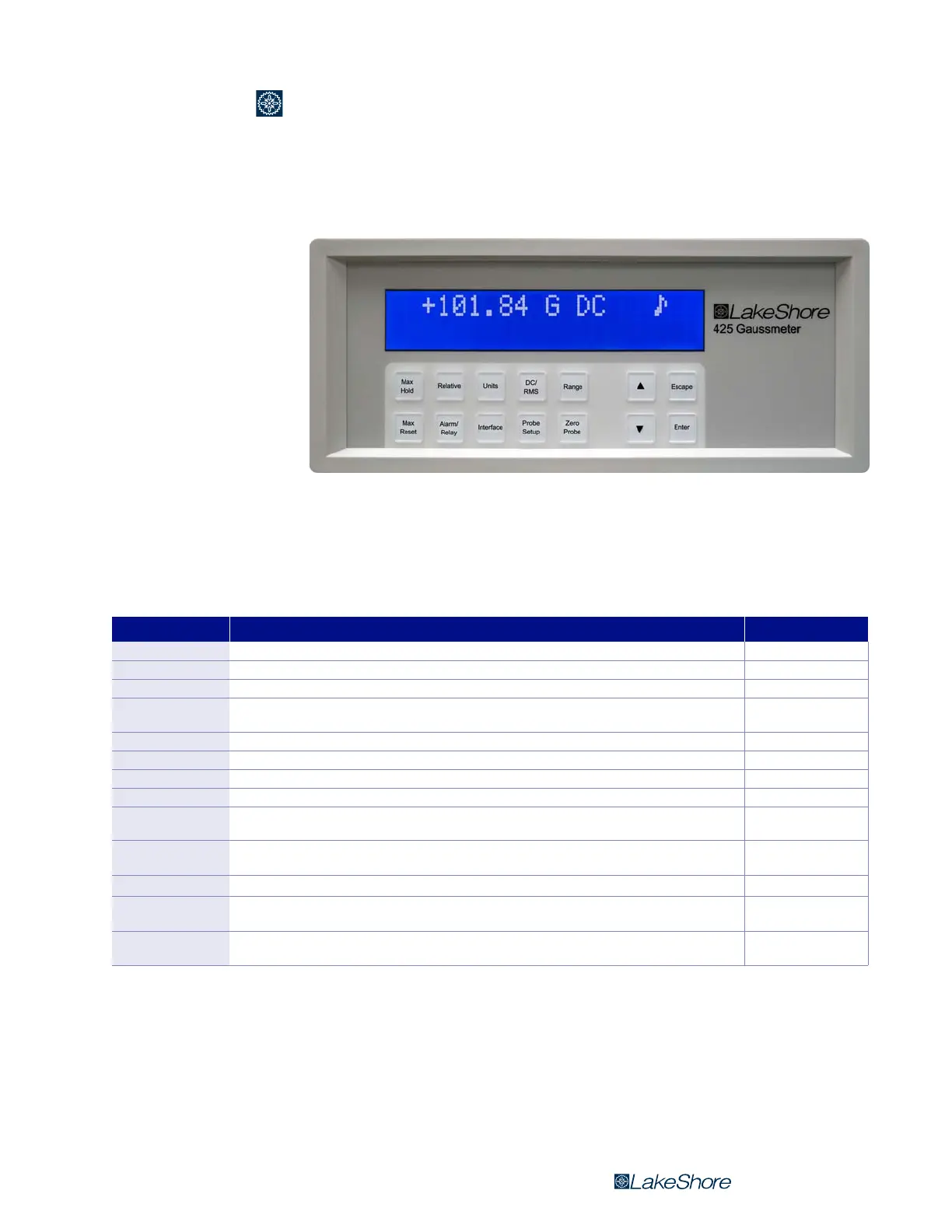
The Model 425 has 14 keys separated into two groups on the instrument front panel.
FIGURE 4-1 Model 425 front panel
Key Function Refer to section
Max Hold Used to turn the max hold function on and off. 4.5.4
Relative Used to turn the relative mode on and off. 4.5.6
Units Allows configuration of the field units of measurement. 4.4.1
DC/RMS
Used to select between DC and AC root mean square (RMS) field measurement modes. Press and hold for 3 s
to select filter in DC mode or to select between narrow and wide band modes in RMS mode.
4.5
Range Allows for selection between field measurement ranges and autorange. 4.5.3
Max Reset Resets the maximum field reading. 4.5.5
Alarm/Relay Allows configuration of the alarm setpoints and relay. Press and hold for 3 s to configure alarm parameters. 5.2
Interface Displays the instrument baud rate. Press and hold for 3 s to adjust the display contrast. 6.2
Probe Setup
Used to display the probe serial number and to turn field compensation on or off. Press and hold for 3 s for
HMPEC/HMCBL (extension or user cable) programming.
5.4
Zero Probe
Used to zero probe offsets or null the effects of ambient low level fields. Press and hold for 3 s to clear the
results of zero probe.
4.5.1.2
st
Used to navigate menus and to select settings. 4.2.2
Escape (exit menu)
Cancels a selection. Press and hold for 3 s to reset the instrument to default values, and to display the firm-
ware version and the instrument serial number.
4.2.2
Enter
Used to accept a selection. Also used to navigate deeper into a menu screen. Press and hold for 3 s to lock or
unlock the keypad.
4.2.2
TABLE 4-1 Keypad definitions



 To Next Page