50 cHAPTER 6: Computer Interface Operation
Model 425 Gaussmeter
6.2.5 Message Flow
Control
It is important to remember that the user program is in charge of the USB communi-
cation at all times. The instrument cannot initiate communication, determine which
device should be transmitting at a given time, or guarantee timing between mes-
sages. All of this is the responsibility of the user program.
When issuing commands the user program alone should:
D Properly format and transmit the command including the terminator as one
string
D Guarantee that no other communication is started for 30 ms after the last char-
acter is transmitted
D Not initiate communication more than 30 times/s
When issuing queries or queries and commands together, the user program should:
D Properly format and transmit the query including the terminator as one string
D Prepare to receive a response immediately
D Receive the entire response from the instrument including the terminator
D Guarantee that no other communication is started during the response or for
30 ms after it completes
D Not initiate communication more than 30 times/s
Failure to follow these rules will result in inability to establish communication with
the instrument or intermittent failures in communication.
6.3 Command
Summary
This section provides a listing of the interface commands. A summary of all the com-
mands is provided in TABLE 6-2. All the commands are detailed in section 6.3.1, and
are presented in alphabetical order.
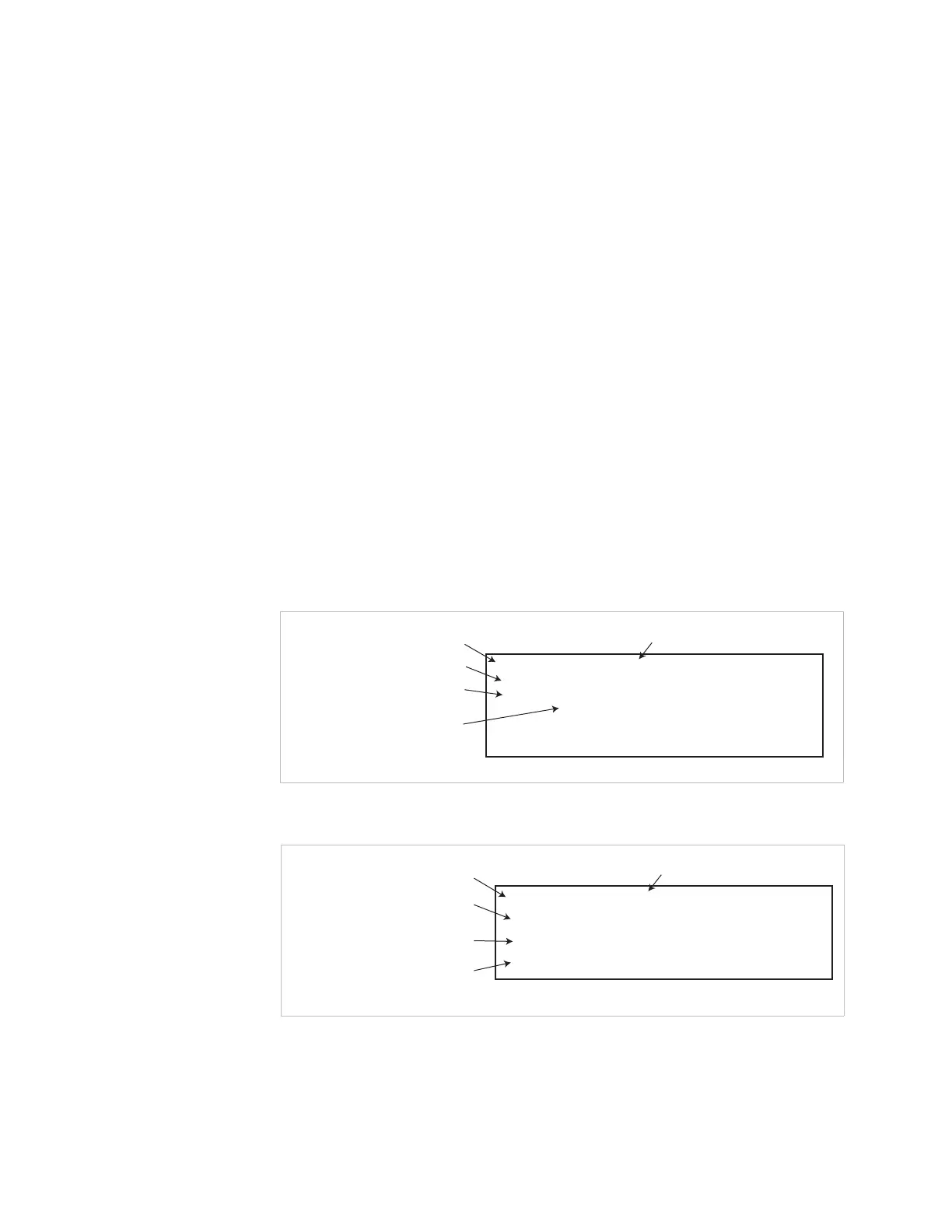
FIGURE 6-1 Sample command format
FIGURE 6-2 Sample query format
AUTO <off/on>, [term]
AUTO
Brief description of command
Command name
Form of the command input
Syntax of user parameter input
see key below
Definition of first parameter
(some commands have multiple parameters)
Input:
Format:
n
Example:
AUTO 1 [term]—turns on the autorange feature
<off/on> Specifies autorange on or off:
0 = Off, 1 = On
Auto Range Command
AUTO? [term]
AUTO?
Brief description of query
Query name
Form of the query input
Definition of returned parameter
Syntax of returned parameter
Input:
Returned:
Format:
<off/on>[term]
n (refer to command for description)
Auto Range Query



 To Next Page