PLMNL0199 REV. J Effective Date: 08/05/21 29 FiberCUT
®
ST Operation Manual
Adjusting the Focus Lens Position:
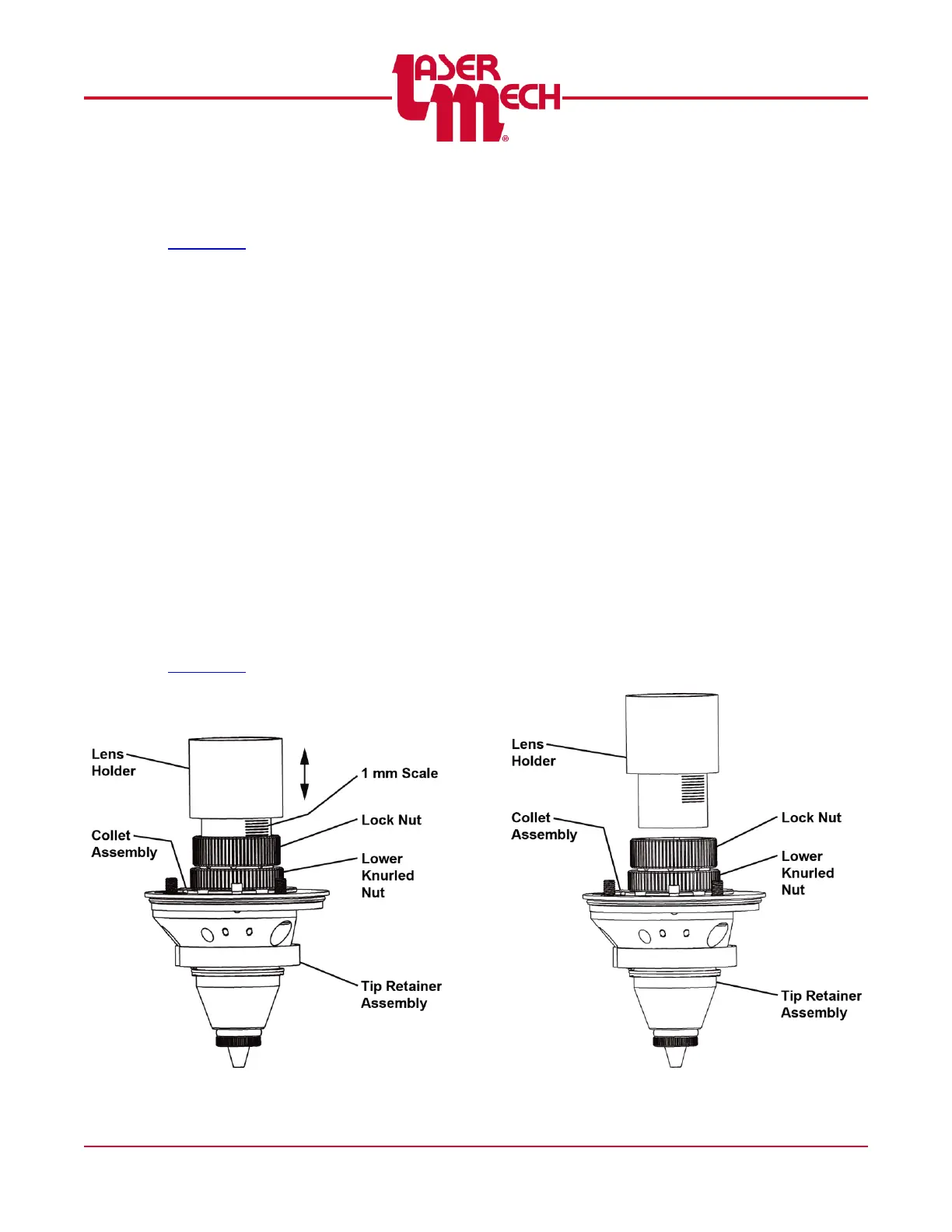
(see Figure 31).
1. Remove the tip assembly according to
Section 6.3.
2. Verify that the lock nut is tight enough
so the lens holder is secured firmly in
position during operation, but can still
slide in and out of the collet assembly.
If the lock nut tension is NOT set
properly, proceed to Adjusting the
Lens Holder Tension.
3. Slide the lens holder to the desired
location into or out of the collet
assembly.
Use the 1mm scale on the side of
the lens holder as a reference to
make the adjustment.
4. Measure and record the location of the
lens holder.
5. Make sure there is no debris on either
side of the focus lens.
6. Install the tip assembly according to
Section 6.3.
Figure 31
Adjusting the Lens Holder Tension:
(see Figure 32)
If the lock nut tension is NOT set properly:
1. Pull the lens holder to remove it from the
collet assembly.
It is more efficient to tighten the lock
nut after removing the lens holder.
2. Tighten the lock nut and test the fit by
reinserting the lens holder.
The lens holder should be secured
firmly in position during operation, but
can still slide in and out of the collet
assembly.
3. Repeat steps 1 and 2 until the lens holder is
secured firmly by the collet assembly.
It is possible to over tighten the lock
nut.
It may be necessary to twist the lens
holder to move it in and out.
4. Go to step 3 of Adjusting the Focus Lens
Position.
Figure 32



 To Next Page