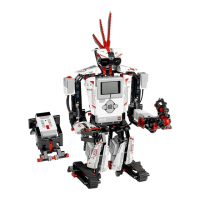
To update the LEGO Toy EV3 software, go to the 'Help' menu and click 'Check for Software Updates'. This requires an internet connection to check for the latest version. If an update is available, you will be directed to a website to download the update file. To install, first close the EV3 software, and then run the downloaded update file.
J
James MooreAug 23, 2025
What to do if my LEGO Toy EV3 Brick freezes and won't shut down?
B
burtonjamesAug 23, 2025
If your LEGO Toy EV3 Brick stops working and cannot be shut down normally, perform a forced restart. This will not delete existing files and projects from previous sessions, but files from the current session will be lost. To reset the EV3 Brick:
1. Ensure the EV3 Brick is turned on.
2. Hold down the Back, Centre, and Left buttons.
3. Release the Back button when the screen goes blank.
4. Release the Centre and Left buttons when the screen displays ‘Starting’.
M
mitchelljeremyNov 1, 2025
How to update the firmware on my LEGO Toy EV3 Brick?
B
Bryan GoodwinNov 1, 2025
To automatically update the firmware on your LEGO Toy EV3 Brick:
1. Ensure you have a USB connection from your computer to your EV3 Brick and that your computer is connected to the Internet.
2. Turn on your EV3 Brick and connect it to your computer.
3. Select 'Firmware Update' in the 'Tools' menu.
4. Click the 'Check' button to see if new firmware updates are available.
5. Select the most recent firmware version from the available files.
6. Alternatively, use the 'Browse' button to select a firmware version from your computer.
7. Click 'Download' to update your EV3 Brick. The progress bars will indicate the update's progress, and your EV3 Brick will restart upon completion. If you need to update your firmware manually:
1. Turn off your EV3 Brick.
2. Hold down the Back, Centre, and Right b...