Preparation Before Surgery
20
Leica HM500/Ref. 10 715 697/Version B
Adjusting the counterweight
To suit your comfort or body posture, the number of counter-
weights in the counterweight box can be increased or
d
ecreased so that the entire system sits well-balanced on your
head.
With the camera option, we recommend no metal
m
odules be used.
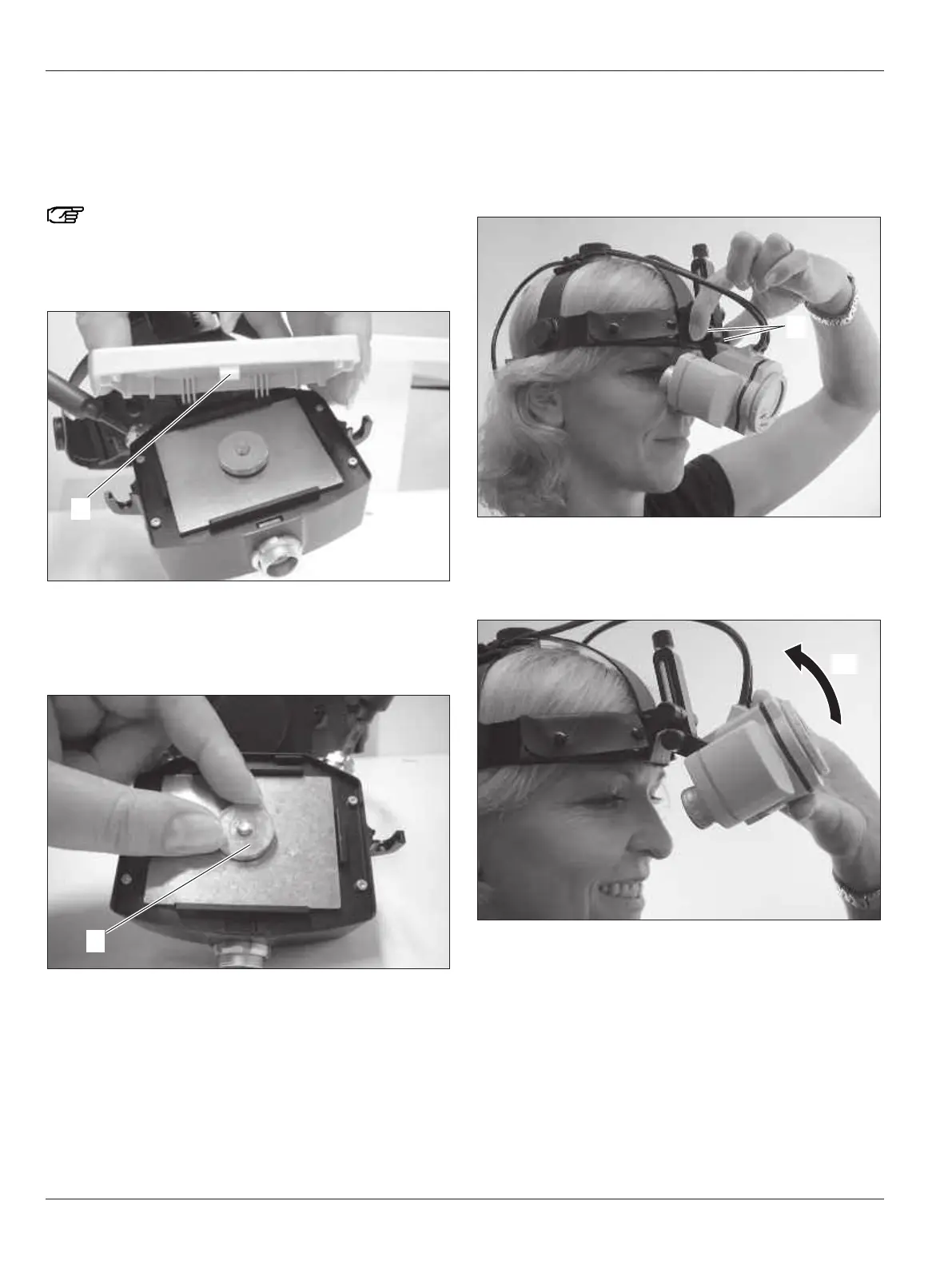
➩Open the lid of the counterweight box by pressing the
clip (88).
➩Loosen the metal ring (89).
➩Remove or add metal modules until the microscope sits
well-balanced on your head depending on your comfort
and working posture.
➩Reattach the metal ring and close the counterweight box.
Swiveling the microscope upwards
During breaks in the surgery, the microscope can be swung
away upwards.
➩Lightly press the knob (27) until the microscope loosens.
➩Swivel the microscope upwards until it latches in the upper
position.
➩Release the microscope again.
To return to the standard position:
➩Press the knob (27) and swivel the microscope back into the
standard position.


 To Next Page