Preparation Before Surgery
25Leica HM500/Ref. 10 715 697/Version B
Unpacking/packing the Leica HM500
headset
Removing the Leica HM500 headset from the flight case
➩
Remove the transportation retainers at the front and back.
Ensure that the cables are not pinched.
➩Remove the Leica HM500 headset.
Do not pull on the cables.
➩Open the lid compartment of the flight case and take out
accessories such as the user manual, cables, and so on.
➩Take the HM500 headset out of its plastic bag and get it ready
for use as described in this user manual.
Packing the Leica HM500 in the flight case
➩Loosen the rotary knobs of the Leica HM500 headset.
➩Adjust the headset to the head size.
➩Loosen the height adjustment knobs and put into the middle
(height) position.
➩Insert the HM500 headset fully and correctly into its plastic
bag together with the silica gel and place it in the recesses
provided.
➩Open the cable clip to give the cables freedom of movement.
➩Put the cleaning solution (and key, where applicable) into the
recess provided.
➩Close the transportation retainers at the front and back.
Ensure that the cables are not pinched.
➩Stow all accessories (such as fiber-optic light guide, inter-
changeable eyepieces, and so on) in the lid compartment.
➩Apply gentle pressure to close the lid of the flight case.
Do not apply excessive pressure when closing the lid
of the flight case. Doing so could damage the cables
and headset.
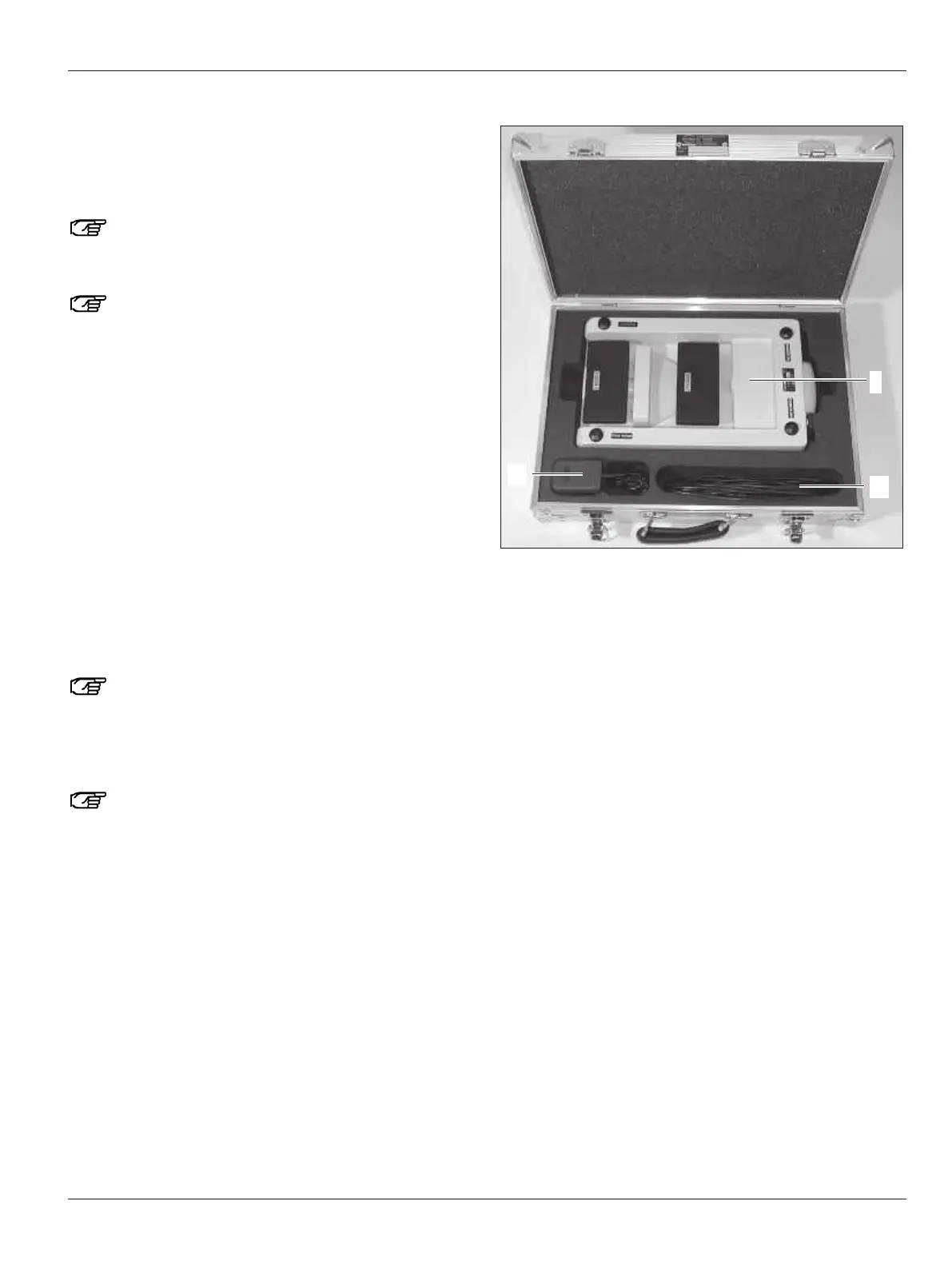
Contents of the Leica HM500 footswitch flight case
8 Leica HM500 footswitch
86 Footswitch – microscope data cable
90 Power pack for footswitch


 To Next Page