Care and Maintenance
43Leica HM500/Ref. 10 715 697/Version B
Resetting the running-time meter
O
nly reset the running-time meter after replacing
a lamp. However, do not reset the running-time meter
without replacing the lamp. This would make the run-
ning-time meter inaccurate and, if the lamp is used for
too long as a result, can result in destruction of the
l
amp and the instrument!
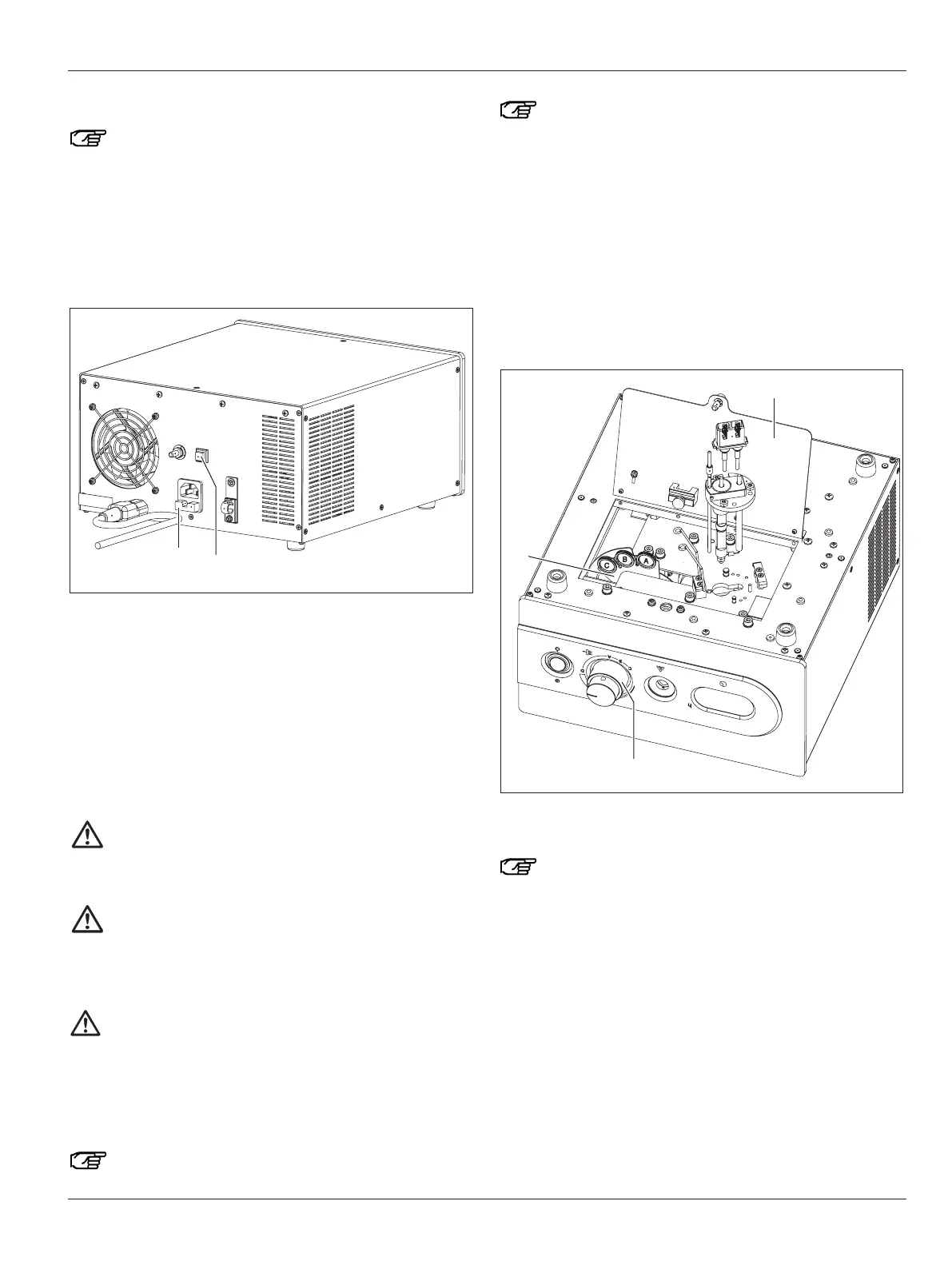
➩Before switching on the Leica MLS500 light source, press and
hold down the button (63) on the rear.
➩Switch on the Leica MLS500 light source.
"0.0" will appear in the display (57).
➩Keep the button (63) held down until the message "turn OFF" is
displayed.
➩Release the button and switch off the Leica MLS500 light
source at the On/Off switch (61).
➩The first time the Leica MLS500 light source is switched back
on, check whether the counter actually shows "0.0".
Changing filters
➩Do not use any filters other than the ones availably as
Leica accessories and approved for use with the
MLS500 light source (such as the orange filter to prevent
premature hardening of fillings).
Warning 15
Risk of burns!
➩Before changing filters, always switch off the
Leica MLS500 light source and allow it to cool for at
least 15 minutes.
Warning 14
Risk of death from electrical shock!
Very high starter voltages of several 10,000 V occur
inside the Leica MLS500 light source, the lamp cable
and in the lamp.
➩Always pull out the power cable (66) before opening
the access panel (102)!
The filters are designed for use in the Leica MLS500
light source.
Do not fit dirty filters. If necessary, clean the filter with
alcohol and a soft cloth or a cotton swab.
Do not use too much liquid and let the filter dry before
c
hanging it.
➩Switch off the Leica MLS500 light source at the On/Off switch
(61).
➩
Wait until the device is completely switched off.
➩Pull out the power plug.
➩Wait another 15–30 minutes until the metal parts inside the
device have cooled down.
➩Turn the Leica MLS500 light source over and lay it on its top
side.
➩Use an Allen key to open the access panel (102).
➩Turn the rotary knob (60) to position D.
The filter wheel (105) becomes accessible.
Hold the filter only by its frame while avoiding touching
the filter glass. Grease residue on the filter can result
in overheating and cracking of the filter!
➩Remove the filter that is not required and fit a different filter.
Installation is in the reverse sequence of operations.


 To Next Page