Preparation Before Surgery
23Leica HM500/Ref. 10 715 697/Version B
D
o not connect the power plug yet
The lamp must be inserted before initial commissioning. For
m
ore information, read the chapter on "Changing lamps" and
observe all safety notes!
If you want to use filters, you can now install these as desired.
To do so, follow the instructions in the chapter on "Changing the
filters".
Switching on the Leica HM500 footswitch
The Leica HM500 footswitch and Dental databox of the
microscope contain a battery which ensures the great-
est self-sufficiency and flexibility possible and avoids
the need for bothersome power cables.
We recommend that the Leica HM500 footswitch/
Dental databox only be operated with the battery and
the power pack not be connected other than to charge
the battery.
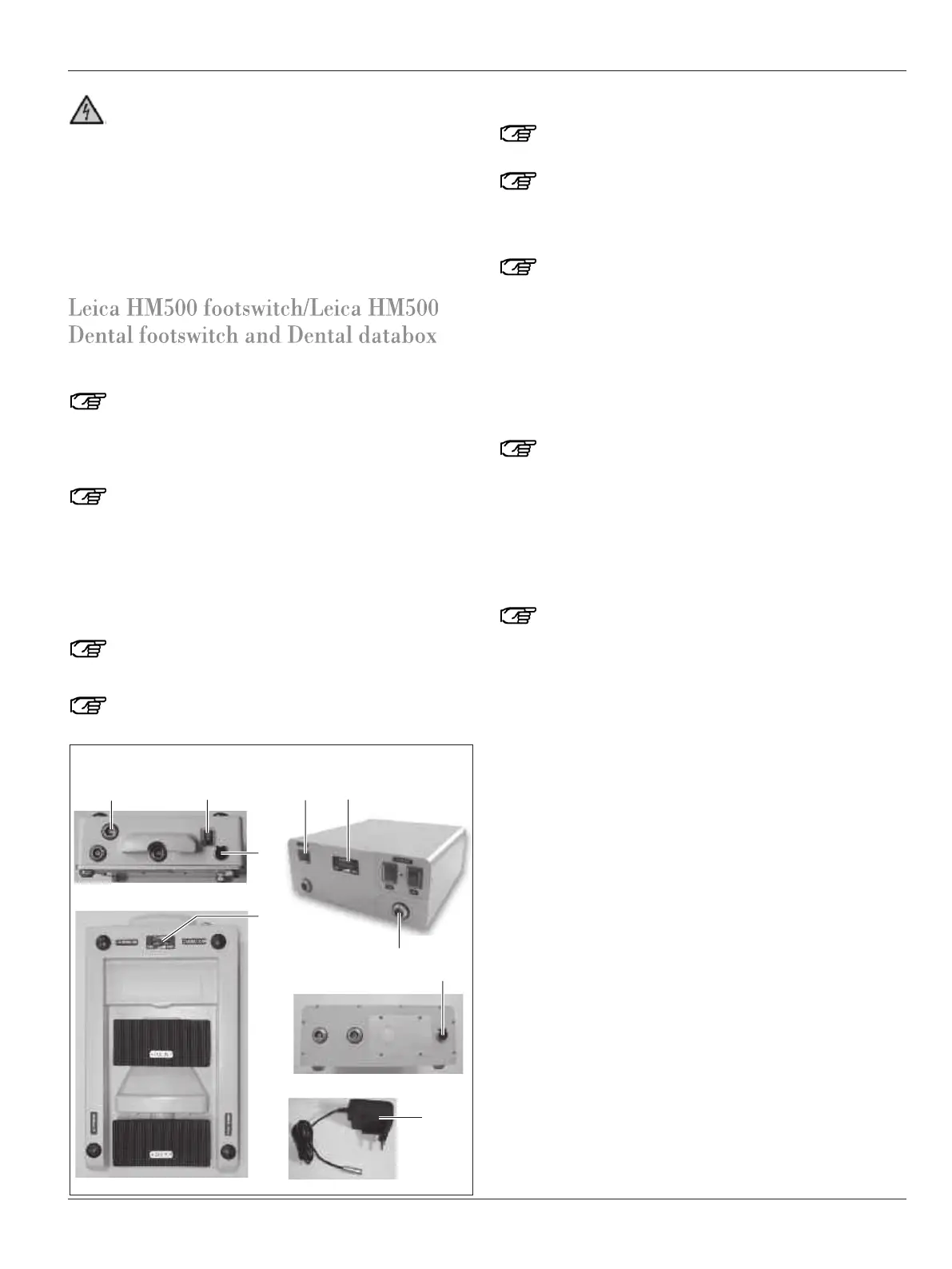
➩Press the On/Off switch (36)/(47).
An audible signal will be given and after a few seconds, the
charge level is shown in the charge level indicator (34)/(48).
The microscope should not be used unless at least four
yellow lights come on.
When the battery is almost empty (less than 10 %) an
audible warning signal is given.
Charging the footswitch battery
Make sure that the battery is fully charged before use
(charging time approx. 3-5 hours).
Charge the footswitch battery outside the operating
room and ensure that the footswitch is not in a small
c
onfined space. We recommend that charging be car-
ried out on a table or countertop.
Only power packs supplied by Leica Microsystems
(Schweiz) AG or authorized dealers should be used.
These have been tested and certificated to IEC601-1 or
EN 60601-1 or UL/ULc 2601-1 (for specifications, see
"Technical Data").
Failure to comply with this will void the warranty.
Should the power pack be damaged—even to a minor
extent—stop using it and contact your dealer immedi-
ately.
Before using the power pack, make sure the line power
supply is the same voltage as the power pack input
voltage and that the power pack fits the power socket.
➩Unplug the data cable from the socket (40)/(51).
➩First plug the low-voltage connector of the power pack into
the socket (37)/(56) of the footswitch/Dental databox.
➩Connect the power pack to the power supply.
The green indicator LED on the power pack comes on.
We recommend charging the battery overnight.
➩Switch off the footswitch/Dental databox at the On/Off
switch (36)/(47).
It takes about 3–5 hours to charge an empty battery, depending
on the battery’s service life.
Depending on the type of application (number of zooming move-
ments, focusing movements or camera usage, age of the bat-
tery, etc.) a fully charged, intact battery will provide about
4–10 hours of service (guide value).
The capacity of a rechargeable battery can decrease after long
periods of disuse (you can tell this when only 3 or 4 LEDs flash
during the recharging process instead of all 5 LEDs). In this
case, you can increase the capacity by carrying out several
successive charging cycles (plug in and unplug the power
adapter/socket 37) until all 5 LEDs flash.
Power supply with line-powered operation
➩First plug the low-voltage connector of the power pack (90)
into the socket (37)/(56) of the footswitch/Dental databox.
➩Connect the power pack (90) to the power supply.
➩Switch on the footswitch/Dental databox at the On/Off
switch (36)/(47).
During line-powered operation, the current charge level is
displayed.
Footswitch Dental databox


 To Next Page